


Playroom
By Playroom
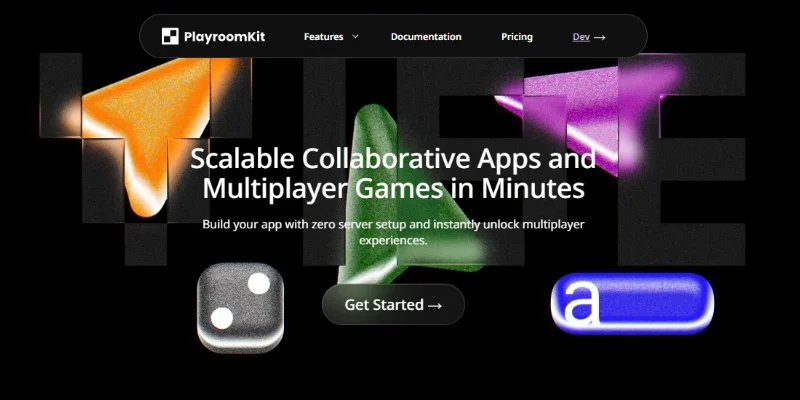
Build Multiplayer Games and Collaborative Apps Without Server Setup
Overview
Summary: Playroom is a multiplayer development platform designed to help developers build real-time multiplayer games and collaborative applications. It provides tools for managing game rooms, synchronizing shared player data, and enabling multiplayer interactions without requiring developers to build all the backend infrastructure from scratch.
What is Playroom?
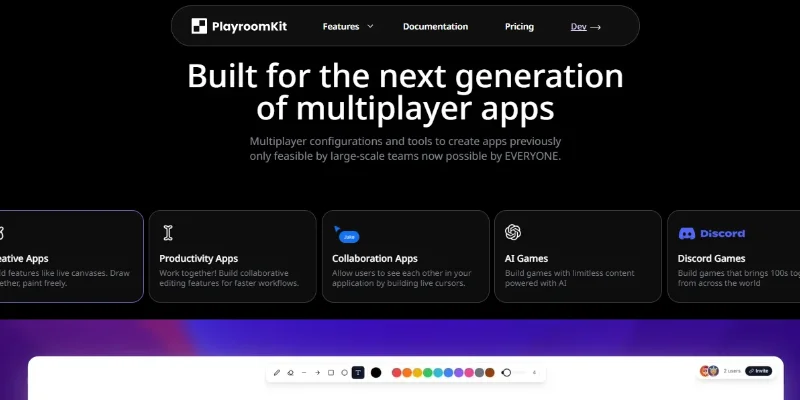
Playroom helps developers create multiplayer experiences for web-based games and interactive applications. Its Playroom Kit simplifies common multiplayer tasks, including room creation, player management, and shared-state synchronization. By reducing the complexity of networking and backend development, the platform allows creators to focus more on gameplay, user interactions, and product design. It is particularly useful for indie game developers, web developers, and teams experimenting with multiplayer experiences and AI-assisted coding workflows.
Key Capabilities:
-
Multiplayer Game Development: Build interactive games that support multiple players in a shared environment.
-
Room Creation: Enable players to create or join rooms for multiplayer sessions.
-
Shared-State Synchronization: Synchronize relevant game data and player interactions across participants.
-
Developer Integration: Use Playroom's development tools to integrate multiplayer functionality into supported projects.
-
Rapid Prototyping: Reduce the work required to build and test multiplayer game concepts.
-
Collaborative Experiences: Develop interactive applications where multiple users can participate together.
-
AI-Assisted Development Workflows: Use compatible AI coding tools alongside Playroom to help build and iterate on multiplayer projects.
Screenshots & Demo
Key Features
Core capabilities and functionalities provided by Playroom.
Real-Time Shared-State Synchronization
Synchronizes shared application data between participants, helping players see relevant updates and interactions during a multiplayer session
Room Creation and Management
Allows developers to build experiences where users can create or join multiplayer rooms. Room-based sessions help organize players into shared game environments.
Player Management
Provides tools for handling player information and multiplayer participation, helping developers build experiences around multiple users in the same session.
Cross-Framework Integration
Supports development workflows across compatible game engines and web technologies. Developers can check the official documentation for currently supported frameworks and integration requirements.
Pros & Cons
Key strengths and potential limitations of Playroom.
What We Like
- Simplified Multiplayer Development: Playroom provides tools for common multiplayer features, reducing the need to build networking and backend systems from scratch.
- Real-Time Shared State: Helps synchronize game data and player interactions so participants can share the same game experience.
- Faster Game Prototyping: Developers can focus more on gameplay and user experience instead of spending excessive time implementing multiplayer infrastructure
- Browser-Based Game Support: Useful for creating accessible multiplayer experiences that players can join through supported web environments.
- AI-Assisted Development Potential: Can complement AI coding tools and help developers experiment with multiplayer game concepts more efficiently.
Where It Falls Short
- Limited to Specific Use Cases: Playroom is primarily designed for multiplayer games and collaborative applications, so it may not suit general-purpose software development needs.
- Learning Curve: Developers may need programming knowledge to integrate the toolkit and customize multiplayer mechanics.
- Platform Dependency: Projects that rely heavily on Playroom's APIs may require additional work if developers later migrate to another multiplayer backend
- Feature and Integration Constraints: Compatibility with particular game engines, frameworks, or advanced multiplayer requirements should be checked before committing to a project.
- Pricing and Usage Limits: Free-tier restrictions and paid-plan requirements may affect projects as player activity grows. Check the official pricing page for current limits and costs.
Use Cases
Discover common workflows and scenarios where Playroom excels.
Multiplayer Game Development
Build browser-based multiplayer games where multiple players can join the same session, interact in a shared environment, and play together in real time.
Rapid Game Prototyping
Create and test multiplayer game concepts quickly using ready-made tools for room management and shared-state synchronization, reducing the need to build networking infrastructure from scratch.
Real-Time Collaborative Applications
Develop applications where multiple users can interact simultaneously, share information, and see changes reflected across their sessions.
AI-Assisted Game Creation
Combine Playroom with compatible AI coding assistants to prototype multiplayer mechanics, generate code, and iterate on game concepts more efficiently.
Shared Canvas and Drawing Apps
Build collaborative drawing boards and shared canvases where participants can contribute to the same workspace and view one another's updates.
Interactive Web Experiences
Create browser-based interactive experiences that support multiple participants, shared activities, and synchronized user interactions.
Virtual Social Games
Develop casual multiplayer experiences where friends can join a room, interact with one another, and participate in shared activities.
Educational Multiplayer Projects
Build learning games and interactive educational activities where students can participate together, collaborate, and solve problems as a group.
Similar AI Tools





Latest from Our Blog
Tips, tutorials and insights about AI tools and how to use them effectively.

Best AI Tools for Real Estate Agents in 2026: Listings, Leads & Follow-Up

Google Gemini vs ChatGPT: Which AI Assistant Should You Actually Use?

8 Best Midjourney Alternatives in 2026 (Free and Paid)

15 Best AI Tools for Freelance Writers in 2026 (Tested & Ranked)
Reviews & Community Ratings
Average rating: 5.0 out of 5 (1 total reviews)
Rate Playroom
Community Reviews (0)