

Recraft AI
By Recraft AI
AI vector art and 3D graphic generator with precise brand palette consistency.
Overview
Summary Recraft.ai ek advanced AI-powered design platform hai jo vector graphics, 3D illustrations, icons, aur brand style guides create karne ke liye specially designed hai. Traditional raster image generators ke mukable, Recraft designers aur agencies ko clean SVG vector files, infinite canvas, aur consistent brand color palettes generate karne ki suvidha deta hai.
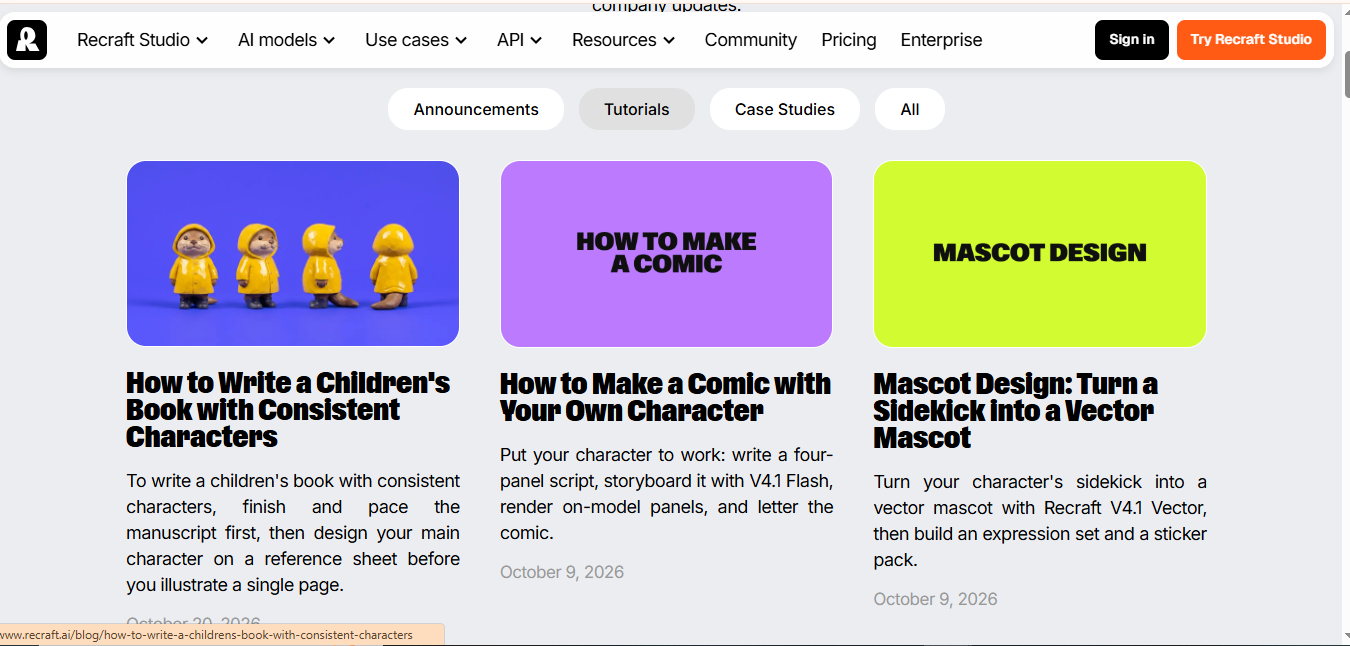
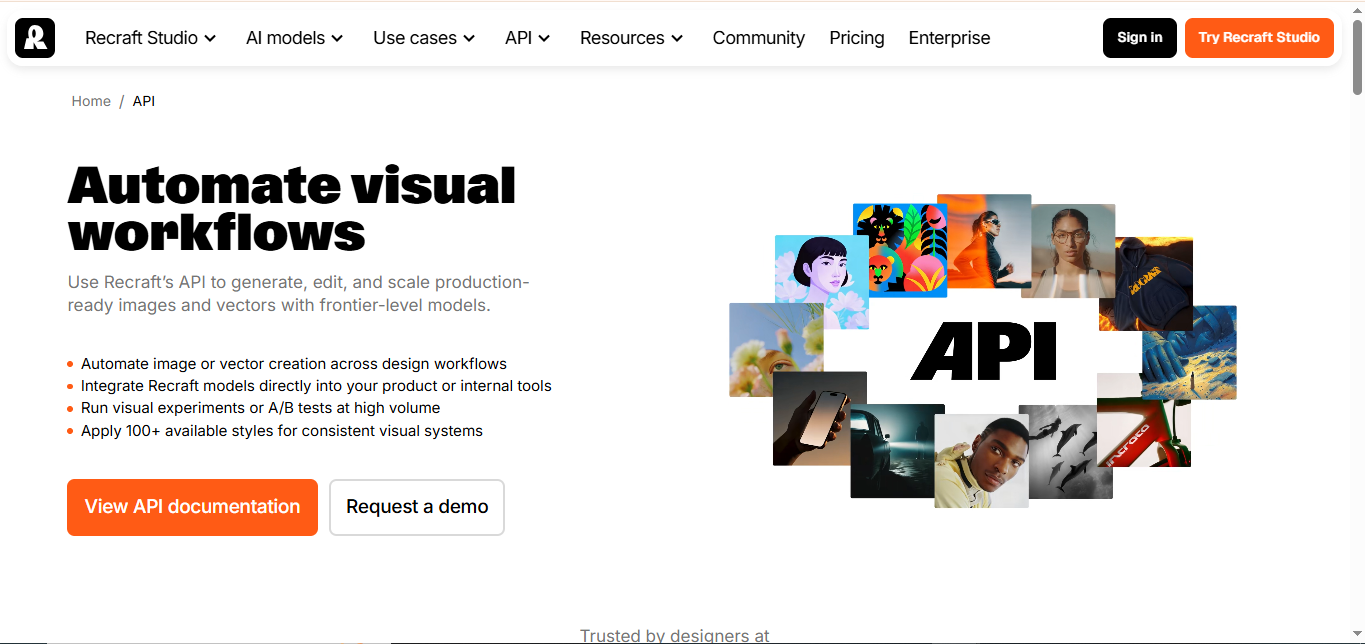
What is Recraft AI? Recraft AI ek professional-grade generative design studio hai jo vector art, line art, 3D icons, aur raster images ko ek hi workspace mein synthesize karta hai. Is platform ki sabse badi khasiat "Vector (SVG) Output" hai jismein har path, shape, aur color layer editable hoti hai. Ismein Infinite Canvas, Brand Style Control (colors aur stroke weights lock karne ke liye), Image Vectorization, aur Text-to-Vector features shamil hain. Product designers, brand creators, aur illustrators vector assets ko directly Figma ya Illustrator mein export karne ke liye iska istemal karte hain.
Verifiable Stats
True Vector (SVG) Output: Generates fully editable vector files with clean anchor points and paths rather than flat pixels.
Brand Style Consistency: Allows users to enforce custom color palettes, line weights, and visual styles across all generated assets.
Infinite Canvas Design: Provides a spacious multi-artboard workspace for layout design, mood boards, and icon sets.
Free Tier Available: Offers free generation credits alongside professional paid plans starting from $20/month.
Screenshots & Demo
Key Features
Core capabilities and functionalities provided by Recraft AI.
High-Fidelity Generative Rendering
Generates photorealistic images, vector graphics, and creative artwork from natural language prompts and reference aesthetics.
Precision Inpainting & Generative Fill
Enables pinpoint regional editing, background replacement, object removal, and seamless texture expansion.
Style Consistency & Concept Conditioning
Maintains consistent character features, color palettes, and brand guidelines across sequential frames and design campaigns.
Ultra-HD Upscaling & Multi-Format Export
Upscales creative assets to 4K/8K resolution with crisp edge retention suitable for digital and print production.
Pros & Cons
Key strengths and potential limitations of Recraft AI.
What We Like
- High-precision AI outputs with strong contextual grounding and minimal latency.
- Intuitive user experience with seamless integration into established daily workflows.
- Flexible tiering with Freemium options enabling easy evaluation before commitment.
Where It Falls Short
- Full throughput quotas and enterprise collaboration features require paid tier upgrade.
- Requires stable high-speed internet connection for cloud model inference and telemetry.
Use Cases
Discover common workflows and scenarios where Recraft AI excels.
Enterprise Workflow & Knowledge Automation
Connect fragmented company knowledge bases into a unified semantic assistant for real-time employee problem solving.
Creative Content Generation & Brand Prototyping
Generate high-impact copy, visual campaign assets, and strategic pitches tailored to distinct target audiences.
Operations & Ticket Resolution Acceleration
Empower operational units to rapidly categorize, triage, and answer complex customer inquiries with high factual fidelity.
Similar AI Tools






Latest from Our Blog
Tips, tutorials and insights about AI tools and how to use them effectively.

Best AI Tools for Real Estate Agents in 2026: Listings, Leads & Follow-Up

Google Gemini vs ChatGPT: Which AI Assistant Should You Actually Use?
8 Best Midjourney Alternatives in 2026 (Free and Paid)
15 Best AI Tools for Freelance Writers in 2026 (Tested & Ranked)
Reviews & Community Ratings
Average rating: 5.0 out of 5 (1 total reviews)
Rate Recraft AI
Community Reviews (0)