

AI Voice Enhancer
By AI Voice Enhancer
Context-aware software development platform for rapid engineering workflows.
Overview
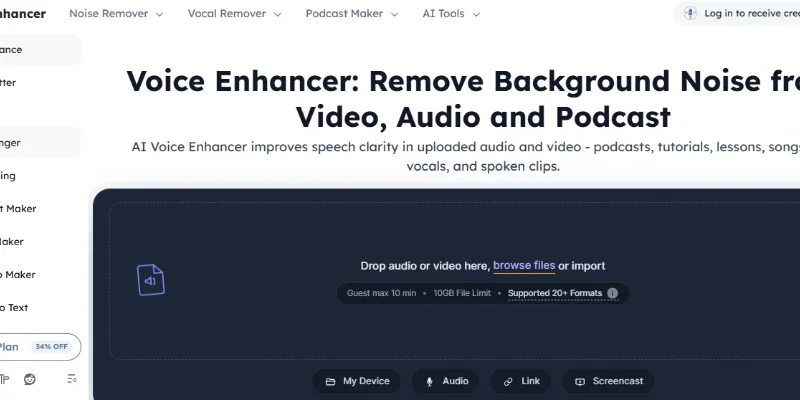
Summary: VoiceEnhancer.ai is a free, browser-based AI audio and video enhancement tool that improves speech clarity and removes unwanted sounds from recordings. It helps podcasters, video creators, educators, musicians, and content producers reduce background noise, echo, reverb, static, wind noise, mouth sounds, breaths, filler words, hesitations, and long silences. The platform offers two processing models, AudioCleaner V1 and AudioCleaner V2 Alpha, along with additional audio-cleaning options such as AutoEQ, normalization, and Studio Sound. It supports a wide range of audio and video formats, including MP3, WAV, MP4, FLAC, AAC, MOV, and more. Users can upload files, preview enhanced results, and download processed recordings without installing software or creating an account.
What is VoiceEnhancer.ai?
VoiceEnhancer.ai is an online AI-powered voice enhancement platform designed to make spoken audio clearer, cleaner, and easier to understand. It processes uploaded audio and video files to reduce unwanted background sounds and improve vocal quality. Users can enhance podcast recordings, interviews, lectures, voiceovers, music vocals, tutorials, and other speech-based content directly through a web browser.
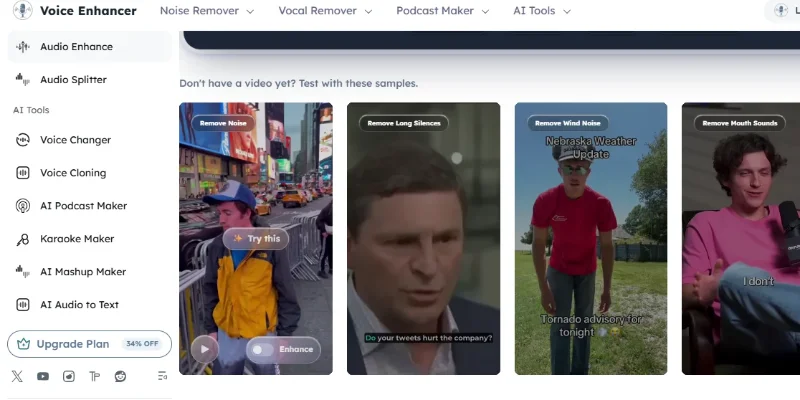
The platform offers several specialized audio-cleaning capabilities, including background noise removal, echo and reverb reduction, wind noise removal, static and buzz reduction, and the removal of unwanted mouth sounds and breathing. It can also reduce filler words, hesitations, stuttering, and long silences to make speech recordings more polished.
VoiceEnhancer.ai provides two processing options: AudioCleaner Model V1, designed for general audio enhancement and broad compatibility, and AudioCleaner Model V2 Alpha, designed to handle more complex noise environments and produce clearer, more natural-sounding speech. Users can select suitable enhancement options, process their recordings, and compare the original and enhanced versions before downloading.
The platform is useful for creators who want to improve recording quality without learning complicated audio-editing software. Its browser-based workflow supports audio and video uploads, offers no-login access, and allows users to download enhanced files for use in podcasts, online courses, YouTube videos, marketing campaigns, and social media content.
Verifiable Stats
1. Developer: The official website presents the service under the name VoiceEnhancer.ai. A clearly verified legal company or founder name is not disclosed in the sources reviewed.
2. Launch Date: A reliable official launch date could not be confirmed.
3. Primary Purpose: AI-powered voice enhancement, speech clarity improvement, and audio/video noise reduction.
4. Processing Models: AudioCleaner Model V1 and AudioCleaner Model V2 Alpha.
5. Audio Enhancement Features: Background noise removal, echo reduction, reverb removal, wind-noise reduction, static removal, buzz reduction, AutoEQ, normalization, and Studio Sound.
6. Speech Cleanup Features: Removes or reduces long silences, mouth sounds, breathing, filler words, hesitations, and stuttering.
7. Supported Formats: MP3, WAV, FLAC, AAC, OGG, OPUS, M4A, MP4, MOV, AVI, MKV, WEBM, WMA, and several additional audio and video formats.
8. File Limits: The official website advertises support for files up to 10 GB and recordings up to three hours in duration.
9. Access: Browser-based platform with no account registration or software installation required.
10. Reported Usage: The website displays more than 100,000 audio files improved, users in over 120 countries and regions, and an average rating of 4.9 stars from 786 ratings. These are platform-reported figures, not independently verified statistics
Screenshots & Demo
Key Features
Core capabilities and functionalities provided by AI Voice Enhancer.
Context-Aware Code Completion & Synthesis
Delivers low-latency inline code completions, multi-token suggestions, and semantic completions customized to the repository context.
Multi-File Codebase Indexing & Exploration
Deeply scans project files, dependency trees, and symbol references to provide comprehensive cross-file edits and refactorings.
Automated Git & Terminal Workflow Automation
Executes shell commands, analyzes test runs, resolves syntax and runtime bugs, and crafts clean commit messages and pull requests.
Architectural Refactoring & Security Audit
Spots security vulnerabilities, dead code paths, and architectural smells, providing one-click semantic fixes and unit tests.
Pros & Cons
Key strengths and potential limitations of AI Voice Enhancer.
What We Like
- Effective Background Noise Reduction: Helps remove unwanted sounds such as traffic, wind, static, hum, and other background distractions, making speech easier to understand.
- Multiple Audio Enhancement Features: Offers noise removal, echo and reverb reduction, AutoEQ, normalization, and Studio Sound, giving users several ways to improve recording quality.
- Supports Audio and Video Files: Users can enhance recordings from different media formats, including MP3, WAV, MP4, MOV, and FLAC, without first converting every file.
- Simple Browser-Based Interface: Users can upload recordings, select enhancement options, preview results, and download processed files without installing complicated audio-editing software
- Useful for Different Content Creators: Supports workflows for podcasters, YouTubers, educators, musicians, voiceover artists, and professionals who regularly work with recorded speech.
Where It Falls Short
- Source Recording Quality Matters: The tool works best when speech is already audible beneath background noise. Extremely noisy, distant, or unclear recordings may not produce satisfactory results.
- Risk of Unnatural Audio Processing: Aggressive noise reduction or speech cleanup may affect natural voice characteristics. Users should preview the enhanced recording before downloading.
- V2 Model Is Still in Alpha: AudioCleaner V2 is labelled as an Alpha model, so its performance and consistency may vary compared with the established V1 model.
- Limited Manual Audio Control: The platform focuses on automated enhancement rather than providing the detailed track editing, mixing, and mastering controls available in professional digital audio workstations.
- Privacy Details Need Careful Review: Although the website advertises no-login access, its privacy policy does not clearly explain how long uploaded audio and video files are retained or the complete processing arrangements. Users handling confidential recordings should review the policy before uploading.
Use Cases
Discover common workflows and scenarios where AI Voice Enhancer excels.
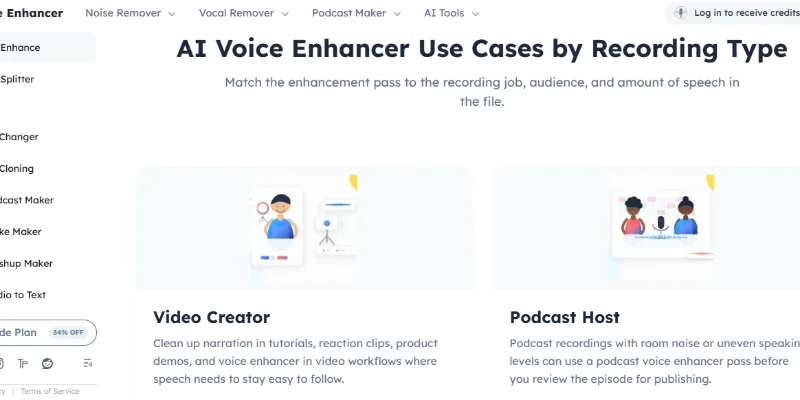
Podcast Audio Enhancement
Clean podcast recordings by reducing background noise, echo, reverb, and unwanted mouth sounds. Podcasters can use it to make conversations clearer and more enjoyable for listeners.
YouTube Video Audio Cleanup
Improve the sound quality of YouTube videos by removing distracting background noise and enhancing spoken narration. This is useful for tutorials, reviews, vlogs, interviews, and educational videos.
Online Course and Lecture Enhancement
Make recorded lessons easier to understand by reducing environmental noise, improving speech clarity, and cleaning up long pauses. Educators can prepare clearer learning materials for students.
Professional Voiceover Production
Enhance voiceover recordings for advertisements, explainer videos, presentations, audiobooks, and promotional content by reducing unwanted noise and improving vocal consistency.
Interview Recording Cleanup
Improve recorded interviews by reducing background distractions and making participants' voices easier to hear. This is useful for journalists, researchers, recruiters, and content creators.
Meeting and Webinar Audio Improvement
Clean up recorded meetings, webinars, and online discussions by reducing background sounds and improving the clarity of spoken communication.
Music Vocal Recording Cleanup
Reduce unwanted noise, static, and other distractions in vocal recordings. Musicians and independent artists can use the tool to prepare cleaner vocal tracks for further editing.
Social Media Video Enhancement
Improve voice quality in Instagram Reels, TikTok videos, YouTube Shorts, and other short-form content. Creators can make narration and dialogue clearer before publishing.
Similar AI Tools

Suno
Turn Your Lyrics, Ideas, or Hummed Melodies into Fully Produced Songs

Remusic AI
Generate AI Songs, Create Voice Covers, Remove Vocals, Split Stems, and Write Lyrics.

Elevenlabs
Create Realistic AI Voices, Clone Speech, Dub Videos, and Generate Natural Voiceovers.

Tunee
Create AI Songs, Clone Voices, Master Audio, and Generate Music Videos.

Murf - AI
AI Voice Generator & Text-to-Speech Software for Realistic Voiceovers

Free YT to MP3
Convert YouTube Links to MP3 Audio in Seconds

Heart-Mula
Make Studio-Quality Music from a Simple Text Prompt
FineVoice
Generate Natural Voiceovers, Clone Voices, Change Voices in Real Time
Latest from Our Blog
Tips, tutorials and insights about AI tools and how to use them effectively.

ChatGPT for Brand Voice: Can It Sound Like You?

ChatGPT for Marketing: The Complete 2026 Guide

Best AI Tools for Real Estate Agents in 2026: Listings, Leads and Follow-Up

Google Gemini vs ChatGPT: Which AI Assistant Should You Actually Use?
Reviews & Community Ratings
No reviews yet — be the first to rate and review this tool!
Rate AI Voice Enhancer
Community Reviews (0)