

Any Video Converter
By Any Video Converter
Intelligent developer copilot automating code completion, refactoring, and debugging.
Overview
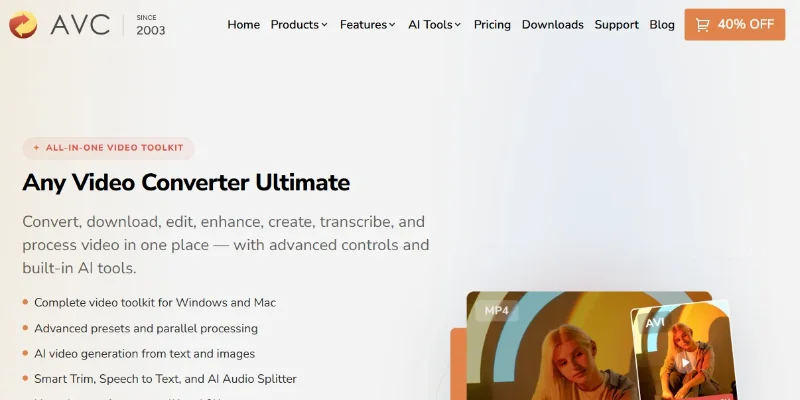
Summary: Any Video Converter Ultimate is an all-in-one video conversion and AI media toolkit developed by Any Video Converter. It helps users convert and compress videos, download online videos, record screens, edit media, enhance video quality, generate AI videos and images, transcribe speech, and separate vocals from music. The software supports more than 1,000 conversion formats and combines traditional video-processing features with AI-powered creative tools. It is available for Windows and macOS, with free and paid editions offering different capabilities.
What is Any Video Converter Ultimate?
Any Video Converter Ultimate is a desktop multimedia application designed to manage video and audio workflows in one place. Developed by Any Video Converter, it combines format conversion, compression, downloading, editing, screen recording, and DVD authoring with AI-powered media tools. Users can convert files into preferred formats, customize encoding settings, process multiple files, and save reusable presets. Its AI features include video generation from prompts and reference media, video enhancement and upscaling, speech-to-text transcription, automatic scene trimming, image generation, and vocal separation. The application is intended for content creators, video editors, educators, marketers, and everyday users who want to create, improve, and prepare media without switching between multiple applications. Some advanced features and AI-generation credits require a paid license.
Verifiable Stats:
-
Developer: Any Video Converter, a multimedia software brand focused on video conversion and media-processing tools
-
Conversion support: The official website advertises support for more than 1,000 video and audio formats.
-
Operating systems: The Ultimate edition supports Windows 10 and Windows 11 (64-bit), as well as macOS 12 and later, according to its current product FAQ.
-
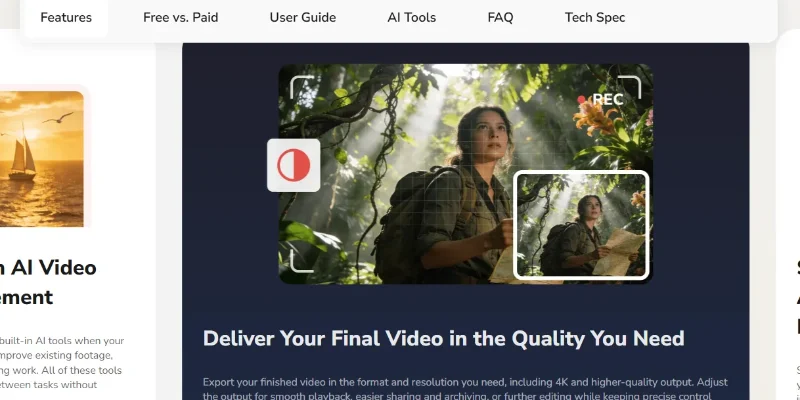
Video conversion: Users can convert video and audio files into preferred output formats and customize encoding settings.
-
Batch processing: The software supports batch conversion and simultaneous downloads for processing multiple media files more efficiently.
Screenshots & Demo
Key Features
Core capabilities and functionalities provided by Any Video Converter.
Context-Aware Code Completion & Synthesis
Delivers low-latency inline code completions, multi-token suggestions, and semantic completions customized to the repository context.
Multi-File Codebase Indexing & Exploration
Deeply scans project files, dependency trees, and symbol references to provide comprehensive cross-file edits and refactorings.
Automated Git & Terminal Workflow Automation
Executes shell commands, analyzes test runs, resolves syntax and runtime bugs, and crafts clean commit messages and pull requests.
Architectural Refactoring & Security Audit
Spots security vulnerabilities, dead code paths, and architectural smells, providing one-click semantic fixes and unit tests.
Pros & Cons
Key strengths and potential limitations of Any Video Converter.
What We Like
- Wide Format Support: Converts video and audio files across more than 1,000 formats and profiles, making it useful for different devices and workflows.
- All-in-One Media Toolkit: Combines video conversion, compression, downloading, recording, and editing features in one desktop application.
- AI-Powered Features: Offers AI-assisted media tools, including video enhancement, upscaling, transcription, and content generation where supported.
- Batch Processing: Helps users process multiple media files more efficiently instead of converting each file individually.Batch Processing: Helps users process multiple media files more efficiently instead of converting each file individually.
- Flexible Output Controls: Provides options to adjust output formats, quality, resolution, and other conversion settings
Where It Falls Short
- Paid Feature Restrictions: Some advanced tools and capabilities require a paid edition or license.
- Desktop Installation Required: Unlike browser-based converters, the software must be installed on a compatible Windows or macOS computer.
- Learning Curve: The wide range of features and settings may take time for beginners to understand.
- Hardware Requirements: High-resolution conversion, enhancement, and AI processing may require a capable computer and can take time.
- AI Feature Limitations: Results, available models, and usage allowances may vary by feature or license, so users should check current product details before purchasing.
Use Cases
Discover common workflows and scenarios where Any Video Converter excels.
Video Format Conversion
Convert video files into formats suitable for different devices, media players, editing applications, and sharing platforms.
Video Compression
Reduce video file sizes to save storage space and make files easier to upload, share, or transfer.
AI Video Enhancement
Use AI-assisted enhancement tools to improve video clarity and upscale supported footage for higher-resolution viewing.
AI Video Generation
Create video content from text prompts or reference materials using the platform's supported AI generation features.
AI Image Generation
Generate images from text prompts for creative projects, visual concepts, presentations, and other media workflows.
Speech-to-Text Transcription
Convert speech from supported audio or video files into text for captions, notes, documentation, and content repurposing.
Batch Media Processing
Process multiple media files more efficiently for recurring conversion and media-management tasks.
Video Downloading
Download supported online videos for personal media workflows, subject to website restrictions and applicable copyright rules.
Similar AI Tools






Latest from Our Blog
Tips, tutorials and insights about AI tools and how to use them effectively.

ChatGPT for Brand Voice: Can It Sound Like You?

ChatGPT for Marketing: The Complete 2026 Guide

Best AI Tools for Real Estate Agents in 2026: Listings, Leads and Follow-Up

Google Gemini vs ChatGPT: Which AI Assistant Should You Actually Use?
Reviews & Community Ratings
Average rating: 5.0 out of 5 (1 total reviews)
Rate Any Video Converter
Community Reviews (0)