

Autosheet
By Autosheet
AI-powered coding companion built for high-velocity software engineering.
Overview
Summary: Autosheet is an AI-powered spreadsheet agent developed by Talarian that helps users automate spreadsheet tasks in Microsoft Excel and Google Sheets using natural-language instructions. It can write and fix formulas, clean messy data, create charts and pivot tables, format worksheets, analyze information, and process large datasets row by row. Users can apply AI-powered operations such as translation, categorization, scoring, content generation, web research, and data enrichment across thousands of spreadsheet records. Autosheet also supports multiple AI providers, including OpenAI, Anthropic Claude, Google Gemini, Perplexity, Mistral, DeepSeek, and xAI, with options to connect custom models and API endpoints.
What Is Autosheet?
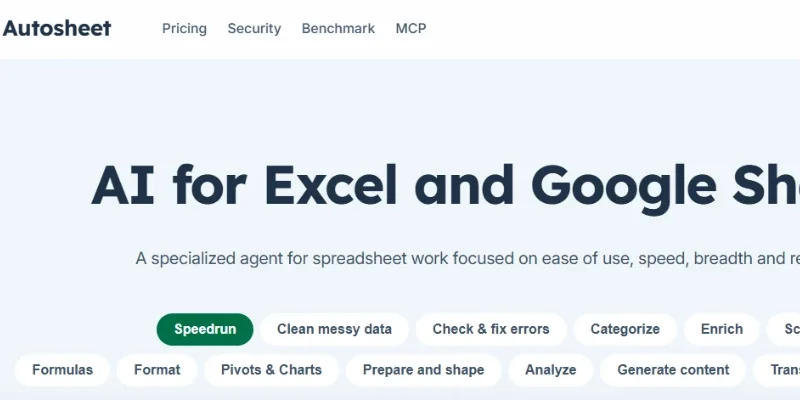
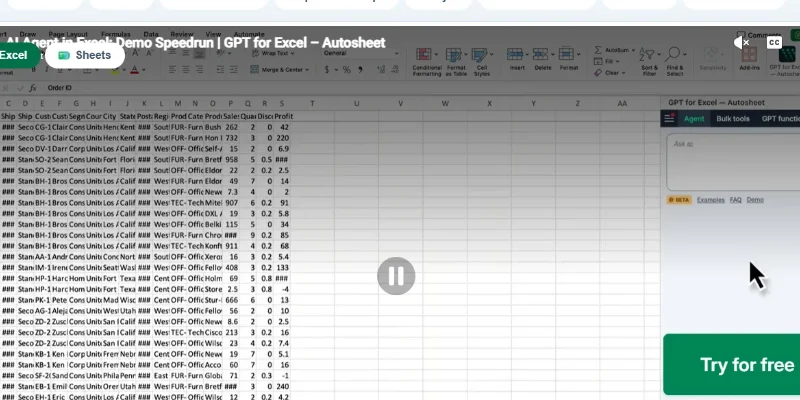
Autosheet is a specialized AI agent designed to simplify spreadsheet management and automate repetitive data operations. Instead of manually writing formulas, editing cells, or copying information between spreadsheets and AI chatbots, users can describe their requirements in everyday language and let the agent perform the requested work directly inside their spreadsheets.
It is available through dedicated add-ins for Microsoft Excel and Google Sheets. It also provides an MCP connection for compatible AI assistants such as Claude and ChatGPT, allowing them to work with Google Sheets.
Key Features
1. AI-Powered Spreadsheet Automation: Execute spreadsheet tasks through natural-language instructions without manually navigating complex menus or writing every operation yourself.
2. Formula Generation and Debugging: Create spreadsheet formulas, explain existing calculations, identify formula errors, and fix incorrect references or calculations.
3. Bulk Data Processing: Apply AI instructions across thousands of rows to perform repetitive tasks such as translation, categorization, scoring, and information extraction.
4. Data Cleaning and Organization: Remove duplicates, standardize inconsistent dates and names, clean formatting, split or merge columns, and reorganize spreadsheet data.
5. AI Data Enrichment and Web Research: Research companies, products, and other subjects row by row, then add relevant information and checkable sources to the spreadsheet.
6. Charts and Pivot Tables: Generate charts and pivot tables to summarize datasets, compare categories, and visualize business information.
7. AI-Powered Data Analysis: Analyze spreadsheet information, identify patterns, compare groups, explain trends, and investigate unusual values.
8. AI Content Generation and Translation: Generate descriptions, rewrite text, translate spreadsheet content, and categorize information using AI models.
9. Multiple AI Model Support: Choose from supported models and providers, including OpenAI, Anthropic, Google, Perplexity, xAI, and DeepSeek. Custom AI endpoints and local models are also supported through eligible configurations.
10. MCP and API Integration: Connect Autosheet to compatible AI clients and workflows through its MCP server and API, enabling programmatic spreadsheet processing.
Screenshots & Demo
Key Features
Core capabilities and functionalities provided by Autosheet.
Context-Aware Code Completion & Synthesis
Delivers low-latency inline code completions, multi-token suggestions, and semantic completions customized to the repository context.
Multi-File Codebase Indexing & Exploration
Deeply scans project files, dependency trees, and symbol references to provide comprehensive cross-file edits and refactorings.
Automated Git & Terminal Workflow Automation
Executes shell commands, analyzes test runs, resolves syntax and runtime bugs, and crafts clean commit messages and pull requests.
Architectural Refactoring & Security Audit
Spots security vulnerabilities, dead code paths, and architectural smells, providing one-click semantic fixes and unit tests.
Native IDE & CLI Integration
Seamlessly operates within developer terminals and mainstream code editors without interrupting daily engineering flow.
Pros & Cons
Key strengths and potential limitations of Autosheet.
What We Like
- Natural-Language Spreadsheet Automation: Users can describe tasks in everyday language instead of manually performing repetitive spreadsheet operations or writing complex instructions.
- Bulk Data Processing: Processes large datasets row by row, making it useful for categorizing, translating, scoring, and enriching thousands of records.
- Formula Generation and Debugging: Helps create, explain, and fix spreadsheet formulas, reducing manual work and common calculation errors.
- Multiple AI Model Options: Supports several AI providers, including OpenAI, Anthropic, Google, Perplexity, and DeepSeek, giving users flexibility in model selection.
- Excel and Google Sheets Support: Works within two widely used spreadsheet platforms and also offers MCP and API connectivity for compatible workflows.
Where It Falls Short
- Usage-Based AI Costs: AI processing consumes usage credits, so large or complex spreadsheet tasks may require additional spending.
- Not Ideal for Complex Financial Modeling: Autosheet is designed primarily for spreadsheet automation and data processing rather than highly sophisticated financial modeling.
- AI Results Require Verification: Generated formulas, enriched information, and analytical results should be checked before being used for important business decisions.
- Requires Familiarity with Spreadsheet Workflows: Users may need some understanding of Excel or Google Sheets to organize data and review automated changes effectively.
- Advanced Features May Require Paid Plans: Team management, centralized billing, and enterprise-level configuration are not available in every plan.
Use Cases
Discover common workflows and scenarios where Autosheet excels.
Data Cleaning and Standardization
Clean messy spreadsheet records by removing duplicates, correcting inconsistent formatting, standardizing dates, and organizing information into structured columns.
Bulk Data Categorization
Automatically classify thousands of spreadsheet entries into categories such as product types, customer segments, industries, locations, or business classifications.
Excel Formula Generation
Create complex spreadsheet formulas using natural-language instructions, helping users perform calculations without manually writing every formula.
Business Data Analysis
Analyze large datasets, identify trends, compare performance, and summarize important information to support business decisions.
E-commerce Product Enrichment
Research product details, generate descriptions, categorize products, and enrich product catalogs with additional information.
Lead Generation and Enrichment
Research companies and potential customers, collect relevant business information, categorize leads, and enrich sales prospect spreadsheets.
Translation of Spreadsheet Records
Translate product names, descriptions, customer information, and other spreadsheet content into different languages for international business operations.
Marketing and SEO Research
Organize keyword lists, categorize search terms, generate content ideas, and enrich SEO research spreadsheets with relevant information.
Similar AI Tools

Notion AI
AI Workspace Assistant for Writing, Knowledge Retrieval & Task Automation

Microsoft Copilot
Everyday AI Companion Across Windows, Office & Web

YouChat
Get Real-Time Web Answers with AI Search and Source Citations.

Firefiles-AI
AI meeting assistant for automated transcription, summarization, and conversation intelligence

Phind
AI Search Engine Built for Developers — Get Code Answers Instantly
EinfachAI
EinfachAI

Beautiful-AI
Create Stunning, Professional Presentations

SBTI Test
Explore your personality and neurodivergent traits
Latest from Our Blog
Tips, tutorials and insights about AI tools and how to use them effectively.

ChatGPT for Brand Voice: Can It Sound Like You?

ChatGPT for Marketing: The Complete 2026 Guide

Best AI Tools for Real Estate Agents in 2026: Listings, Leads and Follow-Up
