

CocoHumanizer
By CocoHumanizer
Intelligent developer copilot automating code completion, refactoring, and debugging.
Overview
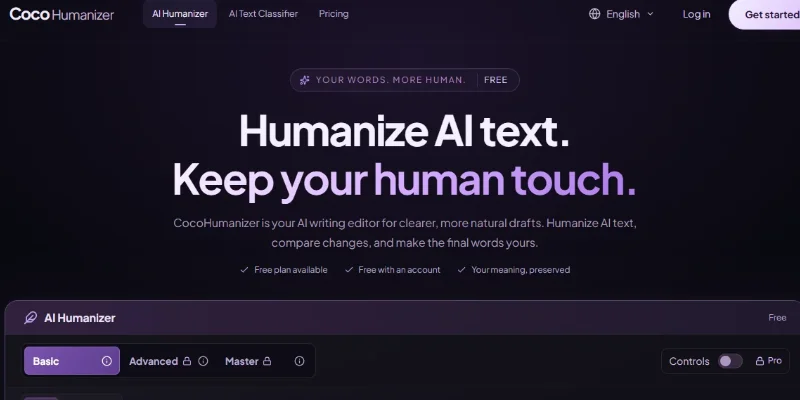
Summary: CocoHumanizer is an AI-powered writing editor that helps transform stiff, repetitive, or AI-generated drafts into clearer, more natural-sounding text. It focuses on improving sentence structure, tone, readability, and writing rhythm while aiming to preserve the original meaning. Users can compare their original text with the rewritten version, adjust writing settings, and copy or download the final draft. It is designed for writers, students, professionals, and content teams working on emails, articles, study notes, reports, and marketing copy.
What is CocoHumanizer?
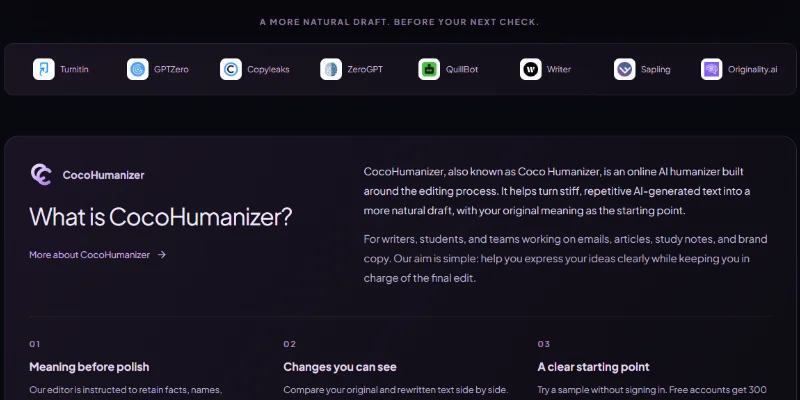
CocoHumanizer is an online AI humanizer and text-editing tool that helps users refine AI-assisted writing without relying solely on synonym replacement. It restructures sentences, reduces repetitive phrasing, and adjusts the tone to make drafts more readable and appropriate for their intended audience.
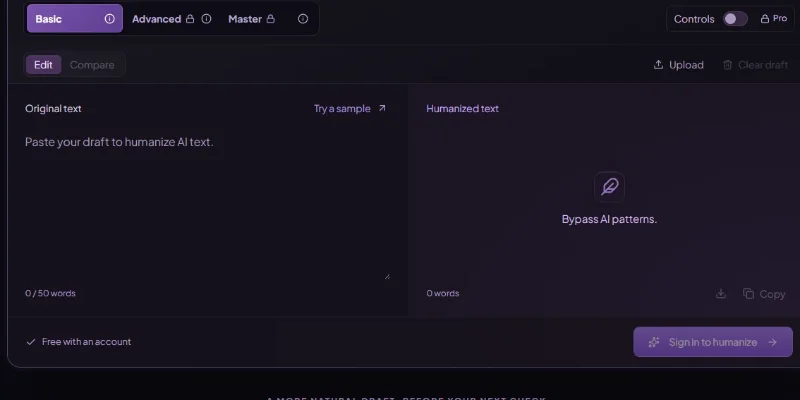
Users can paste text directly into the editor or upload supported TXT, DOCX, and text-based PDF files. They can choose from Basic, Advanced, and Master rewriting modes, compare the original and revised text side by side, and use additional controls for reading level, length, and exact terms that should remain unchanged.
The platform supports common writing tasks such as polishing emails, improving blog posts, refining business proposals, editing product descriptions, and making study notes easier to read. It also offers an AI text classifier for users who want to examine text separately.
CocoHumanizer emphasizes that its goal is to improve writing quality rather than guarantee AI-detector results. It does not run third-party AI detectors or promise that rewritten text will be classified as human-written. Users should review the final output for accuracy, meaning, citations, and compliance with applicable academic or workplace policies.
Verifiable Stats
-
Official Website: https://cocohumanizer.com/
-
Tool Type: AI Humanizer / AI Writing Editor
-
Developer: CocoHumanizer
-
Primary Function: Rewrite AI-assisted text to improve naturalness, clarity, tone, and readability.
-
Rewrite Modes: Basic, Advanced, and Master.
-
Free Plan: 300 words per month, with a maximum of 50 words per input, according to the current official website.
-
Pro Plan: 30,000 words per month, with up to 3,000 words per rewrite.
-
Supported File Formats: TXT, DOCX, and text-based PDF.
-
Editing Controls: Reading level, rewrite length, and exact terms to preserve.
-
Comparison Features: Side-by-side comparison of original and rewritten text, with options to copy or download results.
-
AI Text Classifier: A separate tool is available through the platform.
-
Pricing: Free tier available; Pro is advertised at US$9.99 per month or US$59 per year, subject to current terms.
-
Best For: Students, writers, bloggers, editors, marketers, professionals, and teams refining AI-assisted drafts.
Screenshots & Demo
Key Features
Core capabilities and functionalities provided by CocoHumanizer.
Context-Aware Code Completion & Synthesis
Delivers low-latency inline code completions, multi-token suggestions, and semantic completions customized to the repository context.
Multi-File Codebase Indexing & Exploration
Deeply scans project files, dependency trees, and symbol references to provide comprehensive cross-file edits and refactorings.
Automated Git & Terminal Workflow Automation
Executes shell commands, analyzes test runs, resolves syntax and runtime bugs, and crafts clean commit messages and pull requests.
Architectural Refactoring & Security Audit
Spots security vulnerabilities, dead code paths, and architectural smells, providing one-click semantic fixes and unit tests.
Pros & Cons
Key strengths and potential limitations of CocoHumanizer.
What We Like
- Natural-Sounding Rewrites: Reworks AI-generated or stiff text to improve readability, flow, and conversational tone.
- Multiple Humanization Modes: Offers Basic, Advanced, and Master modes for different rewriting needs.
- Customizable Writing Controls: Lets users adjust reading level, text length, and exact terms to preserve during rewriting.
- Multiple File Formats: Supports text input and uploads in TXT, DOCX, and text-based PDF formats.
- Free Usage Available: Provides a free plan with a monthly word allowance, allowing users to test the tool before upgrading.
Where It Falls Short
- Limited Free Allowance: The free plan is restricted to 300 words per month, with a maximum of 50 words per input.
- Paid Plan Required for Higher Limits: Users who need to process longer documents may need a Pro subscription
- AI Detector Results Aren't Guaranteed: Humanized text may still be flagged by AI detectors; no tool can guarantee a particular detection outcome.
- Rewrites Need Human Review: Changes can affect meaning, accuracy, tone, or important details, so users should review the output before publishing.
- Privacy Considerations: Text submitted for rewriting may be processed by third-party service providers, so users should avoid uploading confidential or sensitive content without reviewing the privacy terms.
Use Cases
Discover common workflows and scenarios where CocoHumanizer excels.
AI-Generated Text Rewriting
Rewrite AI-generated drafts to improve readability, sentence flow, and natural expression while preserving the main ideas.
Blog Post Editing
Refine blog articles by improving phrasing, varying sentence structures, and making paragraphs easier for readers to follow.
Academic Draft Improvement
Improve the clarity and flow of study notes, essays, and draft assignments. Students should follow their institution's academic integrity policies and review all changes.
Marketing Copy Refinement
Polish promotional text, product descriptions, and campaign copy to make the language more engaging and audience-friendly
SEO Content Editing
Refine website articles and landing-page content to improve readability and reduce repetitive phrasing. Humanization alone does not guarantee better search rankings.
Email and Business Writing
Rewrite professional emails, reports, and business messages to make them clearer, more concise, and appropriate for the intended audience.
Tone and Readability Adjustment
Use the available writing controls to adjust reading level, text length, and wording to suit different audiences and communication needs.
Preserving Important Terms
Keep specified words, phrases, or exact terms intact while rewriting the surrounding text, which can be helpful for technical content and brand-specific language.
Similar AI Tools








Latest from Our Blog
Tips, tutorials and insights about AI tools and how to use them effectively.

ChatGPT for Brand Voice: Can It Sound Like You?

ChatGPT for Marketing: The Complete 2026 Guide

Best AI Tools for Real Estate Agents in 2026: Listings, Leads and Follow-Up

Google Gemini vs ChatGPT: Which AI Assistant Should You Actually Use?
Reviews & Community Ratings
Average rating: 8.5 out of 5 (1 total reviews)
Rate CocoHumanizer
Community Reviews (0)