

Figma Motion
By Figma Motion
Context-aware software development platform for rapid engineering workflows.
Overview
Summary: Figma Motion is an animation and motion-design tool built directly into Figma Design. It enables designers to create, edit, and preview production-ready animations on the same canvas as their UI designs and components. Users can animate elements through keyframes, preset animation styles, easing curves, and spring effects, while Figma’s AI agent can generate an initial animation from text prompts. It also supports reusable motion systems and developer handoff through CSS, JSON, and React code. Figma Motion was introduced on June 24, 2026, and is currently available in open beta.
What is Figma Motion?
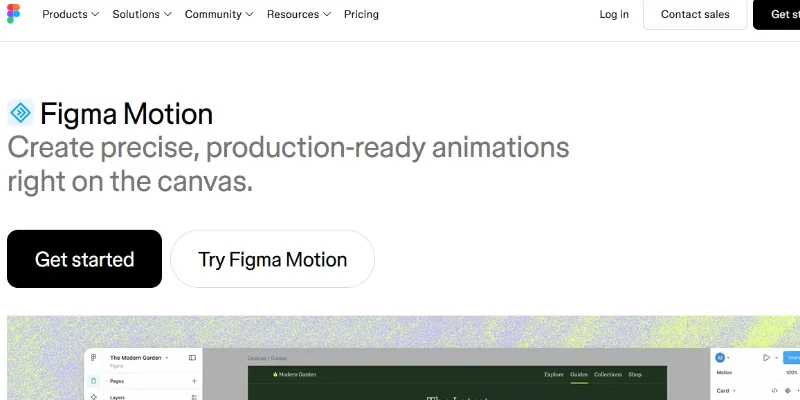
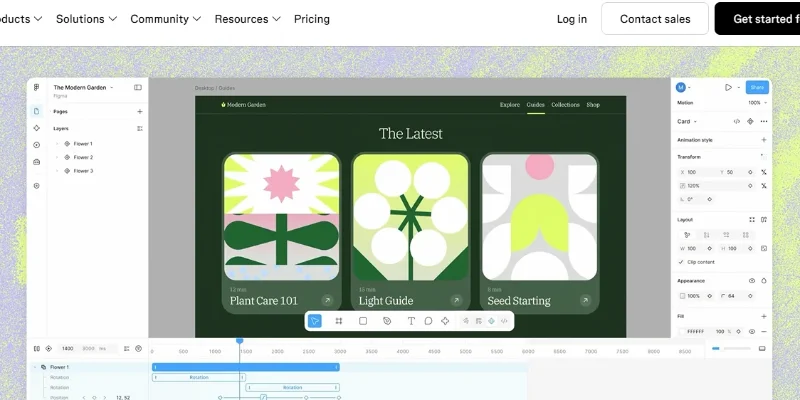
Figma Motion is Figma’s built-in motion-design workspace that brings animation capabilities directly into the Figma Design environment. Instead of creating animations in a separate application and transferring them into a design workflow, users can animate their existing frames, layers, and components using a visual timeline.
The tool provides keyframe-based animation controls for properties such as position, scale, rotation, and opacity. Designers can use preset animation styles, including Fade, Rotate, Scale, and Resize, or create custom movement by adjusting individual keyframes. Auto-keyframing, easing curves, and spring animations help refine timing and create smoother transitions.
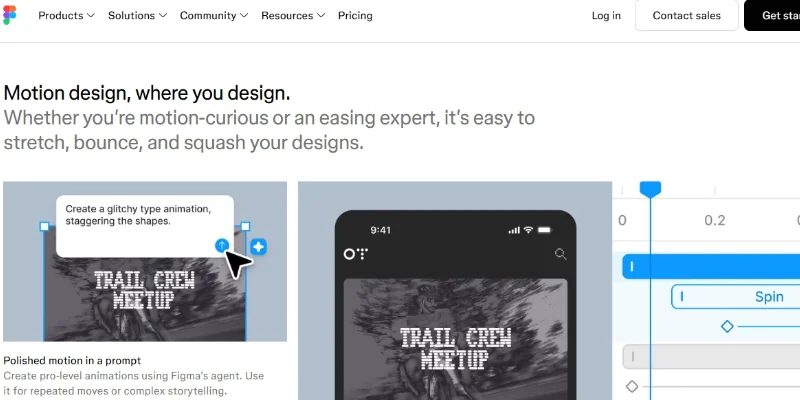
Figma Motion also includes AI-assisted animation creation. Users can describe the movement they want in a text prompt, and the Figma agent can generate an initial animation by adding keyframes to the timeline. Designers can then refine the animation manually or continue prompting the agent to make adjustments.
For teams, Figma Motion supports reusable animated components, motion variables, and shared animation systems. Developers can inspect animation details in Dev Mode and copy implementation-ready code in CSS, JSON, or React. Animations can also be exported directly from Figma in formats such as MP4, GIF, WebM, and animated SVG.
The tool is designed for UI/UX designers, product designers, motion designers, developers, and creative teams who want to add motion to interfaces, prototypes, illustrations, loading states, hover interactions, and branded visual assets without leaving their Figma workflow.
Verifiable Stats
-
Developer: Figma, Inc.
-
Launch Announcement: June 24, 2026.
-
Product Type: Animation and motion-design tool integrated into Figma Design.
-
Availability: Open beta.
-
Animation Controls: Timeline editing, keyframes, auto-keyframing, easing curves, and spring animations.
-
AI Assistance: Figma agent can generate initial animations from text prompts.
-
Reusable Systems: Supports animated components, motion variables, and shared design-system workflows.
-
Developer Handoff: Animation details can be inspected in Dev Mode and copied as CSS, JSON, or React.
-
Export Formats: MP4, GIF, WebM, and animated SVG.
-
Pricing: Access and advanced capabilities depend on the Figma plan and seat type.
Screenshots & Demo
Key Features
Core capabilities and functionalities provided by Figma Motion.
Context-Aware Code Completion & Synthesis
Delivers low-latency inline code completions, multi-token suggestions, and semantic completions customized to the repository context.
Multi-File Codebase Indexing & Exploration
Deeply scans project files, dependency trees, and symbol references to provide comprehensive cross-file edits and refactorings.
Automated Git & Terminal Workflow Automation
Executes shell commands, analyzes test runs, resolves syntax and runtime bugs, and crafts clean commit messages and pull requests.
Architectural Refactoring & Security Audit
Spots security vulnerabilities, dead code paths, and architectural smells, providing one-click semantic fixes and unit tests.
Pros & Cons
Key strengths and potential limitations of Figma Motion.
What We Like
- Seamless Figma Integration: Create animations directly inside Figma Design without moving designs between separate applications.
- Precise Animation Controls: Timeline editing, keyframes, easing curves, spring animations, and auto-keyframing provide control over animation timing and movement.
- AI-Powered Animation Assistance: Describe an animation using text prompts and let the Figma agent generate an initial version that can be refined manually.
- Reusable Motion Systems: Animated components and motion variables help teams maintain consistent animation styles across projects.
- Developer-Friendly Export: Export animations as MP4, GIF, WebM, or animated SVG, and hand off animation details through CSS, JSON, or React code.
Where It Falls Short
- Open Beta Limitations: The tool is still in open beta, so features may change and users may experience bugs or performance issues.
- Paid Plan Requirements: Advanced features such as AI-assisted animation, publishing motion systems, and high-resolution video exports require a Full seat on a paid plan.
- Learning Curve for Beginners: Understanding keyframes, easing curves, timelines, and animation properties may take time for users new to motion design.
- Limited Export Options: Current export formats are MP4, GIF, WebM, and animated SVG. Other formats, including Lottie, are planned but not yet available.
- Not a Full Professional Animation Suite: Its main focus is motion within Figma design workflows, so users needing advanced character animation or complex cinematic production may still need dedicated animation software.
Use Cases
Discover common workflows and scenarios where Figma Motion excels.
UI Element Animation
Animate buttons, icons, navigation menus, cards, and other interface elements using keyframes, easing curves, and motion effects to make digital products feel more interactive.
Website and App Transitions
Create smooth transitions between screens, sections, and interface states to improve the flow and visual consistency of websites and mobile applications.
Interactive Prototyping
Bring static prototypes to life by adding animated interactions and movement, helping teams demonstrate how a product will behave before development begins.
Microinteractions and Feedback
Design subtle animations for hover effects, button clicks, form submissions, notifications, and loading indicators to provide clear visual feedback to users.
Animated Design Systems
Build reusable animated components and motion variables so product teams can maintain consistent timing, easing, and movement across multiple screens and projects.
Social Media Animations
Create short animated graphics, promotional visuals, and branded content, then export them in supported formats such as MP4 and GIF for social media platforms.
Product Demonstrations
Develop animated product walkthroughs that demonstrate interface features, user journeys, and important workflows for presentations, product launches, and stakeholder reviews.
AI-Assisted Motion Creation
Use text prompts with Figma's AI agent to generate initial animations, then adjust timing, keyframes, and visual details to match the intended design.
Similar AI Tools

Descript AI
Delete Filler Words, Fix Awkward Pauses, and Edit Videos by Simply Editing the Transcript.

Synthesys AI
Turn Text into Professional AI Videos and Voiceovers Instantly

Wayin Video
Turn Long Videos into Viral Clips or Create Cinematic AI Videos

Luma Labs
Next-Gen AI Video Generator, Ray Models & Interactive 3D World Capture

Runway ML
Next-Generation AI Video Generation & Creative Multimodal Studio

Kling 3.0
Kling 3.0

ClipFinder
Paste a YouTube or Twitch link — ClifFinder finds your best clips in minutes

Fliki AI
Turn any script into a narrated video, in 80+ languages with 2,000+ voices
Latest from Our Blog
Tips, tutorials and insights about AI tools and how to use them effectively.

ChatGPT for Brand Voice: Can It Sound Like You?

ChatGPT for Marketing: The Complete 2026 Guide

Best AI Tools for Real Estate Agents in 2026: Listings, Leads and Follow-Up

Google Gemini vs ChatGPT: Which AI Assistant Should You Actually Use?
Reviews & Community Ratings
No reviews yet — be the first to rate and review this tool!
Rate Figma Motion
Community Reviews (0)