

Foneclaw ai
By Foneclaw ai
Intelligent developer copilot automating code completion, refactoring, and debugging.
Overview
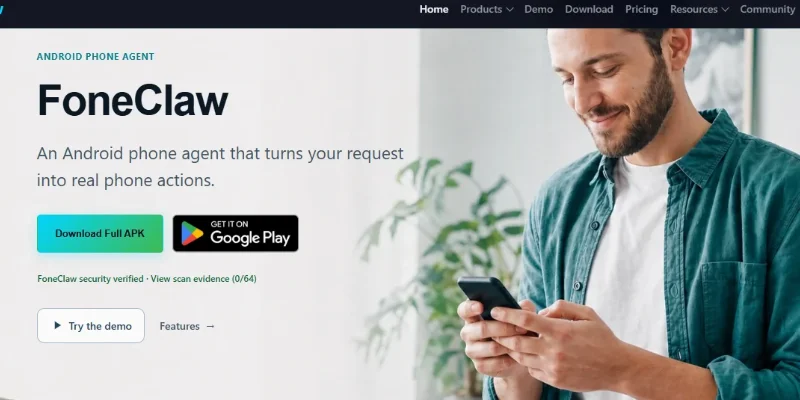
Summary: FoneClaw is an AI-powered Android phone agent that converts natural-language voice or text commands into real actions on a smartphone. Instead of simply answering questions, it can interact with supported Android features to read notifications, summarize SMS messages, adjust device settings, manage connectivity, open apps, check phone health, and perform multi-step workflows. It offers more than 100 built-in tools, supports configurable AI models, and requests permissions when specific actions require them. FoneClaw is free to use for its core features and does not require root access.
What is FoneClaw?
FoneClaw is an AI-powered mobile automation assistant designed to help Android users control their smartphones through everyday language. Users can type or speak commands such as checking device status, summarizing notifications, changing brightness, or opening a navigation route. The AI interprets the request, plans the necessary steps, selects appropriate built-in tools, and executes supported actions on the phone.
One of its main features is its collection of more than 100 built-in Android tools. These cover device health monitoring, SMS and notification summaries, calls and messaging, system settings, Wi-Fi and Bluetooth connectivity, screenshots, calendar operations, maps, and supported app interactions. It can also combine multiple actions into a single workflow.
FoneClaw separates the AI model from the phone-control system. Users can work with its free default model, configure a compatible online AI model, or use a supported local model. This provides flexibility for people who want to customize how the assistant understands and plans their requests.
The platform also provides reusable Workflows and Skills. Workflows allow users to save repeatable multi-step tasks, while Skills teach the agent how to combine existing tools to accomplish specific goals. Its permission and approval system helps users maintain visibility and control over sensitive phone operations.
FoneClaw is designed for Android users who want to automate everyday smartphone activities, reduce repetitive manual interactions, and manage multiple phone functions through voice or text commands. It supports Android 9.0 and later, does not require root access, and is available as an Android APK.
Verifiable Stats
-
Tool Name: FoneClaw.
-
Developer: FoneClaw AI, an independent Android AI project.
-
Primary Function: AI-powered Android phone control and automation.
-
Built-in Tools: 100+ publicly documented Android tools.
-
Platform: Android smartphones.
-
Minimum Android Version: Android 9.0 or later.
-
Control Methods: Voice and text commands.
-
AI Model Options: Free default model, configurable online models, and compatible local models.
-
Automation Features: Reusable Workflows and Skills.
-
Root Requirement: No root access required.
Screenshots & Demo


Key Features
Core capabilities and functionalities provided by Foneclaw ai.
Context-Aware Code Completion & Synthesis
Delivers low-latency inline code completions, multi-token suggestions, and semantic completions customized to the repository context.
Multi-File Codebase Indexing & Exploration
Deeply scans project files, dependency trees, and symbol references to provide comprehensive cross-file edits and refactorings.
Automated Git & Terminal Workflow Automation
Executes shell commands, analyzes test runs, resolves syntax and runtime bugs, and crafts clean commit messages and pull requests.
Architectural Refactoring & Security Audit
Spots security vulnerabilities, dead code paths, and architectural smells, providing one-click semantic fixes and unit tests.
Pros & Cons
Key strengths and potential limitations of Foneclaw ai.
What We Like
- Extensive Built-in Tool Collection: FoneClaw provides more than 100 built-in Android tools for managing device settings, notifications, messages, connectivity, and other smartphone functions.
- Natural-Language Phone Control: Users can perform supported phone operations through simple voice or text instructions instead of navigating multiple menus manually.
- Multi-Step Task Automation: Its Workflows and Skills features allow users to combine multiple actions and create reusable automation sequences for repetitive smartphone tasks.
- Flexible AI Model Support: Users can configure compatible online AI models or local models, providing flexibility in how the assistant processes instructions.
- Free Core Features: FoneClaw offers its core functionality without a paid subscription and does not require root access, making it accessible to a wider range of Android users.
Where It Falls Short
- Android-Only Availability: FoneClaw is designed for Android devices and does not currently provide equivalent native functionality for iOS users.
- Requires Sensitive Permissions: Some features need Accessibility Service, notification, microphone, and other device permissions, which may concern privacy-conscious users.
- Compatibility Limitations: Certain actions may behave differently depending on the Android version, device manufacturer, installed applications, and system restrictions.
- Dependence on AI Model Configuration: Custom online AI models may require API keys, technical configuration, or separate provider subscriptions. Local models may also require sufficient device resources.
- Potential Execution Errors: Natural-language interpretation and multi-step automation can occasionally produce incorrect or incomplete results, so users should review sensitive actions before allowing execution.
Use Cases
Discover common workflows and scenarios where Foneclaw ai excels.
Voice-Controlled Smartphone Operations
Control supported smartphone functions using natural-language voice commands. Users can request actions such as opening applications, checking device information, or changing supported settings without manually navigating menus.
Notification Management
Summarize incoming notifications and organize important information from different applications. This helps users quickly understand updates without opening every notification individually.
SMS Management and Summarization
Review and summarize supported SMS conversations to identify important messages, reminders, and updates. Users can save time when handling multiple text conversations.
Smartphone Settings Automation
Manage supported device settings through simple instructions. Users can request changes to brightness, volume, connectivity, and other available system controls.
Wi-Fi and Bluetooth Management
Check network connectivity, discover available Wi-Fi networks, and manage supported Bluetooth operations through AI commands. This simplifies common connectivity tasks.
Battery and Device Health Monitoring
Check battery status, memory usage, storage information, and other available device details. Users can monitor their smartphone's condition without manually checking multiple settings pages.
Multi-Step Task Automation
Combine multiple smartphone operations into a single natural-language request. FoneClaw can plan and execute supported actions in sequence, reducing repetitive manual work.
Navigation and Location Assistance
Use supported map and navigation integrations to search for destinations and open navigation routes. This can help users access directions through conversational commands.
Similar AI Tools

Microsoft Copilot
Everyday AI Companion Across Windows, Office & Web
EinfachAI
EinfachAI

Zapier-AI
Autonomous AI agents, AI Copilot, and intelligent workflow automation connected to 7,000+ business apps

Make
Build Powerful No-Code Automations to Connect All Your Favorite Apps

Novastart
Organize Apps, Collaborate with Teams, and Run Multiple AI Agents in Parallel on One Infinite Canvas.

Boxy AI
Automate your emails and replies, effortlessly

Jasmine AI
Your personal AI companion that helps with daily tasks, support, and productivity

Sider AI
All-in-One AI Sidebar & Web Browser Copilot
Latest from Our Blog
Tips, tutorials and insights about AI tools and how to use them effectively.

The 10 Best AI Data Analysis Tools in 2026: ChatGPT, Copilot, and Julius AI Compared

Best AI Tools for Social Media and Thumbnails in 2026

Top AI Tool Directories to Submit To: Complete Guide (2026)

Best Paid AI Tools Worth the Money in 2026: Complete Guide
Reviews & Community Ratings
No reviews yet — be the first to rate and review this tool!
Rate Foneclaw ai
Community Reviews (0)