

InterviewCue
By InterviewCue
Context-aware software development platform for rapid engineering workflows.
Overview
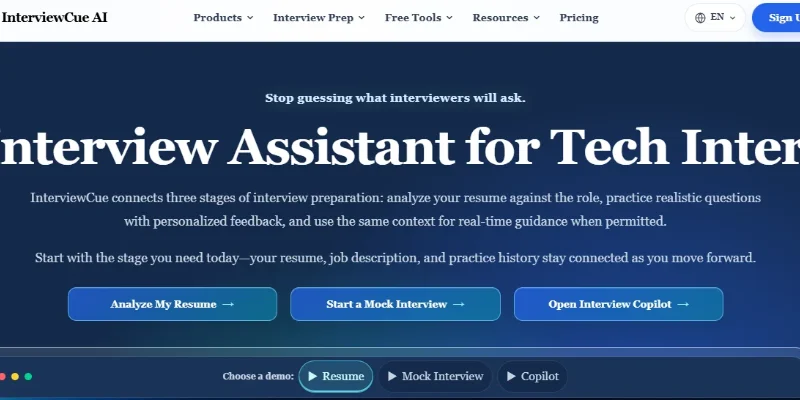
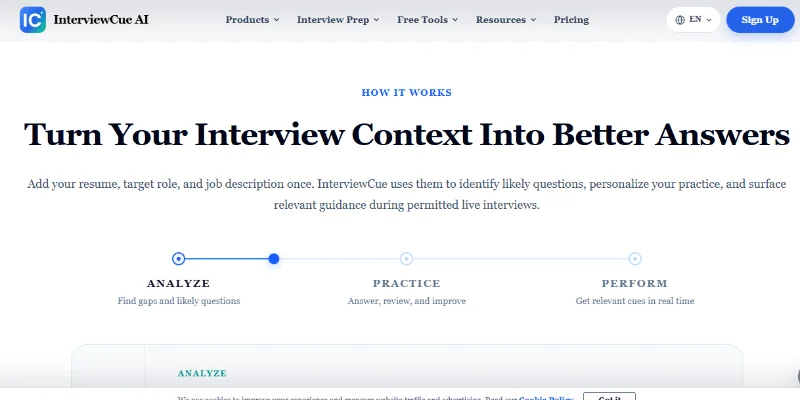
Summary: InterviewCue AI is an AI-powered interview preparation platform that helps job seekers improve their resumes, practice realistic interviews, and prepare stronger answers. It connects resume analysis, job-description matching, personalized mock interviews, interview question practice, and real-time interview guidance in one workflow. The platform uses a candidate’s resume, target role, and job description to identify likely interview questions, highlight experience gaps, and provide tailored feedback.
What is InterviewCue AI?
InterviewCue AI is a web-based AI career preparation tool designed for candidates applying to technical and non-technical roles, particularly across the software and internet industries. It helps users understand how well their experience matches a target position and prepare for the questions an interviewer may ask.
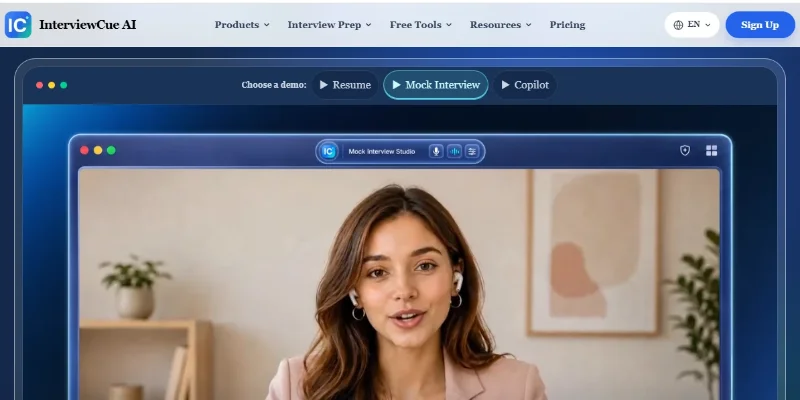
Its Resume Checker analyzes resumes against job descriptions to identify ATS alignment issues, missing evidence, weak sections, and potential interview risks. The AI Mock Interview feature generates role-specific questions and adaptive follow-ups, then provides feedback on answer clarity, relevance, structure, and depth.
InterviewCue AI also offers an Interview Copilot that can listen for interview questions and surface concise answer structures, relevant experience, talking points, and likely follow-up areas during live interviews. Users should use this feature only when permitted by the interviewer or employer’s rules. The platform additionally provides interview question resources and preparation tools for coding, system design, behavioral, product, data, and leadership interviews.
The service is operated by CLEVERGUARD TECHNOLOGY CO., LIMITED. InterviewCue states that submitted resumes, interview answers, recordings, and transcripts are not used to train its AI models or third-party AI models. Users should still review the privacy policy and avoid uploading confidential employer information.
Verifiable Stats
-
Official Website: https://www.interviewcue.ai/
-
Tool Type: AI Interview Assistant / Interview Preparation Platform
-
Primary Purpose: Resume optimization, interview practice, and personalized interview guidance
-
Core Features: Resume Checker, AI Mock Interview, Interview Copilot, and interview question resources
-
Resume Analysis: Evaluates resume alignment with a target job description across 11 dimensions, according to the platform
-
Supported Interview Types: Coding, system design, behavioral, technical leadership, product, data, and role-specific interviews
-
Personalization: Uses the candidate’s resume, target role, job description, experience level, and interview type
Screenshots & Demo
Key Features
Core capabilities and functionalities provided by InterviewCue.
Context-Aware Code Completion & Synthesis
Delivers low-latency inline code completions, multi-token suggestions, and semantic completions customized to the repository context.
Multi-File Codebase Indexing & Exploration
Deeply scans project files, dependency trees, and symbol references to provide comprehensive cross-file edits and refactorings.
Automated Git & Terminal Workflow Automation
Executes shell commands, analyzes test runs, resolves syntax and runtime bugs, and crafts clean commit messages and pull requests.
Architectural Refactoring & Security Audit
Spots security vulnerabilities, dead code paths, and architectural smells, providing one-click semantic fixes and unit tests.
Native IDE & CLI Integration
Seamlessly operates within developer terminals and mainstream code editors without interrupting daily engineering flow.
Pros & Cons
Key strengths and potential limitations of InterviewCue.
What We Like
- Personalized Interview Preparation: Tailors interview practice to a candidate’s resume, target role, and job description, making preparation more relevant to specific applications.
- AI-Powered Mock Interviews: Generates role-specific questions and follow-up questions to help users practice realistic interview scenarios.
- Resume and Job Description Analysis: Identifies potential resume gaps, missing skills, and areas where experience may not align clearly with a target position.
- Real-Time Interview Guidance: Offers an Interview Copilot with answer structures, relevant experience reminders, and talking points for supported interview scenarios.
- Broad Interview Coverage: Supports preparation for coding, system design, behavioral, product, data, and leadership interviews.
Where It Falls Short
- AI Feedback May Be Imperfect: Suggested answers and evaluations may overlook context or reflect assumptions that do not match an interviewer’s expectations
- Results Depend on Input Quality: Incomplete resumes or vague job descriptions can reduce the relevance of generated questions and recommendations.
- Paid Feature Restrictions: Advanced features and higher usage allowances may require a paid plan, depending on current pricing and limits.
- Real-Time Assistance Has Limitations: Live guidance may not always capture questions accurately or provide useful suggestions quickly enough. Compatibility may also vary by interview setup.
- Privacy and Interview Policies: Uploading resumes or recordings involves personal data, and real-time assistance may conflict with an employer’s interview rules. Users should review privacy terms and obtain permission where required.
Use Cases
Discover common workflows and scenarios where InterviewCue excels.
AI Mock Interview Practice
Practice realistic interviews with AI-generated questions and follow-up prompts tailored to a target role. Use feedback to identify weaknesses and improve future responses.
Resume Optimization for ATS
Analyze a resume against a job description to identify missing keywords, unclear achievements, and potential alignment issues before submitting an application.
Job Description Analysis
Understand the skills, qualifications, and responsibilities emphasized in a job posting. Use these insights to prioritize preparation for the specific position.
Behavioral Interview Preparation
Practice common behavioral questions about teamwork, leadership, conflict resolution, problem-solving, and professional achievements. Improve answers using structured storytelling techniques.
Technical Interview Preparation
Prepare for software engineering and other technical roles by practicing coding-related questions, technical explanations, and problem-solving discussions.
System Design Interview Practice
Prepare for system design interviews by reviewing architecture questions, explaining design decisions, and practicing discussions about scalability, reliability, and trade-offs.
Real-Time Interview Guidance
Use the supported Interview Copilot to organize thoughts, surface relevant experience, and structure responses during permitted interview scenarios. Follow the employer's rules regarding AI assistance.
Answer Quality Improvement
Review mock-interview responses to improve clarity, relevance, structure, and depth. Identify answers that need stronger examples or more specific evidence.
Similar AI Tools








Latest from Our Blog
Tips, tutorials and insights about AI tools and how to use them effectively.

ChatGPT for Brand Voice: Can It Sound Like You?

ChatGPT for Marketing: The Complete 2026 Guide

Best AI Tools for Real Estate Agents in 2026: Listings, Leads and Follow-Up

Google Gemini vs ChatGPT: Which AI Assistant Should You Actually Use?
Reviews & Community Ratings
Average rating: 8.5 out of 5 (1 total reviews)
Rate InterviewCue
Community Reviews (0)