

KiloClaw
By KiloClaw
AI-powered coding companion built for high-velocity software engineering.
Overview
Summary: Kilo AI is an AI-powered coding platform designed to help developers build, edit, debug, and manage software projects using AI agents. It supports agentic coding workflows, allowing users to describe tasks in natural language and let AI assist with code generation, project changes, debugging, and development activities. It is designed for individual developers and engineering teams who want to accelerate software development and work with different AI models and coding tools.
What is Kilo AI?
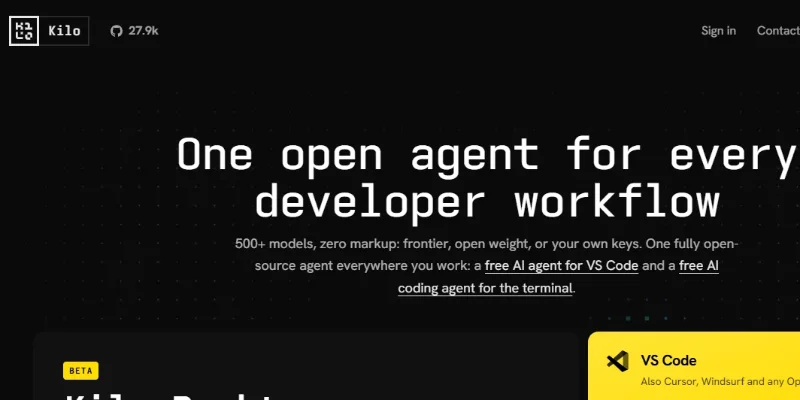
Kilo AI is an open-source AI coding agent platform that helps developers plan, write, debug, refactor, and review software. It brings AI-assisted development into multiple environments, including VS Code, JetBrains IDEs, the command line, and cloud-based workspaces.
The platform is designed to support agentic software development, where users describe tasks in natural language and AI agents work across project files and development tools. Its specialized agents include Code, Plan, Ask, and Debug modes, helping developers move from understanding a project to implementing and troubleshooting changes.
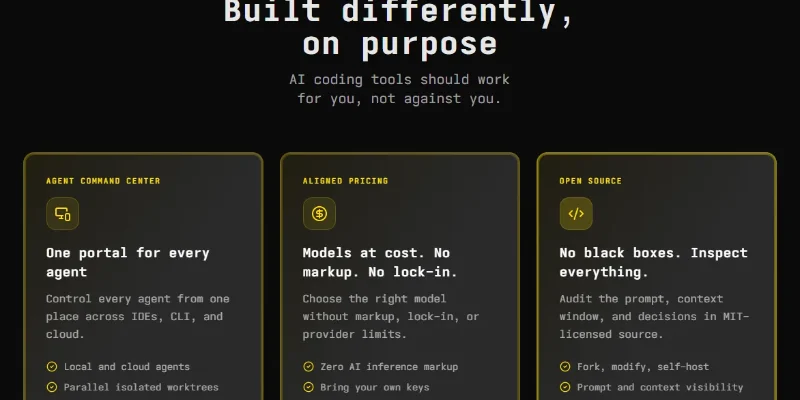
One of Kilo's key strengths is its model flexibility. It provides access to more than 500 AI models, supports bring-your-own-key (BYOK) configurations, and allows developers to use local models. Its Gateway provides a unified way to access models from multiple providers, with pricing based on provider rates rather than an additional inference markup.
Kilo also supports cloud agents, automated code reviews, parallel agent workflows, codebase indexing, and integrations with tools such as Slack. Developers can start tasks in one environment and continue working across supported interfaces, while cloud agents can handle longer-running tasks without using local machine resources.
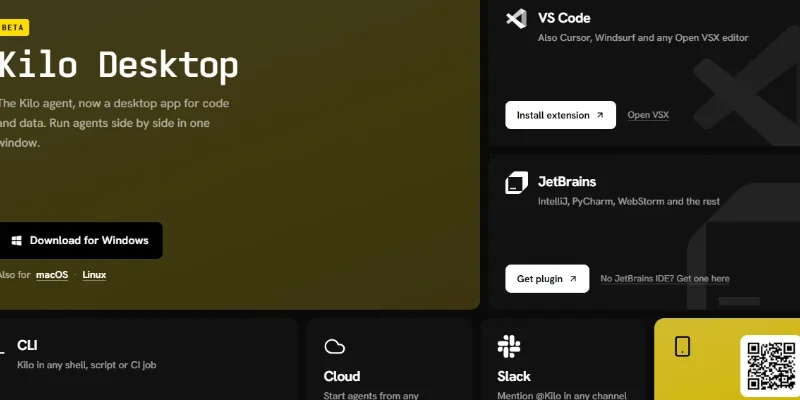
The platform is available through a VS Code extension, JetBrains plugin, CLI, cloud interface, and a desktop application currently listed as beta. Its core coding agent is open source under the MIT license, making it suitable for developers who want to inspect, customize, or extend their AI development tools.
Key Features
-
AI Code Generation: Generate and modify code across project files using natural-language instructions.
-
Specialized AI Agents: Use Code, Plan, Ask, and Debug agents for different software development tasks.
-
Multi-Model Support: Access more than 500 AI models from different providers.
-
Codebase Understanding: Search and retrieve relevant project context through codebase indexing.
-
AI Debugging: Investigate errors, trace bugs, and assist with fixing code issues.
-
Cloud AI Agents: Run development tasks remotely without consuming local computing resources.
-
Automated Code Reviews: Analyze pull requests and identify potential bugs and improvements.
-
IDE and CLI Integration: Work through VS Code, JetBrains IDEs, and terminal environments.
-
Model Gateway: Access multiple AI model providers through a unified interface.
-
Open-Source Customization: Inspect, modify, and extend the MIT-licensed coding agent.
Screenshots & Demo
Key Features
Core capabilities and functionalities provided by KiloClaw.
Context-Aware Code Completion & Synthesis
Delivers low-latency inline code completions, multi-token suggestions, and semantic completions customized to the repository context.
Multi-File Codebase Indexing & Exploration
Deeply scans project files, dependency trees, and symbol references to provide comprehensive cross-file edits and refactorings.
Automated Git & Terminal Workflow Automation
Executes shell commands, analyzes test runs, resolves syntax and runtime bugs, and crafts clean commit messages and pull requests.
Architectural Refactoring & Security Audit
Spots security vulnerabilities, dead code paths, and architectural smells, providing one-click semantic fixes and unit tests.
Native IDE & CLI Integration
Seamlessly operates within developer terminals and mainstream code editors without interrupting daily engineering flow.
Pros & Cons
Key strengths and potential limitations of KiloClaw.
What We Like
- Supports 500+ AI Models: Developers can choose from a wide range of models, including frontier, open-weight, and local models, allowing them to balance coding quality, speed, and cost.
- Open-Source and Customizable: Kilo's MIT-licensed coding agent allows developers to inspect, modify, extend, and contribute to its source code.
- Works Across Multiple Development Environments: Supports VS Code, JetBrains IDEs, CLI, and cloud-based coding workflows, giving developers flexibility in how they work
- Specialized AI Coding Agents: Offers Code, Plan, Ask, and Debug modes to help with code generation, architecture planning, codebase questions, and troubleshooting.
- Flexible Model Pricing: Supports bring-your-own API keys, local models, and Kilo Gateway access at provider rates without additional AI inference markup. This gives developers more control over their AI spending
Where It Falls Short
- AI Usage Can Become Expensive: Although the coding platform is free to install, AI model inference may incur costs. Complex tasks and multi-agent workflows can consume more tokens and increase expenses.
- Requires Technical Setup: Configuring API keys, model providers, integrations, and development environments may be challenging for beginners who are unfamiliar with AI coding tools.
- Cloud Agent Execution Limits: Individual cloud-agent messages can run for up to 15 minutes, so larger projects may need to be divided into smaller tasks
- AI-Generated Code Needs Review: Generated code and automated changes can contain errors or introduce unintended behavior. Developers should review modifications and run appropriate tests before merging or deploying.
- Some Features Are Still Developing: Certain offerings, including the desktop application, are marked beta, so users may encounter evolving functionality and changes as the platform develops.
Use Cases
Discover common workflows and scenarios where KiloClaw excels.
AI-Powered Code Generation
Generate code, functions, components, and complete application features using natural-language instructions, helping developers reduce repetitive programming work.
Automated Debugging and Error Fixing
Identify coding errors, investigate bugs, understand error messages, and apply suggested fixes with the help of Kilo's Debug Agent.
Software Project Planning
Break down complex development requirements into smaller tasks, plan project architecture, and organize implementation steps using the Plan Agent.
Codebase Understanding
Explore unfamiliar repositories, understand existing code structures, locate relevant files, and get explanations of how different components work together.
Code Refactoring and Optimization
Improve existing code by restructuring functions, reducing duplication, enhancing readability, and making project files easier to maintain.
Automated Code Reviews
Review proposed code changes, identify potential bugs, and examine implementation quality before merging changes into a software project.
Full-Stack Application Development
Build and modify frontend and backend components, connect application features, and develop web applications with AI-assisted coding workflows.
GitHub Repository Automation
Connect supported GitHub repositories to cloud agents to perform coding tasks, modify files, execute commands, and prepare or push code changes.
Similar AI Tools

Thoth Ai
AI Training Data & Model Reliability Platform

DeepSeek
Open-Source, High-Efficiency AI Models & Advanced Reasoning Engine

Vynaris
Hosted uncensored models for authorized security testing and research.

MCPhq
25,000+ MCP servers, ranked by installs and commit freshness.

Erius Phone
Virtual phone infrastructure for AI agents.

SendHQ
Email API for developers and AI agents.

BlazePhoenix
On-chain DEX quotes and staking. No keys, no servers.

SubmitMyStartup
Find where to submit your startup — MCP server, planner, and API.
Latest from Our Blog
Tips, tutorials and insights about AI tools and how to use them effectively.

ChatGPT for Brand Voice: Can It Sound Like You?

ChatGPT for Marketing: The Complete 2026 Guide

Best AI Tools for Real Estate Agents in 2026: Listings, Leads and Follow-Up
