


MusicAura AI
By MusicAura AI
AI-powered coding companion built for high-velocity software engineering.
Overview
Summary: Musicaura AI is a browser-based AI music generation and audio editing platform that transforms text prompts, moods, scene descriptions, and lyrics into original songs, instrumentals, and background music. Designed for YouTubers, podcasters, video editors, game developers, and social media creators, it combines AI music generation with lyric writing, vocal removal, and stem separation tools. Users can describe their desired sound, preview generated tracks, refine results, and download music for creative projects without requiring professional music production skills.
What is Musicaura AI?
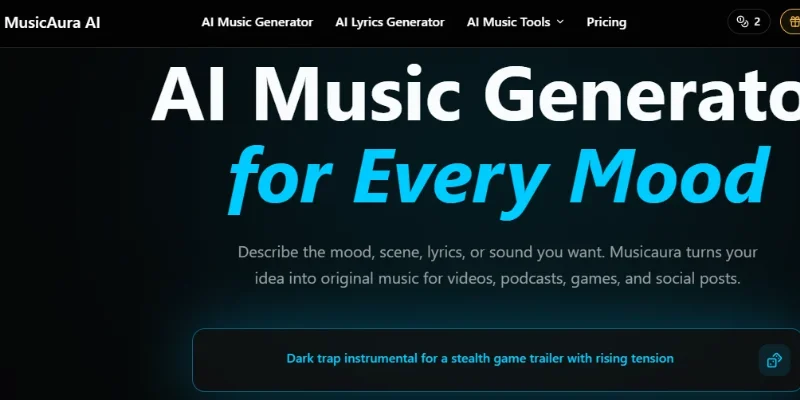
Musicaura AI is an AI-powered music creation platform that helps users turn creative ideas into complete musical tracks. Instead of composing music manually or searching through stock music libraries, users can describe a mood, genre, scene, tempo, instruments, or vocal style in natural language. The platform uses these instructions to generate songs, instrumentals, and background soundtracks.
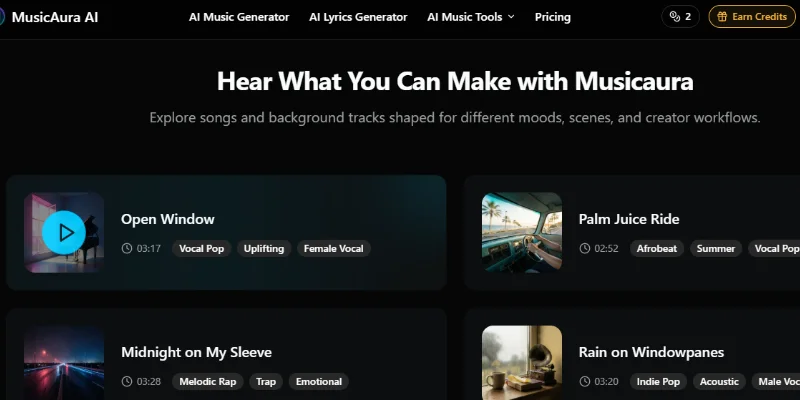
One of its primary capabilities is text-to-music and lyrics-to-song generation. Users can enter a short prompt, provide their own lyrics, or describe a musical concept to create tracks with melodies, rhythms, arrangements, and vocals. They can also customize creative directions such as genre, mood, tempo, instruments, and vocal gender. Supported styles include pop, hip-hop, EDM, rock, jazz, classical, country, reggae, ambient, lo-fi, and more.
The platform also includes an AI Lyrics Generator that creates editable song lyrics using a title, theme, mood, musical style, structure, and language. This allows creators to develop song concepts and turn their lyrics into complete musical compositions.
Beyond music generation, Musicaura provides audio editing and processing tools. Its AI Vocal Remover separates vocals from instrumental tracks for karaoke and remix projects, while its AI Stem Splitter separates songs into individual audio components such as vocals, drums, bass, and piano. These features help creators edit, remix, sample, and practice with existing audio tracks.
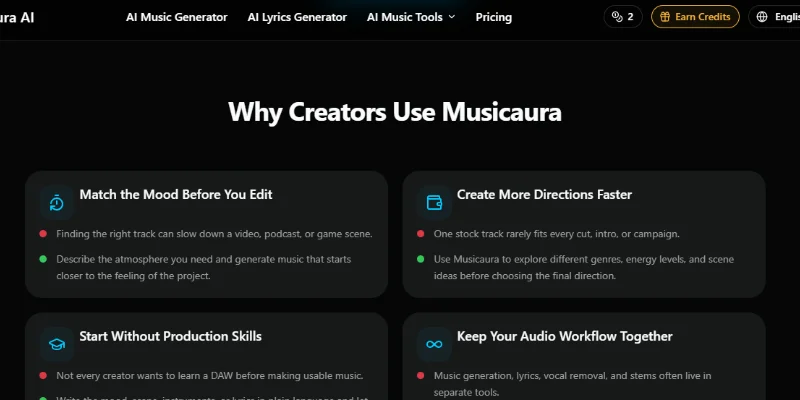
Musicaura AI is particularly useful for video creators, podcast producers, indie game developers, freelancers, and marketing agencies that need music tailored to specific content. Users can generate background tracks, podcast themes, promotional music, game soundtracks, social media audio, and other creative compositions directly through a web browser.
Verifiable Stats
-
Tool Name: Musicaura AI.
-
Tool Type: AI Music Generator and Audio Editing Platform.
-
Developer: The official website does not clearly identify a specific developer or parent company.
-
Primary Purpose: Generate original songs, instrumentals, and background music from text prompts, moods, scenes, and lyrics.
-
Music Styles: Supports 46+ advertised music styles, including pop, EDM, hip-hop, jazz, rock, ambient, lo-fi, and classical.
-
AI Lyrics Generator: Creates editable lyrics using song titles, themes, moods, styles, and structures.
-
Audio Processing: Includes AI vocal removal and stem separation for editing and remixing audio.
-
Creator Statistics: The website reports more than 108,764 tracks generated and 5,372+ active creators. These are platform-reported figures, not independently verified statistics.
-
Platform Availability: Browser-based web application; no desktop installation is required for its core workflow.
-
Target Audience: YouTube creators, TikTok creators, podcasters, video editors, game developers, freelancers, and marketing teams.
Screenshots & Demo
Key Features
Core capabilities and functionalities provided by MusicAura AI.
Context-Aware Code Completion & Synthesis
Delivers low-latency inline code completions, multi-token suggestions, and semantic completions customized to the repository context.
Multi-File Codebase Indexing & Exploration
Deeply scans project files, dependency trees, and symbol references to provide comprehensive cross-file edits and refactorings.
Automated Git & Terminal Workflow Automation
Executes shell commands, analyzes test runs, resolves syntax and runtime bugs, and crafts clean commit messages and pull requests.
Architectural Refactoring & Security Audit
Spots security vulnerabilities, dead code paths, and architectural smells, providing one-click semantic fixes and unit tests.
Pros & Cons
Key strengths and potential limitations of MusicAura AI.
What We Like
- Easy Text-to-Music Generation: Users can create original songs and instrumental tracks by describing a mood, genre, scene, or musical idea in natural language, without requiring professional music production skills.
- All-in-One Audio Workspace: Combines AI music generation, lyrics writing, vocal removal, and stem splitting, reducing the need to switch between multiple audio tools.
- Multiple Music Styles: Supports 46+ advertised music styles, including pop, hip-hop, EDM, rock, jazz, classical, ambient, and lo-fi, offering flexibility for different creative projects.
- Commercial Licensing on Paid Plans: Paid subscriptions include commercial licensing, allowing creators to use eligible generated tracks in YouTube videos, podcasts, advertisements, Spotify releases, and client projects, subject to the license terms.
- Free Plan and Flexible Credits: Offers a free plan for testing its core tools, alongside paid subscriptions and one-time credit packs for users with different music-generation requirements.
Where It Falls Short
- Limited Free Usage: The free plan provides only 2 songs and 1 music generation per month, which may not be sufficient for creators who regularly produce audio content.
- AI Output May Need Refinement: Generated tracks may not always match a specific musical vision, so users may need to adjust prompts and generate multiple versions to achieve the desired result.
- Limited Professional Audio Control: Although Musicaura offers audio processing and stem separation, users seeking advanced mixing, mastering, and detailed multitrack production may still need a dedicated digital audio workstation (DAW).
- Potential Stem Separation Artifacts: Vocal removal and stem splitting may not produce perfectly isolated audio, particularly when songs contain complex arrangements or overlapping instruments.
- Copyright and Licensing Considerations: The platform does not guarantee that every generated output is unique or free from third-party claims. Users should review generated tracks and applicable licensing terms before commercial distribution. Musicaura+2
Use Cases
Discover common workflows and scenarios where MusicAura AI excels.
YouTube Background Music Creation
Generate customized background music for YouTube videos, tutorials, vlogs, and documentaries. Creators can describe the mood and style they want instead of relying entirely on generic stock music.
Social Media Music Production
Create short music tracks for Instagram Reels, TikTok videos, YouTube Shorts, and other social media content. This helps creators produce audio that matches the tone and theme of their posts.
Podcast Intros and Outros
Produce original intro themes, outro music, transitions, and background soundtracks for podcasts. Podcasters can create a consistent audio identity for their shows.
Songwriting and Lyric Development
Use the AI Lyrics Generator to develop song ideas, write lyrics, explore different themes, and create song structures. Independent musicians can use the generated lyrics as a starting point for original compositions.
Custom Instrumental Music
Generate instrumental tracks for presentations, advertisements, videos, meditation content, and other creative projects. Users can specify genres, instruments, moods, and musical styles.
Karaoke Track Creation
Use the AI Vocal Remover to separate vocals from existing audio and create instrumental versions for karaoke sessions, singing practice, and music learning.
Music Remixing and Editing
Extract individual audio components such as vocals, drums, bass, and piano with the AI Stem Splitter. Producers and creators can use these separated elements for remixing and editing projects.
Video and Film Soundtracks
Create music that complements specific scenes, emotions, and visual storytelling. Video editors can generate cinematic, dramatic, suspenseful, or uplifting soundtracks for their productions.
Similar AI Tools

Suno
Turn Your Lyrics, Ideas, or Hummed Melodies into Fully Produced Songs

Remusic AI
Generate AI Songs, Create Voice Covers, Remove Vocals, Split Stems, and Write Lyrics.

Tunee
Create AI Songs, Clone Voices, Master Audio, and Generate Music Videos.

Heart-Mula
Make Studio-Quality Music from a Simple Text Prompt
Udio
State-of-the-art AI music creation app generating multi-genre musical arrangements.
mmaudio.net
State-of-the-art AI music creation app generating multi-genre musical arrangements.
YuE2
Intelligent developer copilot automating code completion, refactoring, and debugging.
YinsoAI
Context-aware software development platform for rapid engineering workflows.
Latest from Our Blog
Tips, tutorials and insights about AI tools and how to use them effectively.

ChatGPT for Brand Voice: Can It Sound Like You?

ChatGPT for Marketing: The Complete 2026 Guide

Best AI Tools for Real Estate Agents in 2026: Listings, Leads and Follow-Up

Google Gemini vs ChatGPT: Which AI Assistant Should You Actually Use?
Reviews & Community Ratings
No reviews yet — be the first to rate and review this tool!
Rate MusicAura AI
Community Reviews (0)