

Photo Upscaler AI
By Photo Upscaler AI
Next-generation AI code assistant with deep multi-file repository understanding.
Overview
Summary: Photo Upscaler AI is an AI-powered online image enhancement platform that improves the resolution, sharpness, and clarity of low-quality photographs and digital artwork. It uses AI-based image upscaling to reduce blur, enhance textures, restore old photographs, and enlarge images up to 4K and 8K resolutions. The platform is designed for photographers, graphic designers, e-commerce sellers, digital artists, marketers, and content creators who need sharper, high-resolution visuals without advanced photo-editing skills.
What is Photo Upscaler AI?
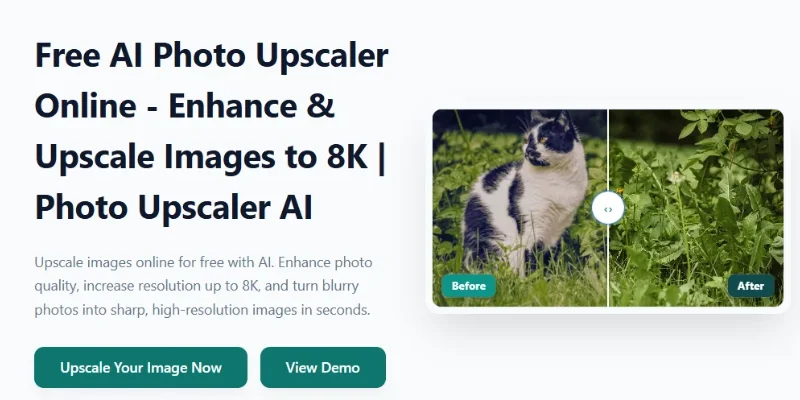
Photo Upscaler AI is a browser-based image enhancement tool that transforms blurry, pixelated, compressed, and low-resolution images into sharper, higher-resolution visuals. Unlike traditional image resizing, which simply stretches existing pixels, its AI-powered processing aims to reconstruct missing details, improve edges, and preserve natural textures and colours.
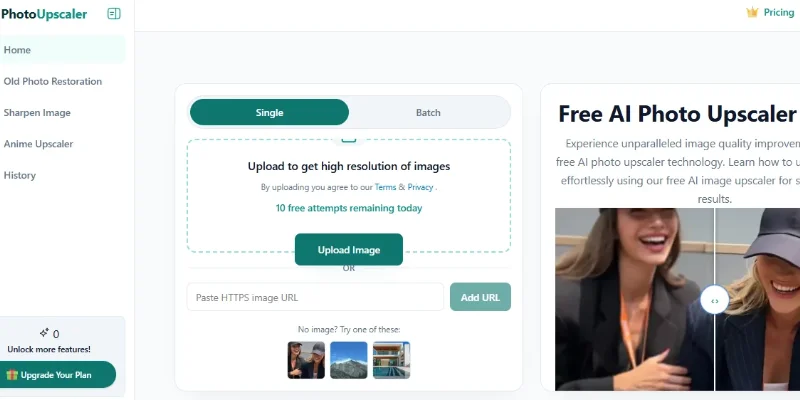
The platform supports different image enhancement workflows, including portrait enhancement, landscape improvement, product photo enhancement, and anime or illustration upscaling. Users can upload an image, allow the AI to process it, preview the enhanced result, and download the higher-resolution version.
One of its key capabilities is high-resolution image upscaling. Users can choose different enhancement levels, including 2×, 4×, 6×, and 8×, depending on their image requirements and available credits. This makes it useful for preparing images for printing, digital publishing, product catalogues, marketing campaigns, and creative projects.
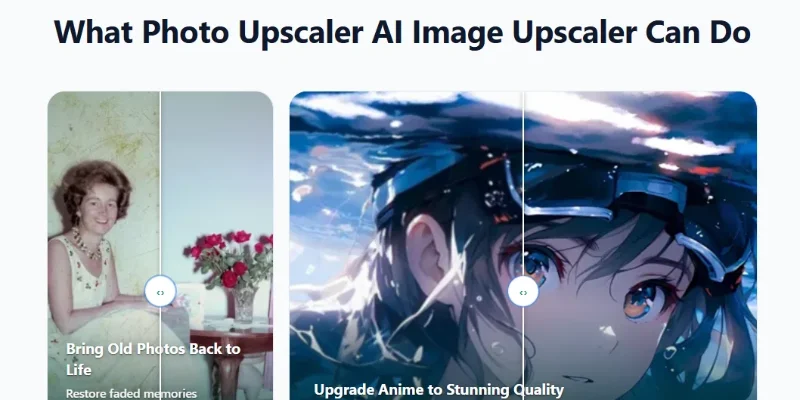
Photo Upscaler AI also provides dedicated tools for old photo restoration, image sharpening, and anime artwork enhancement. These features help users improve faded family photographs, sharpen soft images, and enlarge digital illustrations while attempting to preserve their original appearance.
Verifiable Stats
-
Tool Name: Photo Upscaler AI.
-
Official Website: https://photoupscaler.ai/
-
Primary Purpose: AI-powered image upscaling, enhancement, and photo restoration.
-
Maximum Advertised Upscaling: Up to 8× enlargement.
-
Enhancement Options: 2×, 4×, 6×, and 8×.
-
Core Features: Image sharpening, blur reduction, detail enhancement, texture improvement, and colour preservation.
-
Specialised Tools: Old Photo Restoration, Sharpen Image, and Anime Upscaler.
-
Supported Image Formats: JPG, PNG, WEBP, and HEIC.
-
Processing Platform: Browser-based online application.
-
Target Users: Photographers, designers, e-commerce sellers, digital artists, marketers, and content creators
Screenshots & Demo
Key Features
Core capabilities and functionalities provided by Photo Upscaler AI.
Context-Aware Code Completion & Synthesis
Delivers low-latency inline code completions, multi-token suggestions, and semantic completions customized to the repository context.
Multi-File Codebase Indexing & Exploration
Deeply scans project files, dependency trees, and symbol references to provide comprehensive cross-file edits and refactorings.
Automated Git & Terminal Workflow Automation
Executes shell commands, analyzes test runs, resolves syntax and runtime bugs, and crafts clean commit messages and pull requests.
Architectural Refactoring & Security Audit
Spots security vulnerabilities, dead code paths, and architectural smells, providing one-click semantic fixes and unit tests.
Pros & Cons
Key strengths and potential limitations of Photo Upscaler AI.
What We Like
- High-Resolution Upscaling: Supports image enlargement up to 8×, helping users prepare images for larger displays, printing, and digital publishing.
- Multiple Enhancement Levels: Offers 2×, 4×, 6×, and 8× upscaling options to suit different image-quality requirements.
- Old Photo Restoration: Helps restore faded or damaged photographs by improving clarity, details, and overall appearance.
- Specialised Image Tools: Includes dedicated features for sharpening images and enhancing anime artwork, making it useful for different types of visual content.
- Free Daily Usage: Provides free daily image enhancements and bonus credits, allowing users to try its capabilities without an immediate subscription.
Where It Falls Short
- Credit-Based Processing: Higher upscaling levels consume more credits, which may limit frequent users on the free plan.
- Enhancement Results May Vary: Severely blurred, pixelated, or damaged images may not recover their original details accurately.
- AI-Generated Details: The AI may reconstruct or invent fine details during enhancement, which can occasionally change the appearance of faces, textures, or objects.
- Limited Manual Editing Controls: Users looking for advanced layers, precise retouching, colour grading, and professional editing tools may need additional software.
- Internet Dependency: As a browser-based platform, users need an internet connection to upload images and process them online.
Use Cases
Discover common workflows and scenarios where Photo Upscaler AI excels.
Enhancing Low-Resolution Images
Improve small or low-resolution images by increasing their size and enhancing details. This is useful when preparing visuals for websites, presentations, or digital publications.
Restoring Old Photographs
Enhance faded, blurry, or low-quality old photographs by improving sharpness, clarity, and visible details, helping preserve personal and historical memories.
Improving E-commerce Product Images
Upscale product photographs to create clearer visuals for online stores, product catalogues, and marketplace listings. Better image quality can help customers examine product details.
Enhancing Portrait Photography
Improve portrait images by refining facial details, reducing blur, and increasing overall image clarity. This can be useful for profile pictures, portfolios, and personal photography.
Upscaling Anime and Illustrations
Increase the resolution of anime artwork, digital illustrations, and character designs while aiming to preserve their original appearance and visual style.
Preparing Images for Printing
Increase image resolution before printing photographs, posters, flyers, or other visual materials. Review the final output to ensure it meets the intended print dimensions and quality requirements.
Improving Social Media Graphics
Enhance photographs and graphics for Instagram posts, Facebook content, Pinterest pins, and other social media platforms to make visuals clearer and more presentable.
Sharpening Blurry Images
Reduce visible blur and improve image sharpness in photographs that lack clarity. The results depend on the original image and the amount of detail available.
Similar AI Tools

Midjourney
Generative AI image and video generation platform with industry-leading aesthetic quality and creative controls

Kirkify
Swap Faces with AI, Generate Kirkified Memes, and Create Share-Ready Images in Seconds.

JPEG Translator
AI-Powered Text Extraction & Visual Overlay Translation
Sharpniq
Sharpniq

Adobe Firefly
Make anything. Sell anything. Without the copyright worry.

Stable Diffusion
The open-source image model you can run, own, and customize on your GPU or in your browser

Fotor
Turn text or photos into videos plus edit, enhance, and design.

Blur Background
Blur Background
Latest from Our Blog
Tips, tutorials and insights about AI tools and how to use them effectively.

ChatGPT for Brand Voice: Can It Sound Like You?

ChatGPT for Marketing: The Complete 2026 Guide

Best AI Tools for Real Estate Agents in 2026: Listings, Leads and Follow-Up

Google Gemini vs ChatGPT: Which AI Assistant Should You Actually Use?
Reviews & Community Ratings
No reviews yet — be the first to rate and review this tool!
Rate Photo Upscaler AI
Community Reviews (0)