

Playground Google
By Playground Google
Context-aware software development platform for rapid engineering workflows.
Overview
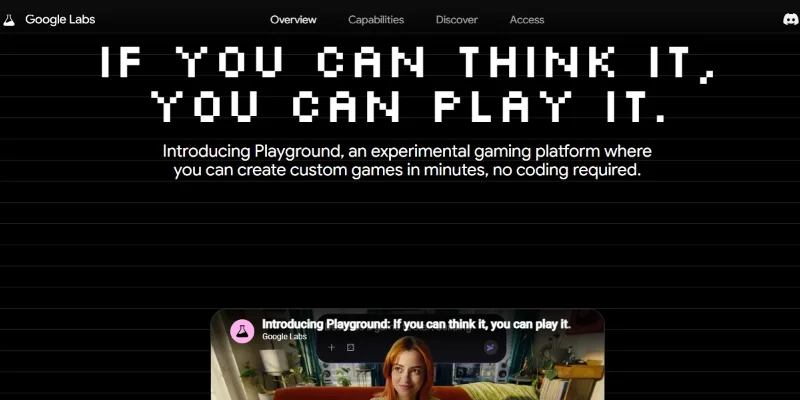
Summary: Google Labs Playground is an experimental AI gaming platform that lets users create, play, and share custom browser-based games using natural-language prompts. Instead of writing code manually, users describe their game ideas, customize gameplay mechanics, characters, and environments, and refine their creations through conversational instructions. The platform also features a community gallery, shareable game links, leaderboards, and multiplayer support in selected experiences. Game creation access and usage limits depend on eligibility and the user's Google AI plan.
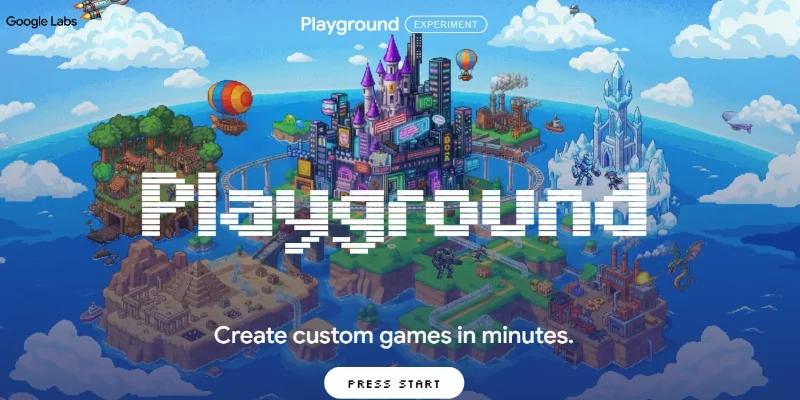
What is Google Labs Playground? Google Labs Playground is an experimental game-building tool designed to make game creation accessible to people without programming experience. Users can describe a concept in plain language, generate a playable game, test it in the browser, and request changes to the rules, physics, visuals, characters, or environment. The platform supports different game genres, including trivia, racing, platformers, and arcade-style experiences. Users can start with a new idea or explore and remix existing concepts, then keep games private, share them through links, or publish them to the community gallery. Selected games also support multiplayer gameplay and leaderboards. Playground is currently an experiment rather than a full professional game engine. Google has announced plans for a future Unity Spark integration to support more advanced game-building capabilities. Verifiable Stats Launch Date: Google announced Playground on October 7, 2026, as an experimental platform for creating and playing custom games without coding. No-Code Game Creation: Users can create playable games by describing their ideas in natural language rather than writing game code manually. Multiple Game Genres: The platform features genres such as trivia, tower defense, racing, platformers, and arcade games, with additional concepts available through its community gallery. Browser-Based Access: Users can play supported games on devices such as smartphones, tablets, and laptops through a compatible web browser. Free Game Access: Users can play games in the catalog free of charge. AI game creation has a limited free tier with weekly refreshed tokens, while higher creation limits are available through eligible Google One AI plans.
Screenshots & Demo
Key Features
Core capabilities and functionalities provided by Playground Google.
Context-Aware Code Completion & Synthesis
Delivers low-latency inline code completions, multi-token suggestions, and semantic completions customized to the repository context.
Multi-File Codebase Indexing & Exploration
Deeply scans project files, dependency trees, and symbol references to provide comprehensive cross-file edits and refactorings.
Automated Git & Terminal Workflow Automation
Executes shell commands, analyzes test runs, resolves syntax and runtime bugs, and crafts clean commit messages and pull requests.
Architectural Refactoring & Security Audit
Spots security vulnerabilities, dead code paths, and architectural smells, providing one-click semantic fixes and unit tests.
Pros & Cons
Key strengths and potential limitations of Playground Google.
What We Like
- No-Code Game Creation: Lets users create playable games using natural-language prompts without needing extensive programming knowledge.
- Rapid Prototyping: Helps turn game ideas into interactive prototypes quickly, making it easier to experiment with different concepts.
- Customizable Gameplay: Users can refine game mechanics, characters, environments, and visual styles through follow-up prompts.
- Community Game Gallery: Provides access to games created by other users, offering inspiration and opportunities to explore different ideas.
- Easy Browser-Based Access: Allows users to play and share supported games through a web browser without installing a traditional game engine.
Where It Falls Short
- Experimental Platform: Features and reliability may change as Google continues developing the experience.
- Limited Control Over Generated Games: AI-generated mechanics, visuals, and behavior may not always match the creator's exact requirements.
- Usage Restrictions: Free game-creation access may have token limits, while higher limits may require an eligible paid plan
- Not a Full Game Development Engine: Complex projects may require additional coding, testing, and external development tools.
- Availability Limitations: Access to game creation, multiplayer features, and other capabilities may vary by region, account eligibility, and rollout status.
Use Cases
Discover common workflows and scenarios where Playground Google excels.
AI Game Prototyping
Turn a game concept into a playable prototype using natural-language prompts. Experiment with basic mechanics and interactive elements before committing to full development.
Browser-Based Game Creation
Create simple games that can be played directly in a web browser, making it easier to test ideas without requiring traditional game installations.
Educational Game Development
Build interactive quizzes, puzzles, and learning games that help students explore subjects through engaging gameplay.
Interactive Storytelling
Experiment with games that feature characters, choices, challenges, and fictional environments to explore different storytelling ideas.
Arcade Game Experiments
Create and refine simple arcade-style experiences, testing gameplay rules, scoring systems, and difficulty levels.
Racing and Platformer Games
Explore racing mechanics, obstacle courses, jumping challenges, and platform-based gameplay through prompt-driven game creation.
Creative Game Design Exploration
Experiment with different characters, environments, visual styles, and gameplay mechanics to discover new game concepts.
Game Design for Beginners
Help people with little or no programming experience explore game development by describing ideas in everyday language.
Similar AI Tools





Latest from Our Blog
Tips, tutorials and insights about AI tools and how to use them effectively.

ChatGPT for Brand Voice: Can It Sound Like You?

ChatGPT for Marketing: The Complete 2026 Guide

Best AI Tools for Real Estate Agents in 2026: Listings, Leads and Follow-Up

Google Gemini vs ChatGPT: Which AI Assistant Should You Actually Use?
Reviews & Community Ratings
Average rating: 5.0 out of 5 (1 total reviews)
Rate Playground Google
Community Reviews (0)