

Proactor
By Proactor
AI-powered coding companion built for high-velocity software engineering.
Overview
Summary: Proactor AI is an AI-powered meeting assistant that automatically records, transcribes, summarizes, and analyzes conversations in real time. It provides live transcription, proactive AI suggestions, automatic action-item detection, meeting summaries, and an AI chat assistant called Potor. Designed for professionals, sales teams, businesses, educators, and students, Proactor helps users capture important discussions, identify decisions, and organize follow-up tasks. It is available through web, iOS, and Android applications.
What Is Proactor AI?
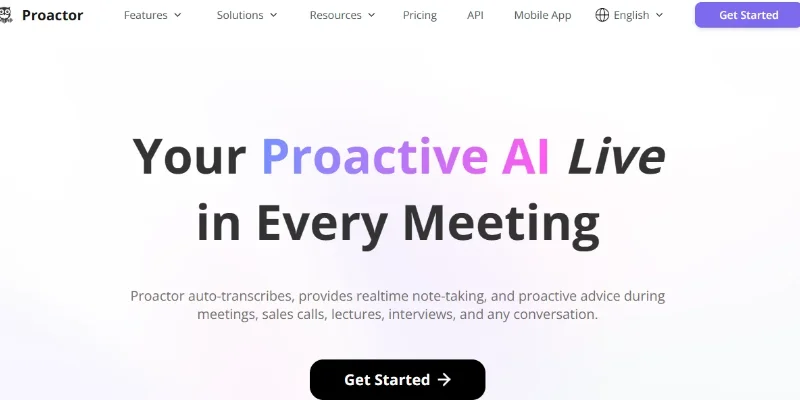
Proactor AI is a real-time conversation intelligence platform that helps users capture important information from meetings, sales calls, lectures, interviews, and everyday discussions. It automatically converts spoken conversations into searchable text, allowing users to focus on discussions instead of taking manual notes.
One of its key capabilities is proactive AI advice. Unlike traditional meeting assistants that primarily generate summaries after conversations, Proactor can provide context-aware suggestions, relevant information, clarifications, and potential next steps while a conversation is happening.
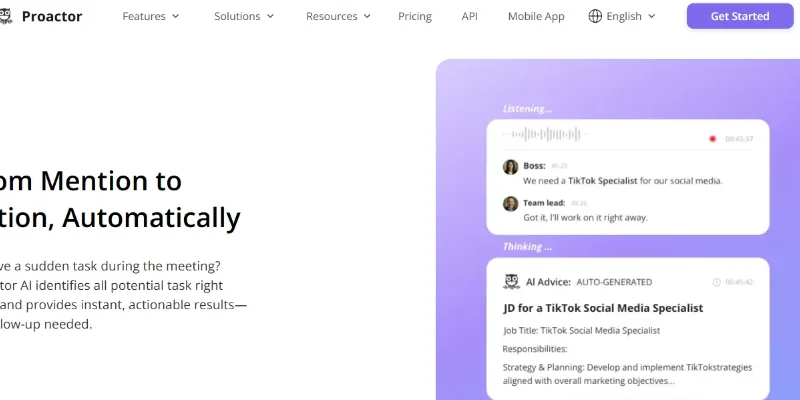
The platform also includes automatic task detection, which identifies action items, potential responsibilities, and deadlines mentioned during discussions. After a session, it generates structured meeting summaries containing overviews, conclusions, key takeaways, and to-do lists through its Session Wiki feature.
Another important feature is Potor, Proactor's built-in AI chat assistant. Users can ask questions about current or previous conversations, retrieve specific decisions, revisit discussed topics, and search across their meeting history using contextual memory.
Proactor also provides audio-to-text and video-to-text conversion tools, allowing users to transcribe uploaded recordings and video links. Beyond its consumer application, it offers APIs that developers can integrate into software, AI agents, wearable devices, and voice-recording products to add real-time context perception and intent extraction.
Key Features
-
Real-Time Transcription: Converts spoken conversations into searchable text with timestamps.
-
AI Meeting Notes: Automatically captures important discussion points and creates organized meeting notes.
-
Proactive AI Advice: Provides contextual suggestions, clarifications, and recommendations during conversations.
-
Automatic Task Detection: Identifies action items, potential responsibilities, and deadlines from discussions.
-
AI Meeting Minutes Generator: Creates structured meeting reports with summaries, conclusions, and key takeaways.
-
Potor AI Chat Assistant: Answers questions about current and previous conversations using meeting memory.
-
Session Wiki: Organizes meeting summaries, tasks, and insights into structured pages.
-
Smart Search and Global Memory: Searches across conversations, transcripts, summaries, and action items.
-
Audio-to-Text Conversion: Transcribes uploaded audio recordings into readable text.
-
Video-to-Text Conversion: Converts video files and supported video links into transcripts.
-
Voice Recorder: Records conversations and provides transcription and AI-powered insights.
-
Developer API: Provides transcription, real-time intent extraction, and task-execution capabilities for third-party applications.
Screenshots & Demo
Key Features
Core capabilities and functionalities provided by Proactor.
Context-Aware Code Completion & Synthesis
Delivers low-latency inline code completions, multi-token suggestions, and semantic completions customized to the repository context.
Multi-File Codebase Indexing & Exploration
Deeply scans project files, dependency trees, and symbol references to provide comprehensive cross-file edits and refactorings.
Automated Git & Terminal Workflow Automation
Executes shell commands, analyzes test runs, resolves syntax and runtime bugs, and crafts clean commit messages and pull requests.
Architectural Refactoring & Security Audit
Spots security vulnerabilities, dead code paths, and architectural smells, providing one-click semantic fixes and unit tests.
Pros & Cons
Key strengths and potential limitations of Proactor.
What We Like
- Real-Time Conversation Transcription: Converts spoken discussions into searchable text, helping users capture important information without taking manual notes.
- Proactive AI Suggestions: Provides contextual recommendations and relevant information during conversations, going beyond basic post-meeting transcription.
- Automatic Meeting Summaries: Generates structured notes, key takeaways, decisions, and conclusions to make meeting reviews easier.
- Action-Item Detection: Identifies tasks, responsibilities, and potential deadlines mentioned during discussions, helping teams organize follow-up work.
- AI-Powered Conversation Search: Its Potor assistant and Session Wiki help users retrieve information from previous conversations and revisit important discussion points.
Where It Falls Short
- Limited Free-Plan Usage: The Basic plan includes limited transcription minutes and AI credits, which may not be sufficient for users who attend frequent or lengthy meetings.
- Premium AI Advice Requires a Subscription: Full access to proactive AI advice is available only with Pro and Business subscriptions.
- Additional Usage Can Increase Costs: Users who exceed their allocated transcription minutes or AI credits may need to purchase additional data packs or upgrade their subscription.
- AI-Generated Results Need Verification: Transcriptions, summaries, action items, and recommendations may contain inaccuracies or omissions, so important information should be reviewed.
- Recording Consent Is Required: Users must obtain the necessary consent from meeting participants before recording conversations and stop recording if a participant objects.
Use Cases
Discover common workflows and scenarios where Proactor excels.
Business Meeting Transcription
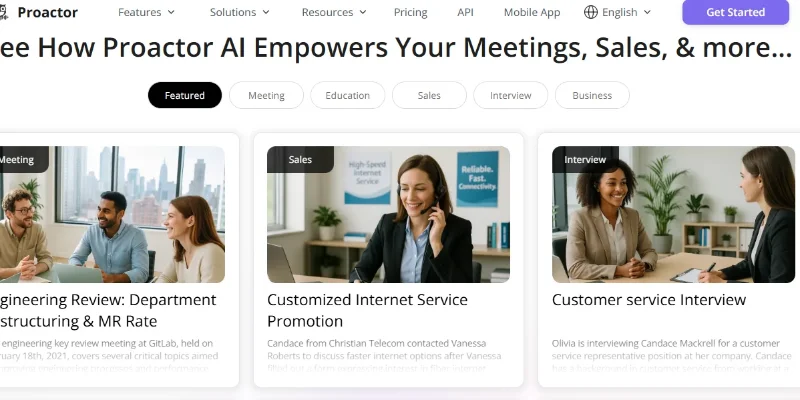
Convert business meetings into searchable text in real time, helping participants capture important discussions without taking manual notes.
Automatic Meeting Minutes
Generate structured meeting summaries containing key discussion points, decisions, conclusions, and important takeaways for future reference.
Action-Item and Task Management
Identify tasks, responsibilities, and potential deadlines mentioned during meetings to help teams organize follow-up activities
Sales Call Intelligence
Capture sales conversations, identify customer requirements, recognize objections, and prepare summaries that help sales representatives plan their next steps
Customer Interview Analysis
Transcribe customer interviews, organize feedback, identify recurring concerns, and extract useful insights for product and service improvements.
Online Lecture and Class Notes
Record and transcribe lectures, online classes, and educational discussions, making it easier for students to review lessons and understand important concepts.
Job Interview Documentation
Capture interview discussions, organize candidate responses, identify important qualifications, and prepare structured interview notes for recruitment teams.
Brainstorming and Idea Documentation
Capture ideas shared during brainstorming sessions, summarize suggestions, and identify potential tasks or decisions for project development.
Similar AI Tools
SpotScribe
AI-powered coding companion built for high-velocity software engineering.
Transcribe Video AI
AI-powered coding companion built for high-velocity software engineering.

Notion AI
AI Workspace Assistant for Writing, Knowledge Retrieval & Task Automation

Microsoft Copilot
Everyday AI Companion Across Windows, Office & Web

YouChat
Get Real-Time Web Answers with AI Search and Source Citations.

Firefiles-AI
AI meeting assistant for automated transcription, summarization, and conversation intelligence

Phind
AI Search Engine Built for Developers — Get Code Answers Instantly
EinfachAI
EinfachAI
Latest from Our Blog
Tips, tutorials and insights about AI tools and how to use them effectively.

ChatGPT for Brand Voice: Can It Sound Like You?

ChatGPT for Marketing: The Complete 2026 Guide

Best AI Tools for Real Estate Agents in 2026: Listings, Leads and Follow-Up
