

SlidesPilot
By SlidesPilot
Context-aware software development platform for rapid engineering workflows.
Overview
Summary
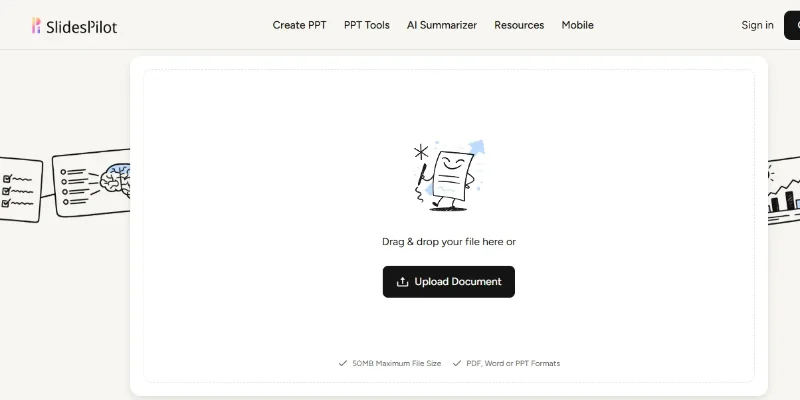
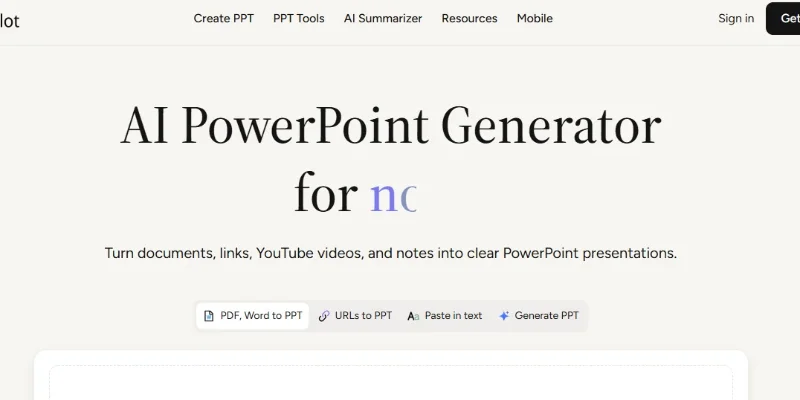
SlidesPilot is an AI-powered presentation maker that converts documents, web links, YouTube videos, notes, and text prompts into structured, editable PowerPoint presentations. It helps users organize complex information into clear slides with AI-generated content, layouts, charts, diagrams, and visuals.
What Is SlidesPilot?
SlidesPilot is an AI presentation creation platform designed to simplify the process of turning information into professional-looking slide decks. Instead of manually summarizing documents, arranging slide content, and designing layouts, users can upload source material or describe a topic and let the AI generate an initial presentation.
The platform supports PDF, Word, and PowerPoint files, website links, YouTube videos, pasted text, research notes, and topic prompts. Its AI analyzes the source material, identifies key ideas, and organizes them into a logical presentation narrative rather than simply copying content onto slides.
SlidesPilot also includes an editable, block-based presentation editor and an AI presentation agent. Users can rewrite content, rearrange sections, adjust layouts, refine individual slides, and apply themes or branding. Presentations can be exported as editable PPTX files, shared online, or exported to formats such as PDF and PNG.
The tool is suitable for students, teachers, researchers, consultants, business professionals, marketers, and content creators who need to produce presentations more efficiently. It is available on the web and through mobile apps.
Verifiable Stats
-
Tool Type: AI Presentation Maker
-
Primary Functions: Presentation generation, document conversion, slide editing, and AI-assisted design
-
Input Sources: Documents, webpages, YouTube videos, notes, text, and prompts
-
Export Formats: PPTX, PDF, and PNG, with additional supported sharing options
-
Platforms: Web, iOS, and Android
-
Developer: Clattice Technology Limited
Screenshots & Demo

Key Features
Core capabilities and functionalities provided by SlidesPilot.
Context-Aware Code Completion & Synthesis
Delivers low-latency inline code completions, multi-token suggestions, and semantic completions customized to the repository context.
Multi-File Codebase Indexing & Exploration
Deeply scans project files, dependency trees, and symbol references to provide comprehensive cross-file edits and refactorings.
Automated Git & Terminal Workflow Automation
Executes shell commands, analyzes test runs, resolves syntax and runtime bugs, and crafts clean commit messages and pull requests.
Architectural Refactoring & Security Audit
Spots security vulnerabilities, dead code paths, and architectural smells, providing one-click semantic fixes and unit tests.
Pros & Cons
Key strengths and potential limitations of SlidesPilot.
What We Like
- Fast AI Presentation Generation: Creates slide decks from text prompts, documents, webpages, and other supported sources, reducing manual preparation time.
- Multiple Input Formats: Converts PDFs, Word documents, PowerPoint files, YouTube videos, and online content into presentation-ready material.
- Editable Slide Content: Provides a block-based editor that lets users modify text, images, charts, layouts, and other slide elements.
- PowerPoint Export: Supports exporting editable PPTX presentations, making it easier to continue editing or collaborate using familiar presentation software.
- Free Entry-Level Access: Users can explore the platform with free credits before deciding whether a paid plan is necessary.
Where It Falls Short
- Limited Free Usage: Free credits may restrict the number of presentations users can generate or revise.
- AI Content Requires Review: Generated summaries and slide text may omit important details or contain inaccuracies, particularly when processing lengthy source material.
- Design May Need Refinement: AI-generated layouts, visuals, and slide formatting may require manual adjustments to match professional standards.
- Advanced Usage May Require Payment: Users who create presentations frequently may need a paid subscription for higher usage limits or additional features.
- Less Precise Than Manual Design: Highly customized presentations with complex animations, exact branding, or specialized layouts may require additional editing in PowerPoint or another design tool.
Use Cases
Discover common workflows and scenarios where SlidesPilot excels.
Business Presentation Creation
Create presentations for business meetings, strategy discussions, project updates, and executive briefings using prompts or existing business documents.
PDF-to-PowerPoint Conversion
Transform lengthy PDF reports, whitepapers, and research documents into structured slide decks that highlight important information.
Educational Slide Creation
Convert study materials, textbooks, lecture notes, and learning resources into presentations for classroom teaching and student learning.
YouTube Video Summarization
Turn supported YouTube videos into presentation slides, helping educators, students, and professionals summarize tutorials, lectures, and informational content.
Research Presentation Preparation
Organize research findings, reports, and technical documents into clear presentations for academic discussions, conferences, and project reviews.
Sales Pitch Development
Build sales decks that communicate product benefits, business value, service offerings, and proposed solutions to prospective customers.
Marketing Presentation Design
Create campaign presentations, product launch decks, marketing strategies, and brand proposals using AI-generated content and visual layouts.
Training and Onboarding Materials
Convert employee handbooks, training documents, and standard operating procedures into slides for workshops, onboarding sessions, and internal training.
Similar AI Tools

Beautiful-AI

Gamma

Napkin AI
Business Pitch

Microsoft Copilot
Notion AI

YouChat

Firefiles-AI
Latest from Our Blog
Tips, tutorials and insights about AI tools and how to use them effectively.

ChatGPT for Brand Voice: Can It Sound Like You?

ChatGPT for Marketing: The Complete 2026 Guide

Best AI Tools for Real Estate Agents in 2026: Listings, Leads and Follow-Up

Google Gemini vs ChatGPT: Which AI Assistant Should You Actually Use?
Reviews & Community Ratings
Average rating: 8.5 out of 5 (1 total reviews)
Rate SlidesPilot
Community Reviews (0)