

Tally
By Tally
AI-powered coding companion built for high-velocity software engineering.
Overview
Summary: Tally is a no-code online form builder that helps individuals, businesses, and teams create professional forms, surveys, quizzes, and data-collection pages without programming. Developed by Tally BV, a Belgium-based independent software company, it uses a simple document-style editor that allows users to build forms by typing questions and inserting content blocks. Its features include conditional logic, payment collection, e-signatures, file uploads, calculations, email notifications, and integrations with tools such as Google Sheets, Notion, Airtable, Zapier, and Make. Tally offers unlimited forms and submissions on its free plan, subject to fair-use guidelines.
What is Tally?
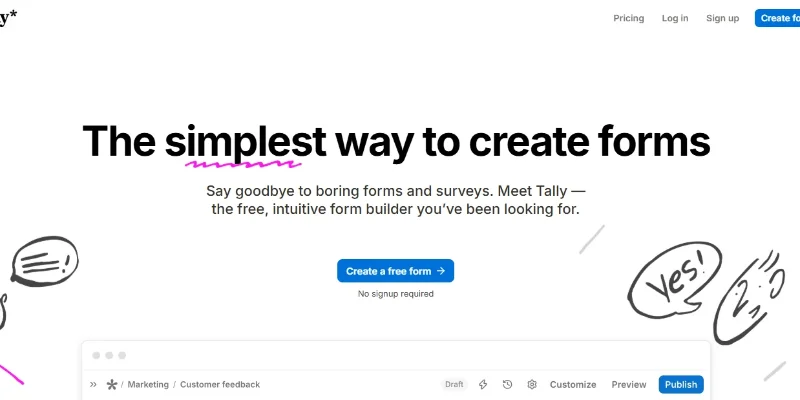
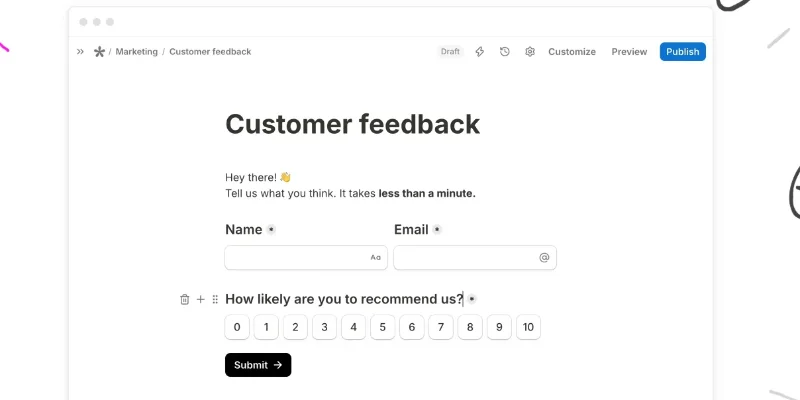
Tally is an online form-building platform designed to make creating and managing forms simple. Unlike traditional form builders that rely heavily on complicated dashboards and configuration menus, Tally provides a document-like editor where users can type questions, add text, insert images, and arrange form elements using content blocks.
The platform supports a wide range of form types, including customer feedback surveys, contact forms, registration forms, application forms, quizzes, order forms, and event registrations. Users can create single-page or multi-page forms and customize their appearance with themes, colors, fonts, images, and layouts.
One of Tally's key capabilities is its conditional logic system, which allows forms to change dynamically based on respondents' answers. It also supports calculations, answer piping, hidden fields, duplicate-submission prevention, password protection, and automated email notifications.
Tally also offers integrations with productivity and automation platforms, including Google Sheets, Notion, Airtable, Zapier, and Make. Forms can be shared through direct links, embedded into websites, or displayed as popups. Its payment and e-signature features make it useful for collecting orders, payments, and signed information online.
Verifiable Stats
-
Tool Name: Tally.
-
Developer: Tally BV.
-
Founded / Launched: 2020.
-
Headquarters: Ghent, Belgium.
-
Primary Function: No-code online form creation and data collection.
-
Editing Experience: Document-style form editor with drag-free content blocks.
-
Form Types: Surveys, quizzes, contact forms, registration forms, applications, and payment forms.
-
Advanced Features: Conditional logic, calculations, e-signatures, file uploads, hidden fields, and email notifications.
-
Integrations: Google Sheets, Notion, Airtable, Zapier, Make, and webhooks.
-
Company Milestone: Tally reported more than 2.5 million users and $6 million in annual recurring revenue in September 2026.
Screenshots & Demo

Key Features
Core capabilities and functionalities provided by Tally.
Context-Aware Code Completion & Synthesis
Delivers low-latency inline code completions, multi-token suggestions, and semantic completions customized to the repository context.
Multi-File Codebase Indexing & Exploration
Deeply scans project files, dependency trees, and symbol references to provide comprehensive cross-file edits and refactorings.
Automated Git & Terminal Workflow Automation
Executes shell commands, analyzes test runs, resolves syntax and runtime bugs, and crafts clean commit messages and pull requests.
Architectural Refactoring & Security Audit
Spots security vulnerabilities, dead code paths, and architectural smells, providing one-click semantic fixes and unit tests.
Pros & Cons
Key strengths and potential limitations of Tally.
What We Like
- Unlimited Forms and Submissions: Tally's free plan offers unlimited forms and submissions, subject to fair-use guidelines, making it suitable for individuals, startups, and small businesses.
- Easy No-Code Form Builder: Its document-style editor allows users to create professional forms by typing questions and adding content blocks without requiring programming knowledge.
- Advanced Form Customization: Users can add conditional logic, calculations, hidden fields, file uploads, answer piping, and multi-page layouts to create interactive forms.
- Wide Range of Integrations: Tally connects with tools such as Google Sheets, Notion, Airtable, Zapier, and Make, helping users automate data collection and everyday workflows.
- Payment and E-Signature Support: Users can collect payments and electronic signatures directly through forms, making the platform useful for registrations, orders, applications, and service agreements.
Where It Falls Short
- Limited Advanced Features on Free Plan: Some advanced customization, branding, analytics, and team-management options require a paid subscription.
- Fair-Use Restrictions: Although the free plan advertises unlimited forms and submissions, usage remains subject to fair-use guidelines and may not suit every high-volume workflow.
- Limited Design Flexibility: Its document-style editor is easy to use, but users looking for highly customized layouts and complex visual designs may find the design options restrictive.
- Dependence on Third-Party Integrations: Some advanced automation workflows require external services such as Zapier or Make, which may involve additional setup or subscription costs.
- Not a Complete Enterprise Survey Platform: Organizations needing advanced research analytics, complex survey reporting, or sophisticated respondent-management features may require a more specialized platform.
Use Cases
Discover common workflows and scenarios where Tally excels.
Customer Feedback Collection
Create feedback forms to understand customer experiences, identify service issues, and collect suggestions. Businesses can use responses to improve products, services, and customer satisfaction.
Online Surveys and Market Research
Build surveys to collect opinions, preferences, and market insights. Researchers and marketing teams can use conditional logic to create relevant questions based on respondents' answers.
Lead Generation and Contact Forms
Create website forms to collect names, email addresses, phone numbers, and customer inquiries. Sales and marketing teams can use these forms to capture potential leads and organize follow-ups.
Event Registration and RSVP Management
Build registration forms for conferences, workshops, webinars, and community events. Organizers can collect attendee details, manage registrations, and gather additional requirements.
Job Applications and Recruitment
Create online application forms to collect candidate information, resumes, portfolios, and other recruitment details. HR teams can organize applications and simplify the initial screening process.
Online Quizzes and Assessments
Design interactive quizzes, knowledge tests, and evaluation forms. Teachers, trainers, and businesses can use calculations and conditional logic to create customized assessments.
Payment and Order Collection
Create payment forms to collect orders, registration fees, deposits, and service payments. Freelancers, creators, and small businesses can simplify their online payment collection process.
Customer Onboarding
Build onboarding forms to collect customer preferences, project requirements, business details, and account information. Service providers can use responses to prepare for new client engagements.
Similar AI Tools

Microsoft Copilot
Everyday AI Companion Across Windows, Office & Web

Notion AI
AI Workspace Assistant for Writing, Knowledge Retrieval & Task Automation

YouChat
Get Real-Time Web Answers with AI Search and Source Citations.

Firefiles-AI
AI meeting assistant for automated transcription, summarization, and conversation intelligence

Phind
AI Search Engine Built for Developers — Get Code Answers Instantly

Beautiful-AI
Create Stunning, Professional Presentations
EinfachAI
EinfachAI

SBTI Test
Explore your personality and neurodivergent traits
Latest from Our Blog
Tips, tutorials and insights about AI tools and how to use them effectively.

The 10 Best AI Data Analysis Tools in 2026: ChatGPT, Copilot, and Julius AI Compared

Best AI Tools for Social Media and Thumbnails in 2026

Top AI Tool Directories to Submit To: Complete Guide (2026)

Best Paid AI Tools Worth the Money in 2026: Complete Guide
Reviews & Community Ratings
No reviews yet — be the first to rate and review this tool!
Rate Tally
Community Reviews (0)