

AI Agent Minimax
By AI Agent Minimax
Context-aware software development platform for rapid engineering workflows.
Overview
Summary: MiniMax Agent is an AI-powered agent platform designed to complete complex, multi-step tasks across software development, research, office work, and creative production. Its capabilities include writing and debugging code, building websites, creating presentations, analyzing financial data, generating videos, and organizing documents. The platform's desktop product, MiniMax Code, connects AI agents with local files, terminals, browsers, and external tools to turn user instructions into practical deliverables. It supports Coding and Work modes, agent collaboration, plugins, scheduled tasks, and remote control through mobile devices.
What is MiniMax Agent?
MiniMax Agent is a general-purpose AI agent platform from MiniMax that helps users delegate complex tasks through natural-language instructions. Rather than simply generating text or answering questions, it can break down requests into smaller steps, use connected tools, and work toward producing completed outputs.
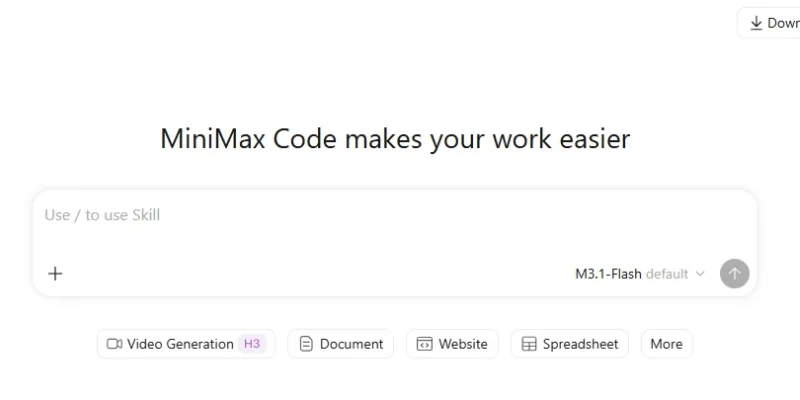
Its desktop experience, MiniMax Code, provides two main working environments: Coding Mode and Work Mode. Coding Mode is designed for software development, including understanding existing projects, writing code, debugging, reviewing changes, and running tests. Work Mode focuses on everyday professional tasks such as research, document creation, presentations, data analysis, and website building.
For software developers, MiniMax Code offers an AI coding agent that can inspect project files, work with terminal commands, implement features, debug issues, and review code changes. Its Agent Team feature coordinates specialized agents for planning, implementation, and verification, helping manage larger development projects.
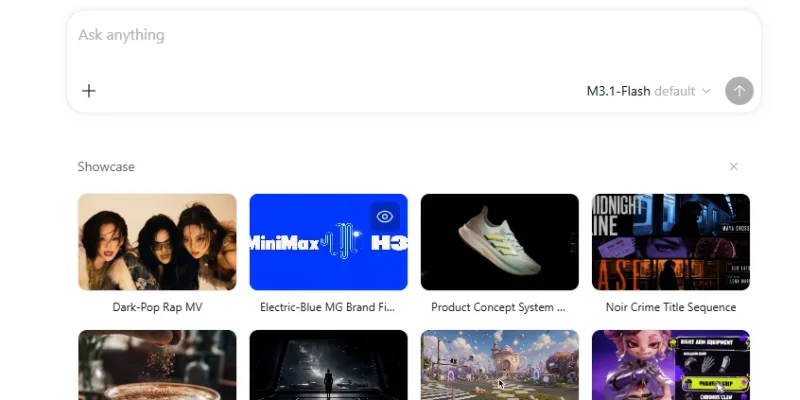
Beyond coding, MiniMax Agent supports productivity and creative workflows. Users can turn ideas and documents into editable PowerPoint presentations, analyze spreadsheets and financial information, create websites from images or other media, generate videos, and produce structured business reports.
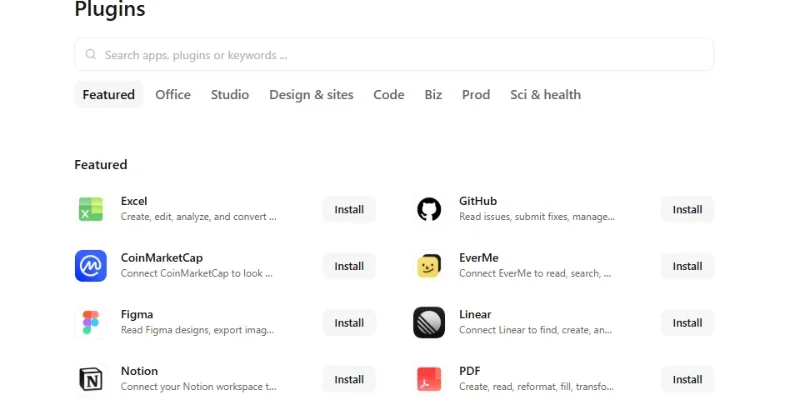
The platform also includes browser automation, plugins, and remote-control capabilities. Users can connect external services, let the agent browse websites and organize information, and monitor ongoing desktop tasks from their phones. Scheduled tasks can handle recurring activities such as daily reports and periodic information checks, provided the desktop application remains running.
Key Features
-
Autonomous AI Agent: Breaks down complex instructions into manageable steps and executes tasks using available tools.
-
AI Coding Assistant: Helps developers understand codebases, write code, debug errors, review changes, and test software.
-
Agent Team: Coordinates specialized AI agents for planning, implementation, and verification.
-
AI Presentation Maker: Converts topics, notes, and documents into structured, editable PowerPoint presentations.
-
AI Website Builder: Creates websites, landing pages, and web applications from natural-language prompts and reference media.
-
Financial Data Analysis: Analyzes financial and spreadsheet data, generates charts, and produces reusable HTML reports.
-
AI Video Generation: Generates and refines video content using prompts and reference materials.
-
Browser Automation: Browses websites, collects information, and verifies research results.
-
Local File Access: Connects to selected computer folders and project files with user authorization.
-
Plugin Integrations: Connects external tools and professional services to support multi-step workflows.
-
Remote Control: Allows users to monitor task progress, provide instructions, and approve permission requests from mobile devices.
-
Scheduled Tasks: Supports recurring workflows such as daily and weekly reports.
-
Command-Line Interface: Enables developers to use MiniMax Code from a terminal and work with local projects and command-line tools.
-
Local-Cloud Collaboration: Allows users to hand off desktop tasks to the cloud and continue working with the same task context.
Screenshots & Demo
Key Features
Core capabilities and functionalities provided by AI Agent Minimax.
Context-Aware Code Completion & Synthesis
Delivers low-latency inline code completions, multi-token suggestions, and semantic completions customized to the repository context.
Multi-File Codebase Indexing & Exploration
Deeply scans project files, dependency trees, and symbol references to provide comprehensive cross-file edits and refactorings.
Automated Git & Terminal Workflow Automation
Executes shell commands, analyzes test runs, resolves syntax and runtime bugs, and crafts clean commit messages and pull requests.
Architectural Refactoring & Security Audit
Spots security vulnerabilities, dead code paths, and architectural smells, providing one-click semantic fixes and unit tests.
Pros & Cons
Key strengths and potential limitations of AI Agent Minimax.
What We Like
- Versatile AI Task Automation: Supports a wide range of tasks, including coding, debugging, research, financial analysis, document creation, and website building, reducing the need to switch between multiple tools.
- Complete Coding Workflow: Helps developers plan projects, edit code, run terminal commands, test applications, inspect changes, and review code within one workspace.
- Agent Team Collaboration: Can coordinate specialized AI agents for planning, implementation, and verification, making it useful for more complex development tasks.
- Local File and Tool Integration: Connects with local project files, browsers, terminals, plugins, and external services, helping users work with existing projects and resources.
- Remote Task Management: Lets users monitor ongoing desktop tasks, send additional instructions, and respond to permission requests from a connected phone.
Where It Falls Short
- Requires Human Review: AI-generated code, financial reports, presentations, and other outputs may contain errors. Users should verify important results before relying on or publishing them.
- Credit-Based Usage: AI tasks depend on account credits, available models, and usage allowances. Heavy or complex workflows may require a paid plan or additional usage.
- Desktop Dependency for Scheduled Tasks: Scheduled workflows require the desktop application to remain running and the computer to stay awake, which limits fully unattended operation.
- Initial Setup and Permissions: Working with local files, terminals, plugins, and external services may require installation, configuration, and permission management, which can be challenging for beginners.
- Not a Replacement for Specialized Software: Although it supports many workflows, professional development, financial analysis, and creative projects may still require dedicated tools and expert review.
Use Cases
Discover common workflows and scenarios where AI Agent Minimax excels.
AI Software Development
Developers can use MiniMax Code to plan projects, generate code, build features, debug errors, run tests, and review changes throughout the software development process.
Website and Web Application Building
Create business websites, landing pages, portfolios, e-commerce stores, and interactive web applications from natural-language instructions and reference materials.
Automated Code Review and Debugging
Analyze existing codebases, identify potential issues, review code changes, investigate bugs, and improve software through testing and iterative corrections.
Business Presentation Creation
Convert business ideas, research documents, meeting notes, and project information into structured, editable presentations with organized content and visual layouts.
Financial Data Analysis
Analyze financial information and spreadsheet data, calculate relevant metrics, generate charts, and prepare reusable HTML financial reports for business planning.
Market Research and Information Gathering
Use its browser capabilities to research topics, collect information from online sources, organize findings, and prepare summaries for business or academic projects
Document and Report Generation
Create project briefs, business reports, standard operating procedures, proposals, and other professional documents using supplied information and instructions.
Video Content Creation
Generate and refine video content using text prompts or reference materials, helping creators develop visual content for marketing, presentations, and social media.
Similar AI Tools

ChatGPT
Research, Write, Code, Analyze, and Create with OpenAI’s Multimodal AI Assistant.

Claude
Write, Code, Analyze, Research, and Automate Complex Tasks with Claude AI.

Google - Gemini
Research, Write, Code, and Create with Google’s Multimodal AI Assistant.

Grok -AI
Get Real-Time Answers, Research the Web, Code, and Create with Grok AI.

ChatGOT
Your All-in-One AI Chatbot Assistant
Leapd
AI-powered coding companion built for high-velocity software engineering.

Ptero
Chat with 70+ AI Models, Compare Responses, Debug Code, and Build Projects for Free.
Cloudflare OS
Research, Analyze Data, Build Apps, Create Documents, and Automate Work with Cloudflare
Latest from Our Blog
Tips, tutorials and insights about AI tools and how to use them effectively.

ChatGPT for Brand Voice: Can It Sound Like You?

ChatGPT for Marketing: The Complete 2026 Guide

Best AI Tools for Real Estate Agents in 2026: Listings, Leads and Follow-Up
