

Cloudflare OS
By Cloudflare OS
Research, Analyze Data, Build Apps, Create Documents, and Automate Work with Cloudflare
Overview
Summary: Cloudflare OS is an open-source AI operating system for businesses that combines AI agents, shared workspaces, document creation, app development, and workflow automation. Announced as an open-source platform on August 5, 2026, it lets organizations deploy their own instance in a Cloudflare account, connect internal systems, and customize AI workflows around company knowledge and policies. It supports multiple AI model providers through Cloudflare AI Gateway, with usage costs billed to the deploying account.
What is Cloudflare OS?
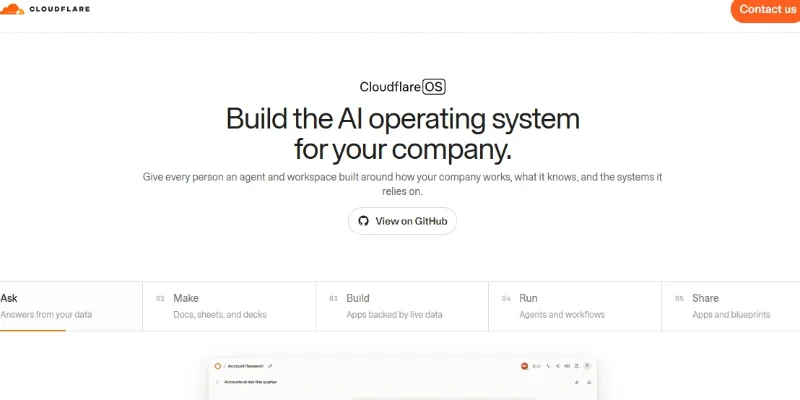
Cloudflare OS is an AI-powered workspace developed by Cloudflare to help organizations turn everyday work into reusable documents, applications, and automated workflows. Instead of relying only on a conventional chatbot, users can give an AI agent a goal and let it research information, analyze company data, write code, create documents, and build applications connected to approved resources.
Built on Cloudflare Workers, the platform combines agent workspaces, shared company context, persistent project state, and isolated execution environments. Organizations can define internal terminology, procedures, and reusable skills so employees can apply consistent knowledge across tasks. Its application-building capabilities allow agents to create full-stack apps with interfaces, server-side logic, and persistent storage.
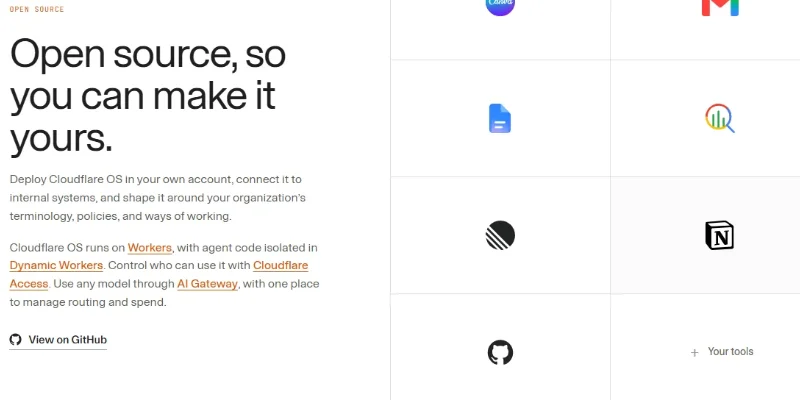
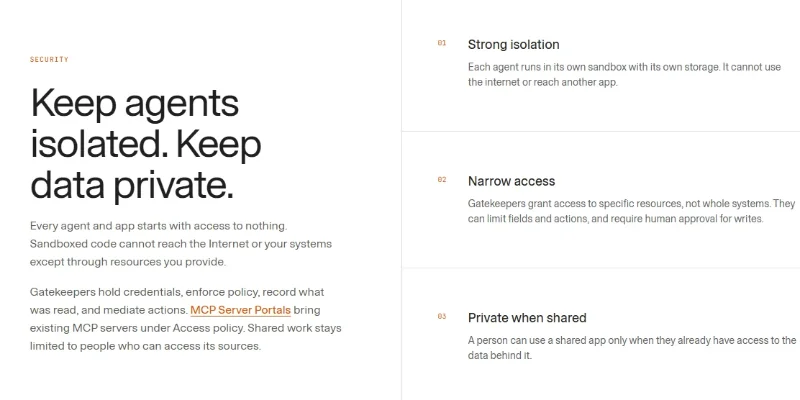
Cloudflare OS also emphasizes security and governance. Agents begin with no access to external resources; organizations grant narrowly scoped permissions through Gatekeepers and control access using Cloudflare Access. AI requests run through Cloudflare AI Gateway, allowing administrators to manage model selection, usage budgets, and rate limits. The platform is open source, so organizations can customize and deploy it within their own Cloudflare accounts.
Verifiable Stats:
-
Official announcement: Cloudflare announced its open-source Cloudflare OS platform on August 5, 2026.
-
Open-source availability: The platform's source code is publicly available through the Cloudflare OS GitHub repository.
-
Deployment: Users can deploy their own instance into a Cloudflare account through the official deployment page.
-
Five core workflow areas: The official website highlights asking questions, creating documents, building apps, running agents and workflows, and sharing apps or blueprints.
-
Multiple output formats: Agents can create documents, spreadsheets, and presentations, as well as applications backed by connected data.
-
Model flexibility: Cloudflare OS routes model inference through Cloudflare AI Gateway and supports configurable model providers, including optional OpenAI and Anthropic API keys.
-
Isolated agent execution: Agent code runs in isolated Dynamic Workers, with outbound network access disabled by default unless explicitly provided through approved resources.
-
Scoped resource access: Gatekeepers can restrict which resources and actions an agent may use, enforce policies, and require approval for selected write operations.
-
Persistent app storage: Generated applications can use their own persistent state and SQLite database through Cloudflare's application runtime.
-
Usage-based costs: Built-in model usage is routed through the deploying account's AI Gateway, and charges apply to that Cloudflare account. The total cost depends on actual usage and configuration.
Screenshots & Demo
Key Features
Core capabilities and functionalities provided by Cloudflare OS.
Context-Aware Code Completion & Synthesis
Delivers low-latency inline code completions, multi-token suggestions, and semantic completions customized to the repository context.
Browser Agent Workspace
Cloudflare OS starts as a chat interface in the browser, like many AI tools, but every conversation is grounded in context and skills your organisation has curated. Give a workspace a goal and it draws on that knowledge plus connected systems, with an isolated runtime where agents can write and run code.
Gadgets: Private App Instances
When you ask for a slide deck, spreadsheet, or dashboard, the system creates a private instance of that software just for you rather than calling a shared SaaS app. Each gadget runs in its own sandboxed Dynamic Worker with a dedicated SQLite database, so one team's tool cannot read another team's data.
Gatekeepers Security Framework
Gatekeepers are service specific Workers that sit between an agent and an external system such as GitHub, Slack, Notion, Confluence, Google, Supabase, or an internal database. They mediate every read and write, enforce scoped permissions, and can require human approval before an action runs.
Zero Standing Access
Agents start every session with zero permissions and are handed scoped capability objects rather than raw API keys or OAuth tokens. This is the opposite default from most enterprise copilots, which grant agents standing service accounts.
Multi-File Codebase Indexing & Exploration
Deeply scans project files, dependency trees, and symbol references to provide comprehensive cross-file edits and refactorings.
Automated Git & Terminal Workflow Automation
Executes shell commands, analyzes test runs, resolves syntax and runtime bugs, and crafts clean commit messages and pull requests.
Architectural Refactoring & Security Audit
Spots security vulnerabilities, dead code paths, and architectural smells, providing one-click semantic fixes and unit tests.
Pros & Cons
Key strengths and potential limitations of Cloudflare OS.
What We Like
- Open-Source and Customizable: Organizations can deploy Cloudflare OS in their own Cloudflare accounts and adapt it to their internal workflows, policies, and business requirements.
- AI Agent Automation: Supports agents that can research information, create documents, build applications, and execute multi-step workflows.
- Strong Security Controls: Agents run in isolated environments, with external access disabled by default and permissions granted only through approved resources.
- Flexible AI Model Integration: Cloudflare AI Gateway provides a central way to route model requests and manage usage, with optional integrations for providers such as OpenAI and Anthropic.
- Shared Company Knowledge: Teams can organize company terminology, procedures, and reusable skills so agents can apply consistent context across supported workflows.
Where It Falls Short
- Requires Cloudflare Deployment: Users must deploy and configure their own instance through a Cloudflare account rather than simply signing up for a conventional hosted chatbot.
- Usage Costs Can Accumulate: AI model requests and infrastructure usage are billed to the deploying account, so costs depend on activity and configuration.
- Technical Setup May Be Challenging: Custom domains, API keys, integrations, and workflow configuration may require technical knowledge.
- Integration Permissions Need Planning: Agents can only interact with resources explicitly provided to them, so connecting internal systems and defining appropriate permissions takes preparation
- Not a Plug-and-Play Business Suite: Organizations may need to customize workflows, configure access controls, and validate generated applications before using them in production.
Use Cases
Discover common workflows and scenarios where Cloudflare OS excels.
AI-Powered Research
Use AI agents to investigate questions, gather information from approved resources, and organize findings into useful summaries and reports.
Business Document Creation
Generate and refine documents, reports, spreadsheets, and presentations using AI agents that can work with relevant company information.
Internal Knowledge Assistance
Create AI-powered workflows that use company terminology, procedures, and reusable skills to help employees find information and complete routine tasks.
AI Application Development
Build applications from natural-language instructions, including user interfaces, server-side functionality, and persistent data storage through supported services.
Workflow Automation
Connect multiple steps into repeatable workflows that help teams process information, generate content, and complete configured tasks with less manual effort.
Company-Specific AI Agents
Configure agents around internal policies, approved resources, and business requirements to support specialized organizational tasks.
Data Processing and Analysis
Use agents to organize connected information, analyze datasets, and produce structured outputs for business reporting and decision-making
Document and Spreadsheet Workflows
Automate supported tasks such as creating spreadsheets, preparing summaries, and transforming business information into structured documents.
Similar AI Tools






Latest from Our Blog
Tips, tutorials and insights about AI tools and how to use them effectively.

ChatGPT for Brand Voice: Can It Sound Like You?

ChatGPT for Marketing: The Complete 2026 Guide

Best AI Tools for Real Estate Agents in 2026: Listings, Leads and Follow-Up

Google Gemini vs ChatGPT: Which AI Assistant Should You Actually Use?
Reviews & Community Ratings
Average rating: 8.5 out of 5 (1 total reviews)
Rate Cloudflare OS
Community Reviews (0)