

AI Video Editor
By AI Video Editor
Context-aware software development platform for rapid engineering workflows.
Overview
Summary: AI Video Editor is an AI-powered, prompt-based video editing platform that lets users modify existing video clips using natural-language instructions. Users can remove unwanted objects or watermarks, recolor products, change visual styles, clean up scenes, and extend shots without manually editing every frame or arranging complex timelines. The platform also brings AI image and video generation models into one workspace, helping creators and marketing teams produce and manage visual assets from a single interface.
What is AI Video Editor?
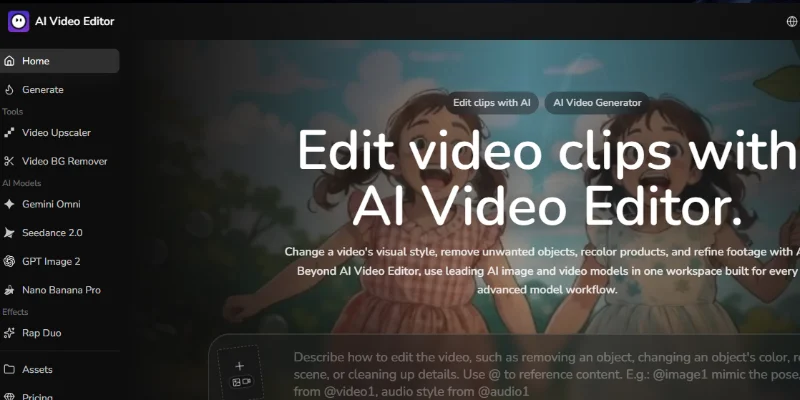
AI Video Editor is a web-based creative platform designed to make video editing easier through artificial intelligence. Instead of relying entirely on traditional editing tools, users can upload an existing clip and describe the changes they want in everyday language. The AI then generates an edited version based on those instructions.
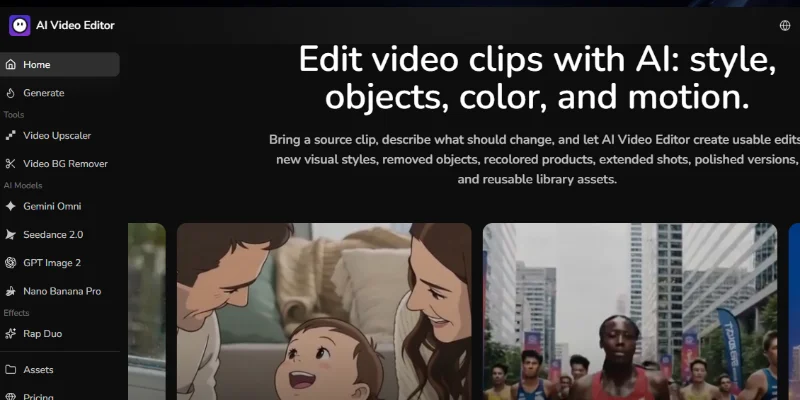
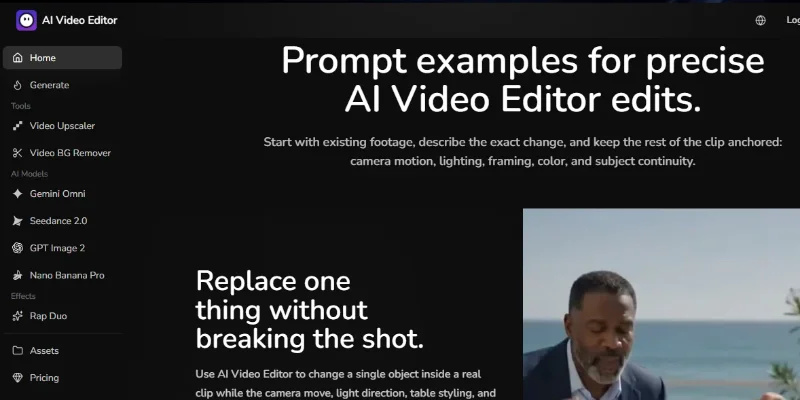
Its main capabilities include removing unwanted objects and watermarks, changing product colours, restyling footage, modifying scene details, and extending video shots. Users can also provide reference images to guide the visual appearance, lighting, colour palette, or overall style of an edit.
Beyond video editing, the platform provides access to AI image and video generation models. Its website highlights tools and models such as Gemini Omni, Seedance 2.0, GPT Image 2, and Nano Banana Pro. This allows users to work on video edits, generate new visuals, create campaign assets, and reuse approved outputs within the same creative workspace.
AI Video Editor is particularly useful for content creators, digital marketers, advertising teams, creative agencies, and e-commerce businesses that need to adapt existing footage for different campaigns, products, or platforms. It can help reduce the need for additional shoots when a clip needs visual adjustments, although the quality of results may depend on the source footage, prompt, and selected AI model.
Verifiable Stats
-
Tool Name: AI Video Editor.
-
Official Website: https://aivideoeditor.so/
-
Primary Purpose: AI-assisted, prompt-based video editing and visual content production.
-
Editing Method: Users upload footage and describe the desired changes using natural-language prompts.
-
Video Editing Features: Object removal, watermark removal, product recolouring, visual restyling, scene cleanup, and shot extension.
-
Reference-Based Editing: Users can attach reference images and other media to guide the editing process.
-
AI Models: The website highlights Gemini Omni, Seedance 2.0, GPT Image 2, and Nano Banana Pro.
-
Additional Capabilities: AI image generation, image editing, video generation, and asset management through a shared workspace.
-
Starting Credits: The website advertises 25 credits for new users after signing in.
-
Intended Users: Content creators, growth marketers, creative teams, and e-commerce businesses.
Screenshots & Demo
Key Features
Core capabilities and functionalities provided by AI Video Editor.
Context-Aware Code Completion & Synthesis
Delivers low-latency inline code completions, multi-token suggestions, and semantic completions customized to the repository context.
Multi-File Codebase Indexing & Exploration
Deeply scans project files, dependency trees, and symbol references to provide comprehensive cross-file edits and refactorings.
Automated Git & Terminal Workflow Automation
Executes shell commands, analyzes test runs, resolves syntax and runtime bugs, and crafts clean commit messages and pull requests.
Architectural Refactoring & Security Audit
Spots security vulnerabilities, dead code paths, and architectural smells, providing one-click semantic fixes and unit tests.
Native IDE & CLI Integration
Seamlessly operates within developer terminals and mainstream code editors without interrupting daily engineering flow.
Pros & Cons
Key strengths and potential limitations of AI Video Editor.
What We Like
- Prompt-Based Video Editing: Users can describe the changes they want in natural language, making editing more accessible to beginners
- Useful Object Removal: AI-powered object and watermark removal can help clean up footage without extensive manual editing.
- Creative Restyling Options: Users can change product colours, modify visual styles, and adjust scene details.
- Reference Image Support: Reference images help guide the AI toward a desired appearance, style, or visual direction.
- Multiple AI Models and Tools: Access to image and video generation models in one workspace gives creators more flexibility for producing visual content.
Where It Falls Short
- Credit-Based Usage: Video editing and AI generation consume credits, so frequent users may need to purchase additional credits or subscribe to a paid plan.
- Results Depend on Source Footage: Blurry, poorly lit, or highly compressed videos may produce less satisfactory edits.
- Prompt Refinement May Be Necessary: The first result may not match the intended visual direction, requiring revised prompts, references, or multiple attempts.
- Complex Edits Can Be Challenging: Fast motion, overlapping objects, and complicated backgrounds may make object removal or scene reconstruction less accurate.
- Not a Complete Traditional Editing Replacement: Users who need detailed timeline editing, frame-by-frame control, or advanced manual effects may still need dedicated video-editing software
Use Cases
Discover common workflows and scenarios where AI Video Editor excels.
Social Media Video Creation
Create engaging video variations for Instagram Reels, YouTube Shorts, TikTok, and other social platforms. Users can modify scenes, adjust visual styles, and generate content suited to different audiences.
E-commerce Product Videos
Improve product footage by changing product colours, cleaning up backgrounds, and creating alternative visual presentations. This can help online stores prepare promotional videos for product listings and campaigns.
Advertisement Creative Production
Develop multiple versions of advertising videos by changing visual elements, restyling scenes, or extending existing shots. Marketing teams can explore different creative directions without organising an entirely new shoot for every variation.
Unwanted Object Removal
Remove distracting objects or unwanted visual elements from video footage using text prompts. This is useful for cleaning up product demonstrations, promotional clips, and everyday recordings.
Watermark and Logo Editing
Modify visible watermarks or logos in footage that users own or are authorised to edit. This can help prepare branded content and update older promotional videos.
Video Restyling and Visual Transformation
Transform the appearance of existing footage by describing a preferred artistic style, colour palette, or visual direction. Creators can use this to develop different looks for campaigns and storytelling projects.
Product Colour and Appearance Customisation
Create alternative product presentations by changing colours and selected visual details in existing clips. This is useful for showcasing different product variants in e-commerce and digital advertising.
Video Extension and Scene Enhancement
Extend existing video shots to create additional footage or smoother visual sequences. This can help creators develop longer clips from shorter source material, depending on the selected model and output quality.
Similar AI Tools

Descript AI
Delete Filler Words, Fix Awkward Pauses, and Edit Videos by Simply Editing the Transcript.

ClipFinder
Paste a YouTube or Twitch link — ClifFinder finds your best clips in minutes

Veed AI
Captions in 125 languages, edited in your browser, no install required

Vidwud
Turn any photo into a video, dancing clip, or talking avatar

DaVinci Resolve Studio
The world’s only solution combining editing, color correction, visual effects, motion graphics, and audio post-production.

Video Upscaler
Video Upscaler
W-Agent
Intelligent developer copilot automating code completion, refactoring, and debugging.
Opus Clip
Repurpose long-form video podcasts into viral, dynamic-captioned short clips.
Latest from Our Blog
Tips, tutorials and insights about AI tools and how to use them effectively.

ChatGPT for Brand Voice: Can It Sound Like You?

ChatGPT for Marketing: The Complete 2026 Guide

Best AI Tools for Real Estate Agents in 2026: Listings, Leads and Follow-Up

Google Gemini vs ChatGPT: Which AI Assistant Should You Actually Use?
Reviews & Community Ratings
No reviews yet — be the first to rate and review this tool!
Rate AI Video Editor
Community Reviews (0)