

W-Agent
By W-Agent
Intelligent developer copilot automating code completion, refactoring, and debugging.
Overview
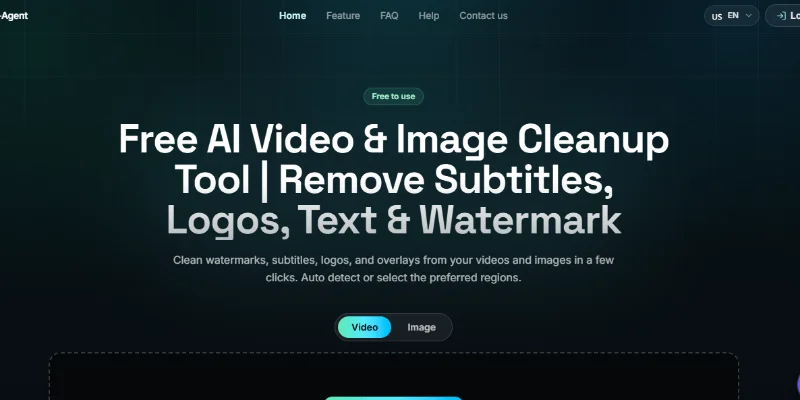
Summary: W-Agent is a free, browser-based AI video and image cleanup tool that helps users remove unwanted visual elements such as watermarks, subtitles, logos, text, and overlays. It uses AI-assisted detection and image reconstruction to clean up media, with automatic detection and manual selection options. No software installation or paid subscription is required according to the official website.
What is W-Agent?
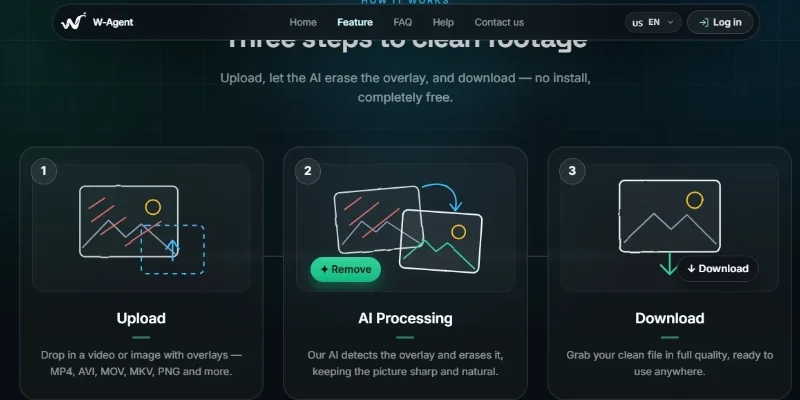
W-Agent is an AI-powered media cleanup platform designed to make video and image editing easier. Users can upload a supported video or image, select the unwanted element they want to remove, and let the AI process the media before downloading the cleaned result.
The platform offers automatic detection for overlays, as well as bounding-box and brush-mask tools for more precise control. For videos, users can apply masks to specific time ranges to target elements that appear during particular sections. Its AI-assisted inpainting attempts to reconstruct the background while preserving visual details, colors, and motion.
W-Agent supports common video formats such as MP4, MOV, WebM, MKV, and AVI, along with image formats including JPG, JPEG, PNG, and WebP. The website lists a maximum video duration of two minutes and a maximum file size of 500 MB. It is free to use online, without requiring traditional editing software. Users should only upload media they own or have permission to edit.
Verifiable Stats
-
Tool Name: W-Agent
-
Official Website: https://w-agent.xyz/
-
Tool Type: AI video and image cleanup tool.
-
Primary Function: Remove unwanted visual elements from videos and images.
-
Watermark Removal: Removes supported watermarks from media.
-
Subtitle Removal: Helps erase visible subtitles and captions.
-
Logo Removal: Removes unwanted logos and similar visual overlays.
-
Text Removal: Cleans up visible text and other unwanted overlays.
-
Automatic Detection: Offers automatic detection for supported visual elements.
-
Bounding-Box Selection: Allows users to mark a rectangular area for removal.
-
Brush Masks: Provides brush-based selection for more detailed cleanup.
Screenshots & Demo
Key Features
Core capabilities and functionalities provided by W-Agent.
Context-Aware Code Completion & Synthesis
Delivers low-latency inline code completions, multi-token suggestions, and semantic completions customized to the repository context.
Multi-File Codebase Indexing & Exploration
Deeply scans project files, dependency trees, and symbol references to provide comprehensive cross-file edits and refactorings.
Automated Git & Terminal Workflow Automation
Executes shell commands, analyzes test runs, resolves syntax and runtime bugs, and crafts clean commit messages and pull requests.
Architectural Refactoring & Security Audit
Spots security vulnerabilities, dead code paths, and architectural smells, providing one-click semantic fixes and unit tests.
Pros & Cons
Key strengths and potential limitations of W-Agent.
What We Like
- AI-Powered Watermark Removal: Helps remove unwanted watermarks, logos, subtitles, and text overlays from supported images and videos.
- Automatic and Manual Selection: Offers automatic detection alongside bounding-box and brush-mask tools for more precise editing.
- Supports Multiple Media Formats: Works with common video formats such as MP4, MOV, WebM, MKV, and AVI, as well as JPG, PNG, and WebP images.
- Free Online Access: The website advertises free usage without requiring a paid subscription or desktop software installation.
- Flexible Video Cleanup: Time-range masking helps users target unwanted elements that appear only during specific parts of a video.
Where It Falls Short
- Processing Quality Can Vary: Complex backgrounds, moving objects, and large overlays may leave visible artifacts after removal.
- Video Duration Limit: The website lists a maximum video duration of two minutes, which may not suit longer recordings.
- File Size Restrictions: The listed 500 MB video upload limit may prevent users from processing larger files.
- Results May Need Refinement: Manual mask adjustments or repeated attempts may be necessary to achieve a clean result.
- Limited Editing Scope: W-Agent focuses on removing unwanted visual elements rather than providing a complete video-editing suite with advanced timelines and effects.
Use Cases
Discover common workflows and scenarios where W-Agent excels.
Video Watermark Removal
Remove unwanted watermarks from videos you own or have permission to edit. This can help prepare footage for reuse in authorized projects.
Subtitle and Caption Cleanup
Erase visible subtitles or captions from supported videos when preparing footage for a different language, format, or authorized publishing workflow.
Logo and Brand Overlay Removal
Remove unwanted logos and visual overlays from media you are authorized to modify, helping create a cleaner visual presentation.
Text Removal from Videos
Clean up unwanted text displayed over video footage, such as annotations or labels, where supported by the AI processing tools.
Image Watermark Cleanup
Remove supported watermarks or unwanted text from images you own or have permission to edit, subject to the quality of the original image.
Social Media Content Preparation
Clean up permitted images and short videos before publishing them on social platforms, presentations, or websites.
Video Editing and Repurposing
Prepare existing footage for authorized reuse by removing unwanted visual elements that interfere with a new layout or presentation.
Targeted Overlay Removal
Use manual bounding boxes or brush masks to select specific unwanted elements rather than processing the entire frame indiscriminately.
Similar AI Tools






Latest from Our Blog
Tips, tutorials and insights about AI tools and how to use them effectively.

ChatGPT for Brand Voice: Can It Sound Like You?

ChatGPT for Marketing: The Complete 2026 Guide

Best AI Tools for Real Estate Agents in 2026: Listings, Leads and Follow-Up

Google Gemini vs ChatGPT: Which AI Assistant Should You Actually Use?
Reviews & Community Ratings
Average rating: 3.4 out of 5 (3 total reviews)
Rate W-Agent
Community Reviews (0)