

Browser Use
By Browser Use
Intelligent developer copilot automating code completion, refactoring, and debugging.
Overview
Summary: Browser Use is an AI-powered browser automation platform that enables AI agents to navigate websites, interact with web pages, fill out forms, extract information, and complete multi-step online tasks. It offers an open-source Python and TypeScript browser agent, a command-line interface (CLI), hosted AI agents, and cloud browser infrastructure. Developers can connect it with language models and automation frameworks such as Playwright and Puppeteer to build intelligent web automation workflows. Its cloud browsers include features such as CAPTCHA solving, residential proxies, persistent browser profiles, and live session monitoring. The open-source library is MIT-licensed, while cloud services use usage-based pricing.
What is Browser Use?
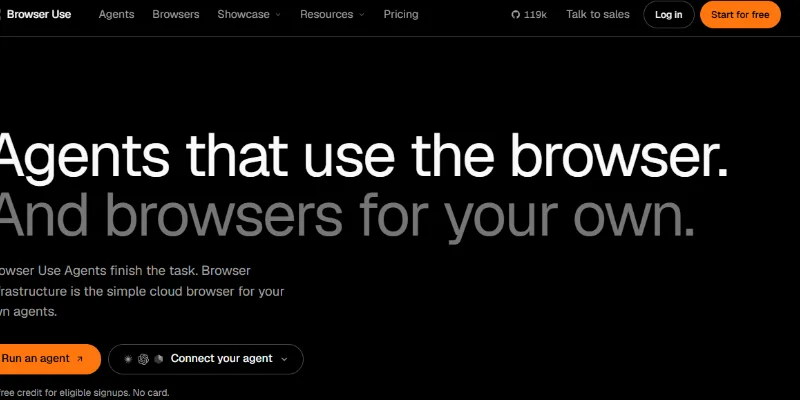
Browser Use is a browser automation framework designed to help AI agents interact with websites in a way similar to human users. Instead of relying entirely on manually written CSS selectors and browser scripts, it allows an AI model to interpret a task, understand web page content, and perform actions such as clicking buttons, navigating pages, entering information, and extracting data.
The platform provides multiple ways to automate browser workflows. Developers can use its open-source Python library to build custom AI agents, use the CLI to give coding agents browser access, or use its hosted agent API to submit tasks and receive completed results. The library can run locally or connect to Browser Use Cloud.
One of its main offerings is Browser Use Cloud, which provides managed Chromium browsers that developers can control remotely through the Chrome DevTools Protocol (CDP). These browsers support integrations with Playwright, Puppeteer, Stagehand, and other compatible browser automation tools. Features include persistent profiles, live browser viewing, session recordings, residential proxies, and automatic CAPTCHA solving.
Browser Use also provides Browser Harness, an open-source solution that lets coding agents such as Claude Code, Codex, Cursor, and Gemini CLI interact with a user's existing Chrome browser. This allows agents to work with existing tabs, cookies, and authenticated sessions after the user grants permission.
The platform is particularly useful for developers, automation engineers, AI researchers, and businesses building agents that need to interact with real websites. Common applications include web scraping, data collection, form automation, online research, website testing, and repetitive browser-based business processes.
Key Features
-
AI Browser Automation: Enables AI agents to navigate websites, click elements, enter text, and perform multi-step browser tasks.
-
Open-Source Python Library: Provides a developer framework for creating custom AI-powered browser agents.
-
Browser Use Cloud: Offers managed cloud-based Chromium browsers for running automation without maintaining local browser infrastructure.
-
Hosted AI Agents: Allows users to submit browser tasks through an API and receive completed results.
-
Playwright and Puppeteer Integration: Supports browser automation through established developer frameworks and CDP connections.
-
Browser Harness: Gives compatible coding agents access to a user's existing Chrome browser.
-
CAPTCHA Solving: Provides automatic CAPTCHA-solving capabilities in its cloud browser infrastructure.
-
Residential Proxy Support: Offers proxy options across multiple countries for location-specific browser sessions.
-
Persistent Browser Profiles: Supports saved cookies and login sessions across cloud browser sessions.
-
Live Browser Monitoring: Allows users to view and take control of active browser sessions.
-
Session Recording: Supports browser session recordings for monitoring and reviewing automation activity.
-
Structured Task Results: Hosted agent workflows can return structured outputs and files for integration into other applications.
Screenshots & Demo
Key Features
Core capabilities and functionalities provided by Browser Use.
Context-Aware Code Completion & Synthesis
Delivers low-latency inline code completions, multi-token suggestions, and semantic completions customized to the repository context.
Multi-File Codebase Indexing & Exploration
Deeply scans project files, dependency trees, and symbol references to provide comprehensive cross-file edits and refactorings.
Automated Git & Terminal Workflow Automation
Executes shell commands, analyzes test runs, resolves syntax and runtime bugs, and crafts clean commit messages and pull requests.
Architectural Refactoring & Security Audit
Spots security vulnerabilities, dead code paths, and architectural smells, providing one-click semantic fixes and unit tests.
Pros & Cons
Key strengths and potential limitations of Browser Use.
What We Like
- Open-Source and Customizable Framework: Browser Use provides an MIT-licensed Python library that developers can modify, extend, and integrate into their own AI applications
- Supports Multiple AI Models: Developers can connect models from providers such as OpenAI, Anthropic, and Google, or use local models through Ollama. This provides flexibility in choosing models based on performance and budget
- Automates Complex Browser Tasks: AI agents can navigate websites, click buttons, fill out forms, search for information, and complete multi-step online workflows using natural-language instructions.
- Powerful Cloud Browser Infrastructure: Browser Use Cloud offers managed browsers, residential proxies, CAPTCHA-solving capabilities, persistent profiles, and live browser monitoring for more advanced automation workflows
- Flexible Developer Integrations: It supports Playwright, Puppeteer, custom tools, and CDP-based browser connections. Developers can use the same agent code with local or cloud browsers.
Where It Falls Short
- Requires Technical Knowledge: The Python library and custom automation workflows require programming knowledge, environment setup, API keys, and familiarity with browser automation concepts.
- Cloud Services Are Not Completely Free: Although the open-source library is free, cloud browsers, model inference, proxy traffic, and hosted agent services can incur additional costs
- Automation Results Can Vary: Browser agents depend on AI models and website structures. Dynamic page layouts, unexpected pop-ups, authentication requirements, or complex interactions may cause tasks to fail or require retries
- Authentication Setup Can Be Inconvenient: Cloud profile synchronization transfers cookies but does not transfer local storage, IndexedDB, or browser extensions. Some websites may therefore require users to sign in again.
- Requires Careful Security Configuration: Giving an AI agent access to authenticated browser sessions can expose sensitive accounts or information if workflows are not properly restricted. Developers should apply appropriate permissions, domain controls, and human approval for sensitive actions.
Use Cases
Discover common workflows and scenarios where Browser Use excels.
Automated Web Research
Search multiple websites, gather relevant information, compare findings, and organize research results into structured reports. AI agents can handle repetitive browsing steps and speed up information gathering.
Web Scraping and Data Extraction
Extract product details, prices, business information, contact details, and other publicly available website data. Browser Use is useful for collecting information from dynamic websites that require interactive browsing.
E-commerce Price Monitoring
Monitor product prices, availability, discounts, and product specifications across online stores. Businesses can build automated workflows to collect and compare competitor pricing information.
Automated Form Filling
Automate repetitive form submissions, registration workflows, data entry, and online applications. AI agents can navigate form fields, enter information, and submit forms based on provided instructions.
Website Testing and Quality Assurance
Automate browser-based testing by navigating pages, interacting with buttons, checking form behaviour, and validating website workflows. Developers can use it to identify navigation and usability issues.
Lead Generation and Business Research
Collect publicly available company information, business descriptions, website details, and other relevant lead data. Sales and marketing teams can use these workflows to support prospect research.
Social Media and Content Management
Automate permitted browser-based content management activities, such as navigating dashboards, organizing information, and preparing repetitive publishing workflows. Sensitive publishing actions should remain subject to user approval.
Browser-Based Workflow Automation
Connect AI agents with websites and business applications to automate repetitive activities such as updating records, checking information, downloading reports, and processing online tasks.
Similar AI Tools
Leapd
AI-powered coding companion built for high-velocity software engineering.
Cloudflare OS
Research, Analyze Data, Build Apps, Create Documents, and Automate Work with Cloudflare
Springbrand
Build AI Agents That Research, Create, and Automate Tasks
SeedRealtime
AI-powered coding companion built for high-velocity software engineering.
Wery.AI
Intelligent developer copilot automating code completion, refactoring, and debugging.
Manus AI Agent
Intelligent developer copilot automating code completion, refactoring, and debugging.

ChatGPT
Research, Write, Code, Analyze, and Create with OpenAI’s Multimodal AI Assistant.

Claude
Write, Code, Analyze, Research, and Automate Complex Tasks with Claude AI.
Latest from Our Blog
Tips, tutorials and insights about AI tools and how to use them effectively.

ChatGPT for Brand Voice: Can It Sound Like You?

ChatGPT for Marketing: The Complete 2026 Guide

Best AI Tools for Real Estate Agents in 2026: Listings, Leads and Follow-Up
