

cursor
By cursor
The AI-first code editor built for lightning-fast engineering speed.
Overview
Summary: Cursor is an AI-first code editor built as a fork of VS Code, enabling developers and engineering teams to write, debug, and refactor software significantly faster using integrated conversational AI and codebase-wide code generation.
What is Cursor? Cursor is an intelligent development environment designed to supercharge software engineering workflows.
By deeply indexing your entire codebase, Cursor understands context across multiple files, libraries, and functions. It empowers developers to generate complex code, execute automated multi-file edits, debug errors directly in the terminal, and converse with their codebase using natural language—all while retaining full compatibility with standard VS Code extensions and shortcuts.
Verifiable Stats:
-
Core Capability: AI-assisted code generation, multi-file editing, and codebase-wide semantic search.
-
Key Formats: Full IDE support across programming languages, markdown documentation, and configuration files.
-
Target Audience: Software developers, full-stack engineers, technical founders, and coding students.
-
Processing Workflow: Local desktop application integration backed by cloud-powered large language models.
-
Pricing Model: Free tier available alongside tiered subscription plans for advanced AI usage and team collaboration.
Screenshots & Demo
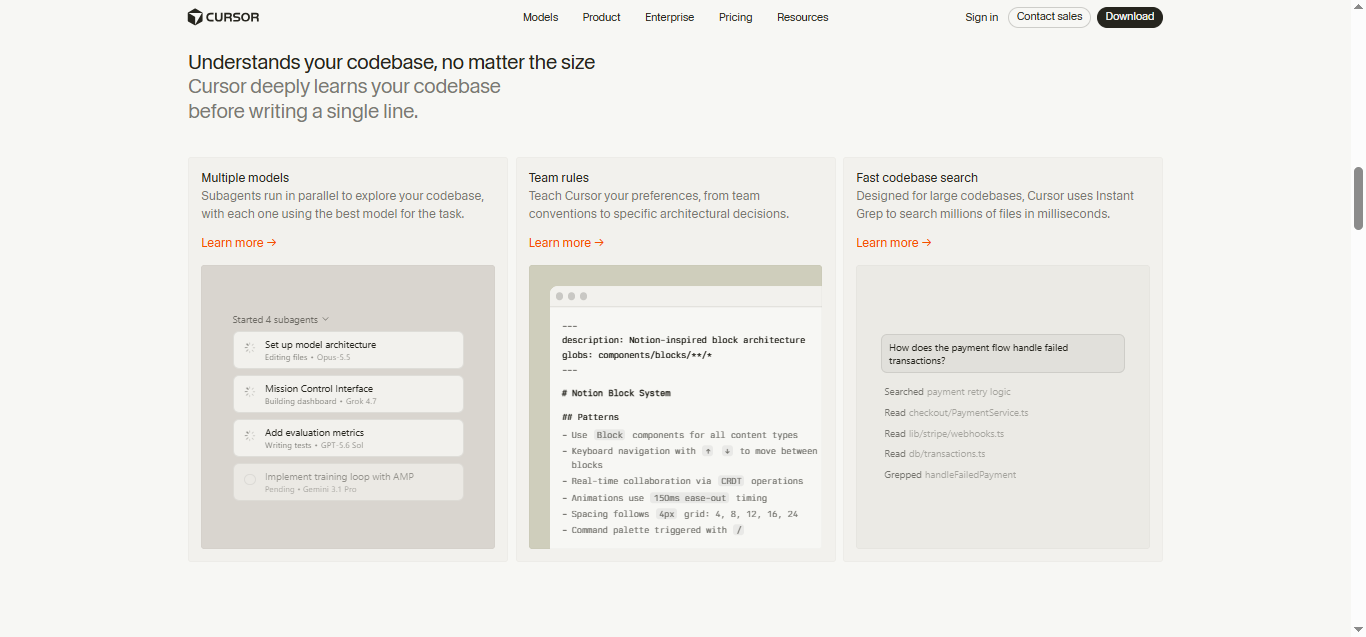
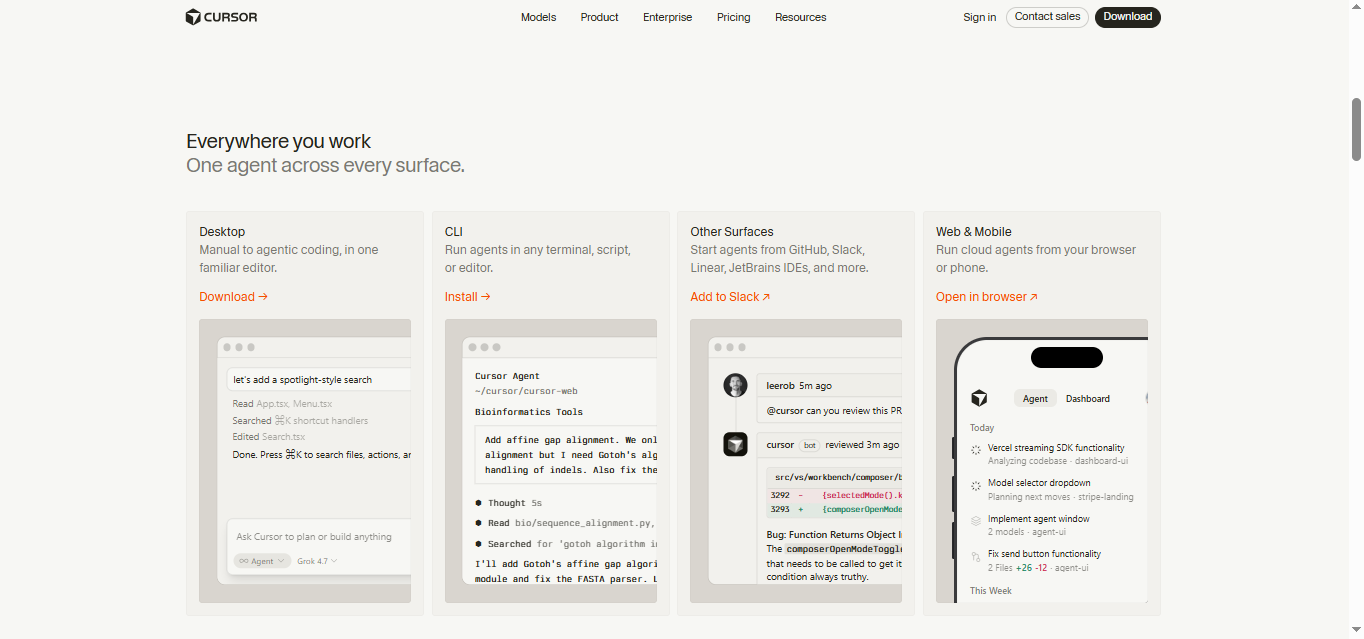
Key Features
Core capabilities and functionalities provided by cursor.
Context-Aware Code Completion & Synthesis
Delivers low-latency inline code completions, multi-token suggestions, and semantic completions customized to the repository context.
Multi-File Codebase Indexing & Exploration
Deeply scans project files, dependency trees, and symbol references to provide comprehensive cross-file edits and refactorings.
Automated Git & Terminal Workflow Automation
Executes shell commands, analyzes test runs, resolves syntax and runtime bugs, and crafts clean commit messages and pull requests.
Architectural Refactoring & Security Audit
Spots security vulnerabilities, dead code paths, and architectural smells, providing one-click semantic fixes and unit tests.
Native IDE & CLI Integration
Seamlessly operates within developer terminals and mainstream code editors without interrupting daily engineering flow.
Pros & Cons
Key strengths and potential limitations of cursor.
What We Like
- Built as a direct fork of VS Code, allowing developers to migrate seamlessly with all existing extensions, themes, and keybindings.
- Codebase-wide semantic search and indexing give the AI deep context across multiple files, directories, and project dependencies.
- Powerful multi-file editing capabilities enable complex refactoring and feature implementation across interconnected files simultaneously.
- Seamless terminal debugging and error diagnosis streamline the troubleshooting of stack traces and failing tests.
- Privacy-focused settings ensure code confidentiality and prevent private repositories from being stored or used for training models on paid tiers.
Where It Falls Short
- Heavy AI usage and advanced model requests require a paid subscription plan after exhausting free hobby tier limits.
- Large codebases can require significant initial indexing time and background resource consumption during project setup.
- Occasional multi-file edit hallucinations can introduce breaking changes or require manual code review before merging changes.
- As a separate fork, updates from the core VS Code project can sometimes lag behind the official release channel.
- Cloud-based AI model inference requires an active internet connection for prompt completion and codebase querying.
Use Cases
Discover common workflows and scenarios where cursor excels.
Codebase-Wide Semantic Search & Q&A
Ask questions about your entire codebase and receive precise answers backed by context across multiple files, directories, and dependencies.
Multi-File AI Code Editing
Execute complex refactoring tasks and feature implementations that automatically update code across multiple interconnected files simultaneously.
Automated Bug Fixing & Terminal Debugging
Diagnose terminal errors, stack traces, and failing tests instantly with AI assistance that suggests and applies direct code fixes.
Natural Language Code Generation
Generate boilerplate code, entire functions, and new algorithmic components directly in the editor using conversational prompts.
VS Code Extension & Shortcut Migration
Transition seamlessly from standard VS Code by importing all existing extensions, keybindings, and user preferences with zero friction.
Inline Code Refactoring & Optimization
Clean up legacy code, optimize performance bottlenecks, and improve readability with context-aware inline suggestions.
Automated Documentation & Test Writing
Generate comprehensive unit tests, docstrings, and README documentation automatically based on existing function logic.
Full-Stack Feature Development Acceleration
Speed up end-to-end feature creation by coordinating changes across frontend components, API endpoints, and database schemas in tandem.
Similar AI Tools





Latest from Our Blog
Tips, tutorials and insights about AI tools and how to use them effectively.

ChatGPT for Brand Voice: Can It Sound Like You?

ChatGPT for Marketing: The Complete 2026 Guide

Best AI Tools for Real Estate Agents in 2026: Listings, Leads and Follow-Up

Google Gemini vs ChatGPT: Which AI Assistant Should You Actually Use?
Reviews & Community Ratings
Average rating: 8.5 out of 5 (1 total reviews)
Rate cursor
Community Reviews (0)