

floot
By floot
Context-aware software development platform for rapid engineering workflows.
Overview
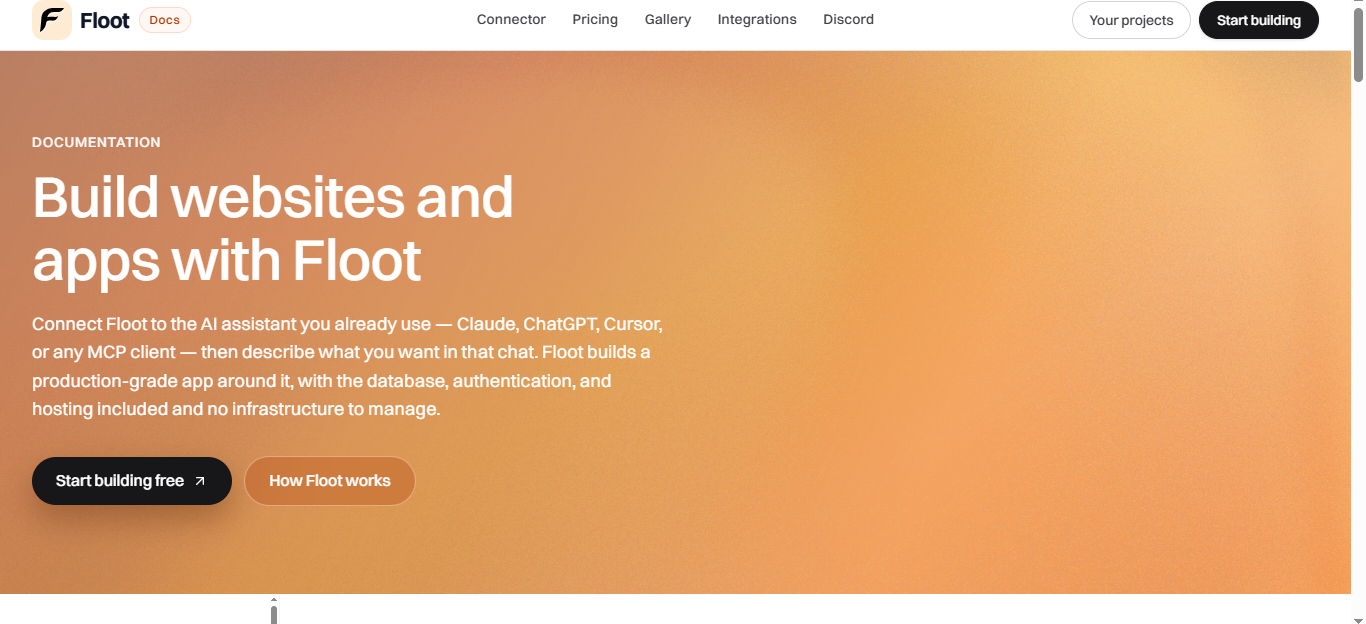
Summary: Floot is an AI-powered cloud development environment and collaborative workspace designed to let developers build, test, and ship full-stack applications entirely from the browser or through conversational agent workflows.
What is Floot? Floot eliminates local environment setup friction by providing instant, secure cloud-based development containers pre-configured with modern runtimes, databases, and AI coding assistants.
Instead of configuring complex local dependencies or debugging terminal errors, developers can spin up sandboxed environments in seconds, collaborate with team members in real time, and let AI agents autonomously handle bug fixes, feature scaffolding, and code reviews.
Verifiable Stats:
-
Core Capability: Instant cloud dev environments, AI-powered coding agent assistance, browser-based IDE, and collaborative real-time pair programming.
-
Key Workflows: One-click repository provisioning, AI bug fixing, cloud terminal execution, and secure preview deployments.
-
Target Audience: Software engineers, indie hackers, remote development teams, and technical students.
-
Processing Workflow: Containerized cloud architecture combining isolated execution runtimes with integrated LLM orchestration for automated code generation.
-
Pricing Model: Freemium structure offering free individual developer tiers alongside paid team and pro plans for dedicated resources, higher AI compute quotas, and private workspaces.
Screenshots & Demo

Key Features
Core capabilities and functionalities provided by floot.
Context-Aware Code Completion & Synthesis
Delivers low-latency inline code completions, multi-token suggestions, and semantic completions customized to the repository context.
Multi-File Codebase Indexing & Exploration
Deeply scans project files, dependency trees, and symbol references to provide comprehensive cross-file edits and refactorings.
Automated Git & Terminal Workflow Automation
Executes shell commands, analyzes test runs, resolves syntax and runtime bugs, and crafts clean commit messages and pull requests.
Architectural Refactoring & Security Audit
Spots security vulnerabilities, dead code paths, and architectural smells, providing one-click semantic fixes and unit tests.
Native IDE & CLI Integration
Seamlessly operates within developer terminals and mainstream code editors without interrupting daily engineering flow.
Pros & Cons
Key strengths and potential limitations of floot.
What We Like
- Provides instant, pre-configured containerized cloud workspaces that completely eliminate local environment setup friction.
- Built-in AI coding agents autonomously diagnose bugs, refactor codebases, and scaffold features directly inside your project.
- Enables real-time collaborative pair programming and live code sharing directly from any web browser.
- Seamlessly connects with GitHub to pull repositories, run code in isolated sandboxes, and push commits with zero friction.
- Generates live preview URLs instantly, allowing you to test full-stack apps and share progress with stakeholders immediately.
Where It Falls Short
- Dedicated compute resources, higher AI generation quotas, and advanced team workspaces require an active monthly subscription plan.
- Operates as a cloud-based IDE, meaning an active and stable internet connection is required to write code and run workspaces.
- Extremely resource-heavy background processes or massive local databases may occasionally push against standard cloud container limits.
- Heavy continuous utilization of autonomous AI coding agents can deplete free-tier compute quotas quickly.
- Developers accustomed to highly customized local IDE extensions may need to adapt to cloud-based extension ecosystems.
Use Cases
Discover common workflows and scenarios where floot excels.
Instant Cloud Workspace Provisioning
Spin up pre-configured, containerized development environments in seconds without wasting time installing local dependencies or wrestling with environment variables.
Autonomous AI Coding & Bug Fixing
Let integrated AI coding agents diagnose errors, refactor codebases, write unit tests, and scaffold new features directly inside your cloud workspace.
Real-Time Collaborative Pair Programming
Share live dev environments with team members instantly to collaborate on code, review pull requests, and debug together from any browser.
Browser-Based Full-Stack Development
Write, test, and execute full-stack code across multiple runtimes and databases directly from any web browser without needing a heavy local machine.
Secure Preview & Deployment
Test your applications in isolated staging containers and generate live preview URLs to share progress with stakeholders instantly.
Remote Work & Zero-Config Onboarding
Onboard new engineers or students in minutes by providing standardized, ready-to-code cloud workspaces that work identically across all operating systems.
Hackathon & Rapid Prototyping
Accelerate prototype creation by combining instant environment templates with AI-assisted code generation to build MVPs at lightning speed.
GitHub Repository Synchronization
Seamlessly connect your GitHub repositories, pull code into isolated cloud sandboxes, and push commits or pull requests back with zero friction.
Similar AI Tools

AI Town
Simulate AI Characters, Build Virtual Worlds, and Explore Autonomous Social Interactions.
Bolt.new
Prompt, run, and deploy full-stack web applications entirely in your browser.

Rosebud AI
Turn Your Ideas Into Playable Games With AI

Playroom
Build Multiplayer Games and Collaborative Apps Without Server Setup
HappySeeds
Context-aware software development platform for rapid engineering workflows.

Thoth Ai
AI Training Data & Model Reliability Platform

DeepSeek
Open-Source, High-Efficiency AI Models & Advanced Reasoning Engine

Vynaris
Hosted uncensored models for authorized security testing and research.
Latest from Our Blog
Tips, tutorials and insights about AI tools and how to use them effectively.

The 10 Best AI Data Analysis Tools in 2026: ChatGPT, Copilot, and Julius AI Compared

Best AI Tools for Social Media and Thumbnails in 2026

Top AI Tool Directories to Submit To: Complete Guide (2026)

Best Paid AI Tools Worth the Money in 2026: Complete Guide
Reviews & Community Ratings
No reviews yet — be the first to rate and review this tool!
Rate floot
Community Reviews (0)