

Genspark AI Browser
By Genspark AI Browser
Intelligent developer copilot automating code completion, refactoring, and debugging.
Overview
Summary: Genspark AI Browser is an AI-native web browser that combines traditional browsing with autonomous AI agents, on-device AI models, workflow automation, and built-in ad blocking. It helps users research websites, compare products, summarize YouTube videos, extract information, and automate multi-step online tasks through its Super Agent and Autopilot Mode. The browser also includes an MCP Store with connections to more than 700 tools, including Discord, GitHub, Notion, and Slack. It supports Windows and macOS, including Apple Silicon and Intel Macs.
What is Genspark AI Browser?
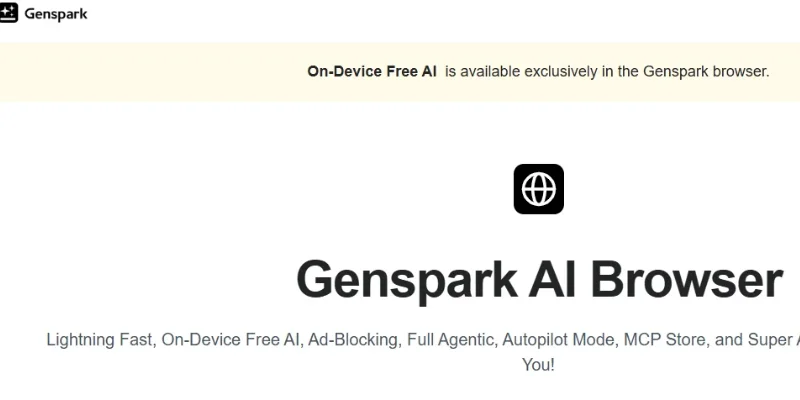
Genspark AI Browser is an AI-powered desktop browser developed by Genspark. Unlike traditional browsers that primarily display web pages, it integrates AI assistance directly into the browsing experience, helping users interact with websites, understand information, and complete online tasks.
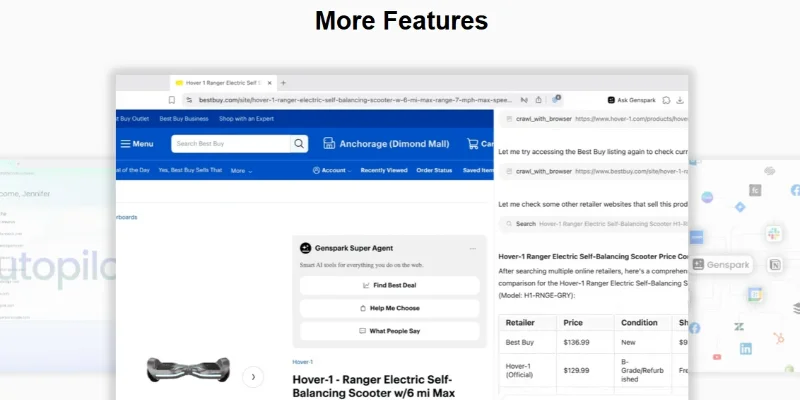
One of its key features is Super Agent, an AI assistant available across web pages. Users can ask it to compare products, find better shopping deals, analyze customer reviews, summarize YouTube videos, and extract useful information without manually switching between multiple tools.
The browser also includes Autopilot Mode, which allows AI agents to navigate websites and perform multi-step tasks automatically. It can help users gather information, browse online feeds, access web resources, and complete repetitive browsing activities. Users can delegate tasks instead of performing every browser action manually.
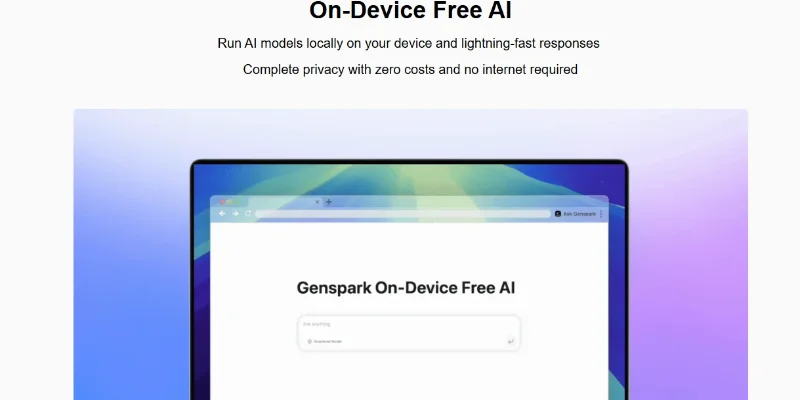
Another major capability is On-Device Free AI, which runs supported AI models locally on the user's computer. According to Genspark, this enables offline AI interactions without sending the model's processing to a cloud service. Its launch announcement described access to 169 open-weight models, including GPT, DeepSeek, and Gemma families.
Genspark AI Browser also features a built-in MCP Store, providing connections to more than 700 external tools and services. These integrations help users connect applications such as Discord, GitHub, Notion, and Slack to their workflows. Additionally, its integrated ad blocker removes intrusive advertisements and pop-ups for a cleaner browsing experience.
The browser is suitable for professionals, researchers, students, developers, online shoppers, and business users who want AI assistance directly within their everyday browsing activities.
Key Features
-
AI-Powered Browsing: Provides AI assistance directly on web pages for research, information extraction, and everyday browsing.
-
Super Agent: Helps users compare products, analyze reviews, summarize content, and complete website-related tasks.
-
Autopilot Mode: Automates multi-step browsing activities and repetitive online workflows.
-
On-Device Free AI: Runs supported open-weight AI models locally on compatible devices, including offline use.
-
MCP Store: Connects with more than 700 external tools and services for workflow automation.
-
Built-In Ad Blocker: Blocks intrusive advertisements, banners, and pop-ups.
-
AI Shopping Assistant: Finds deals, compares products, and summarizes customer reviews.
-
YouTube Video Summarization: Helps summarize video content and extract transcripts.
-
AI Research Assistant: Collects information from websites and assists with online research.
-
Browser Migration: Supports importing browsing information from an existing browser.
-
Cross-Platform Desktop Support: Available for Windows and macOS, including Apple Silicon and Intel Macs.
Screenshots & Demo
Key Features
Core capabilities and functionalities provided by Genspark AI Browser.
Context-Aware Code Completion & Synthesis
Delivers low-latency inline code completions, multi-token suggestions, and semantic completions customized to the repository context.
Multi-File Codebase Indexing & Exploration
Deeply scans project files, dependency trees, and symbol references to provide comprehensive cross-file edits and refactorings.
Automated Git & Terminal Workflow Automation
Executes shell commands, analyzes test runs, resolves syntax and runtime bugs, and crafts clean commit messages and pull requests.
Architectural Refactoring & Security Audit
Spots security vulnerabilities, dead code paths, and architectural smells, providing one-click semantic fixes and unit tests.
Pros & Cons
Key strengths and potential limitations of Genspark AI Browser.
What We Like
- Autonomous Browser Automation: Autopilot Mode can navigate websites, gather information, access online resources, and complete multi-step browsing tasks, reducing repetitive manual work.
- Free On-Device AI Models: It can run supported AI models locally without requiring an internet connection for those local AI interactions. This offers a useful option for offline access and local processing.
- Built-In Super Agent: Users can compare products, find deals, analyze customer reviews, summarize YouTube videos, and extract information directly while browsing websites.
- Extensive MCP Integrations: The built-in MCP Store connects with more than 700 tools, including Discord, GitHub, Notion, and Slack, helping users integrate browsing with other productivity workflows.
- Distraction-Free Browsing: Its integrated ad blocker automatically blocks intrusive advertisements, banners, and pop-ups, providing a cleaner browsing experience.
Where It Falls Short
- Limited Operating System Compatibility: The dedicated browser is currently listed for Windows and macOS, with macOS requiring version 15 or later. Users of Linux and other desktop operating systems may need an alternative
- Hybrid Privacy Model: Although supported AI models can run locally, other browser features rely on cloud-based Genspark services. Users should distinguish local AI processing from cloud-based agent activity when handling sensitive information
- AI Automation May Need Supervision: Autonomous agents can encounter unexpected website layouts, login requirements, or interactive elements. Users should review results and supervise important actions rather than assuming every task will complete correctly.
- Unclear Separate Browser Pricing: The browser is free to download, but the official browser page does not clearly specify a separate pricing structure for every AI-powered feature. Some cloud-based services may depend on Genspark account plans and usage limits.
- Limited Technical Transparency: The official browser page provides an overview of its AI and automation features but does not fully document technical details such as the underlying browser engine. This may make technical evaluation harder for developers and advanced users.
Use Cases
Discover common workflows and scenarios where Genspark AI Browser excels.
Automated Web Research
Use Super Agent and Autopilot Mode to research topics across multiple websites, gather relevant information, compare sources, and organize findings into useful summaries.
Product Research and Price Comparison
Compare products across online shopping websites, review product specifications, analyze customer feedback, and identify competitive deals before making purchasing decisions.
YouTube Video Summarization
Summarize lengthy YouTube videos, extract transcripts, and identify important points from educational content, tutorials, interviews, and product reviews.
Competitor Analysis
Visit competitor websites, examine their products and services, compare pricing information, and collect business insights to support market research and strategic planning.
Repetitive Browser Task Automation
Use Autopilot Mode to automate multi-step browsing activities, such as navigating websites, collecting information, and completing routine online workflows.
Academic Research and Learning
Explore educational websites, summarize online resources, collect research material, and simplify complex topics for assignments, projects, and self-learning.
Business Workflow Integration
Connect applications such as Slack, GitHub, Notion, and Discord through the MCP Store to bring information and productivity tools into connected AI workflows.
Offline AI Assistance
Use supported on-device AI models to summarize information, generate text, and perform other AI interactions locally when an internet connection is unavailable.
Similar AI Tools
Leapd
AI-powered coding companion built for high-velocity software engineering.
Cloudflare OS
Research, Analyze Data, Build Apps, Create Documents, and Automate Work with Cloudflare
Springbrand
Build AI Agents That Research, Create, and Automate Tasks
SeedRealtime
AI-powered coding companion built for high-velocity software engineering.
Capafy
Context-aware software development platform for rapid engineering workflows.
Wery.AI
Intelligent developer copilot automating code completion, refactoring, and debugging.
Manus AI Agent
Intelligent developer copilot automating code completion, refactoring, and debugging.
i10X
AI-powered coding companion built for high-velocity software engineering.
Latest from Our Blog
Tips, tutorials and insights about AI tools and how to use them effectively.

ChatGPT for Brand Voice: Can It Sound Like You?

ChatGPT for Marketing: The Complete 2026 Guide

Best AI Tools for Real Estate Agents in 2026: Listings, Leads and Follow-Up
