

SuperIntern
By SuperIntern
Next-generation AI code assistant with deep multi-file repository understanding.
Overview
Summary: SuperIntern is an always-on AI assistant designed to manage emails, meetings, scheduling, reminders, and repetitive administrative tasks. Developed by Houly Ltd (trading as Ammo AI), it works across messaging platforms and connected business applications to help professionals manage daily operations. It can draft email replies in the user's writing style, summarize meetings, track follow-ups, convert voice notes into tasks, and perform recurring workflows. Its AI-generated email replies require user approval before sending.
What is SuperIntern?
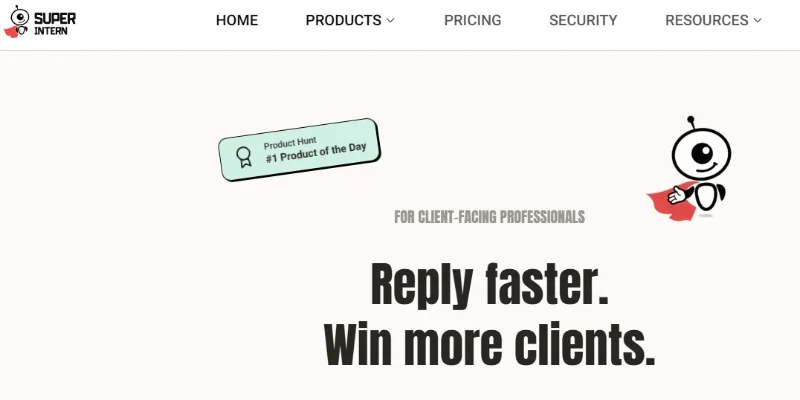
SuperIntern is an AI-powered personal and business assistant built to reduce the time professionals spend on routine administrative work. Rather than functioning only as a traditional chatbot, it operates in the background across connected tools to help manage communication, meetings, reminders, and business workflows.
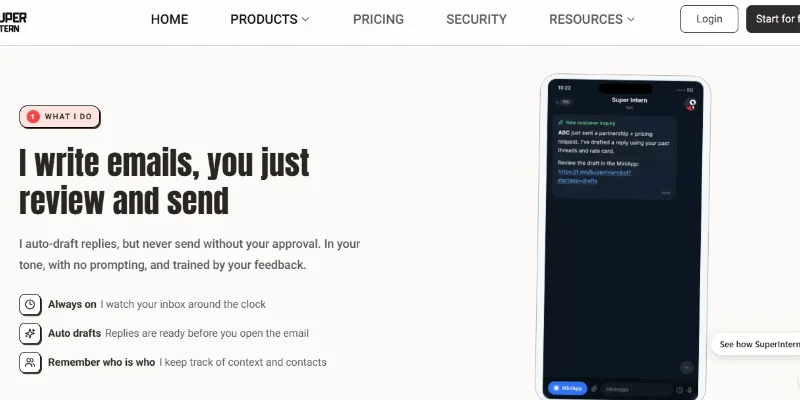
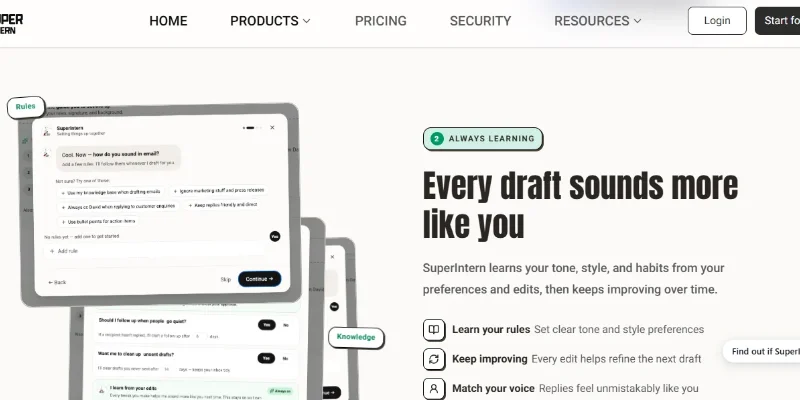
One of its primary features is AI email management. SuperIntern connects with Gmail or Outlook, monitors incoming messages, and prepares suggested replies in the user's preferred tone and style. It learns from user preferences and previous edits to improve its drafts. Users review and approve messages before they are sent.
The platform also supports meeting management and scheduling. It can help organize meetings, summarize discussions, retain important decisions, prepare follow-up messages, and convert conversations or voice notes into reminders and tasks. Its meeting assistant can work with supported browser meetings through its desktop application and Chrome extension.
SuperIntern is designed to work through messaging applications such as Telegram, WhatsApp, Discord, Slack, and WeChat. It also advertises more than 1,000 integrations, including connections to Google Calendar, Notion, GitHub, Google Drive, LinkedIn, and other business tools. This allows users to access assistance without constantly switching between applications.
The platform is particularly useful for entrepreneurs, consultants, sales professionals, business owners, client-facing teams, and individuals who manage multiple communication channels. It offers customizable workflows, reusable AI Skills, business knowledge connections, and recurring task automation.
Verifiable Stats
-
Official Name: SuperIntern.
-
Developer: Houly Ltd, trading as Ammo AI.
-
Parent Brand: Ammo AI.
-
Headquarters: London, United Kingdom, according to its LinkedIn company profile.
-
Primary Purpose: AI-powered email management, meeting assistance, scheduling, reminders, and business task automation.
-
Email Support: Connects with Gmail and Outlook to draft email replies and organize communication.
-
Messaging Platforms: Supports Telegram, WhatsApp, Discord, WeChat, and Slack; some platform availability may depend on setup or beta access.
-
Integrations: Advertises more than 1,000 integrations and connections with tools such as Notion, GitHub, Google Drive, Google Calendar, and LinkedIn.
-
Meeting Assistance: Provides meeting notes, summaries, recorded discussions, and follow-up support through supported workflows.
-
Security: The company advertises SOC 2 Type I certification, GDPR compliance, Google Cloud hosting, and a CASA assessment.
Screenshots & Demo
Key Features
Core capabilities and functionalities provided by SuperIntern.
Context-Aware Code Completion & Synthesis
Delivers low-latency inline code completions, multi-token suggestions, and semantic completions customized to the repository context.
Multi-File Codebase Indexing & Exploration
Deeply scans project files, dependency trees, and symbol references to provide comprehensive cross-file edits and refactorings.
Automated Git & Terminal Workflow Automation
Executes shell commands, analyzes test runs, resolves syntax and runtime bugs, and crafts clean commit messages and pull requests.
Architectural Refactoring & Security Audit
Spots security vulnerabilities, dead code paths, and architectural smells, providing one-click semantic fixes and unit tests.
Pros & Cons
Key strengths and potential limitations of SuperIntern.
What We Like
- Automated Email Management: Connects with Gmail and Outlook to prepare email replies, organize communication, and reduce repetitive inbox work.
- Personalized Email Drafting: Adapts suggested replies to the user's writing style and preferences, helping maintain consistent communication.
- Meeting Assistance: Helps summarize discussions, capture important decisions, and organize follow-up actions.
- Wide Integration Support: Advertises more than 1,000 integrations, connecting users with popular productivity and business applications.
- Multiple Communication Channels: Supports access through messaging platforms such as WhatsApp, Telegram, Slack, Discord, and WeChat, depending on availability and setup.
Where It Falls Short
- Subscription Cost: Paid plans may be expensive for individuals or small businesses that only need basic email and scheduling assistance.
- Credit-Based Usage: Monthly credit limits may restrict users who rely heavily on AI tasks and automated workflows.
- Requires App Permissions: Connecting email, calendars, and business applications requires granting access to relevant accounts and data.
- AI Accuracy Limitations: Email drafts, meeting summaries, and extracted tasks may contain mistakes, so important outputs require human review.
- Setup and Learning Curve: Configuring integrations, custom AI Skills, and recurring automations may take time, particularly for non-technical users.
Use Cases
Discover common workflows and scenarios where SuperIntern excels.
Automated Email Management
Professionals can connect their Gmail or Outlook accounts to organize incoming communication, review important messages, and generate suggested email replies without writing every response manually.
Personalized Business Communication
Users can create professional email drafts that reflect their preferred writing style, tone, and communication preferences, helping maintain consistency across client and business conversations.
Meeting Scheduling and Coordination
Busy professionals can use SuperIntern to assist with arranging meetings, managing scheduling requests, and coordinating appointments through connected calendar applications.
Meeting Notes and Summaries
Teams can use its meeting assistant to capture important discussion points, summarize conversations, record decisions, and prepare follow-up actions.
Follow-Up Reminder Management
Sales professionals and consultants can organize reminders for client calls, pending emails, proposals, and important business conversations.
Voice Notes to Actionable Tasks
Users can send voice messages or notes and turn relevant information into structured tasks, reminders, and to-do lists.
Customer Communication Management
Businesses can use connected messaging channels to manage customer questions, organize conversations, and support routine customer-service workflows.
Sales Lead Follow-Ups
Sales teams can use SuperIntern to draft prospect responses, track follow-up tasks, prepare meeting reminders, and maintain consistent communication with potential customers.
Similar AI Tools

ChatGPT
Research, Write, Code, Analyze, and Create with OpenAI’s Multimodal AI Assistant.

Claude
Write, Code, Analyze, Research, and Automate Complex Tasks with Claude AI.

Google - Gemini
Research, Write, Code, and Create with Google’s Multimodal AI Assistant.

Grok -AI
Get Real-Time Answers, Research the Web, Code, and Create with Grok AI.

ChatGOT
Your All-in-One AI Chatbot Assistant

Ptero
Chat with 70+ AI Models, Compare Responses, Debug Code, and Build Projects for Free.
Cloudflare OS
Research, Analyze Data, Build Apps, Create Documents, and Automate Work with Cloudflare
Springbrand
Build AI Agents That Research, Create, and Automate Tasks
Latest from Our Blog
Tips, tutorials and insights about AI tools and how to use them effectively.

ChatGPT for Brand Voice: Can It Sound Like You?

ChatGPT for Marketing: The Complete 2026 Guide

Best AI Tools for Real Estate Agents in 2026: Listings, Leads and Follow-Up

Google Gemini vs ChatGPT: Which AI Assistant Should You Actually Use?
Reviews & Community Ratings
No reviews yet — be the first to rate and review this tool!
Rate SuperIntern
Community Reviews (0)